
The Ultimate Morph 2.0
The Ultimate Morph 2.0 lets you transform seamlessly into a wide variety of mobs, blocks, items, furniture, and even popular anime and gaming characters. This addon offers a fun and easy way to disguise yourself, play pranks, or simply explore Minecraft from a fresh perspective.
Installation / How to Use
To begin morphing, follow these steps:
- Access the Morph Menu:
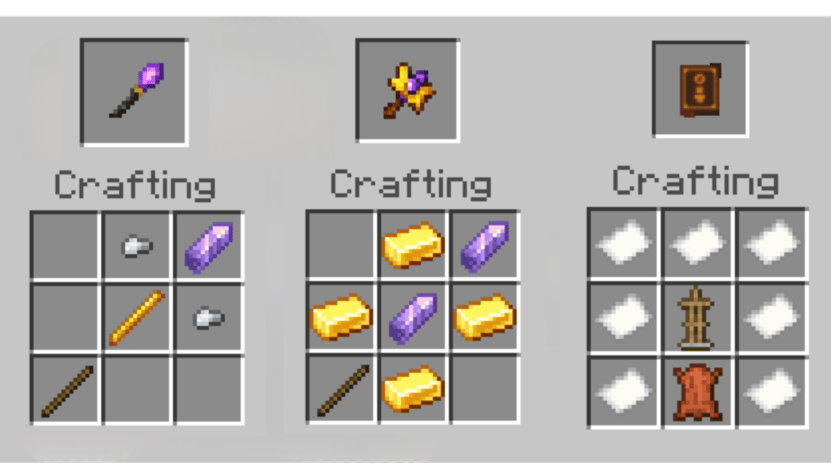
- Obtain the "DG MENU" item from your inventory.
- Use this item to open the morph selection interface.
- Pick a category and select any morph to change instantly.
- Revert to Your Player Form:
- Use the "DG Player Morph" item to return to your normal appearance.
- Blend In Perfectly (Solidify Your Form):
- Activate the "DG Solidifier" item to lock your position and appear as a stationary block or piece of furniture, ideal for camouflage.
Requirements / Compatibility
- Compatible with Minecraft Bedrock Edition.
- Enabling Education Edition allows access to additional flying abilities for certain mobs.
Key Features
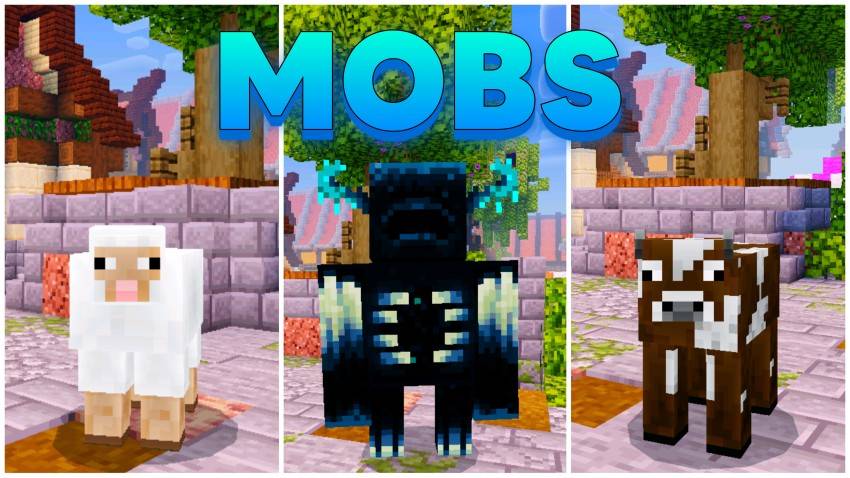
- Wide Morph Selection: Transform into diverse mobs like Zombies, Cows, Allays, and Armadillos.
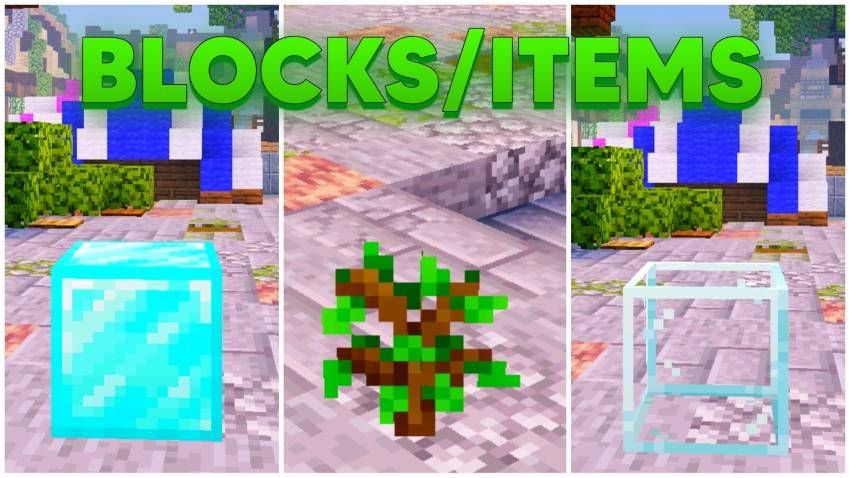
- Block & Item Morphs: Become blocks such as Diamond Block, Wooden Planks, or items like Player Heads and Saplings.
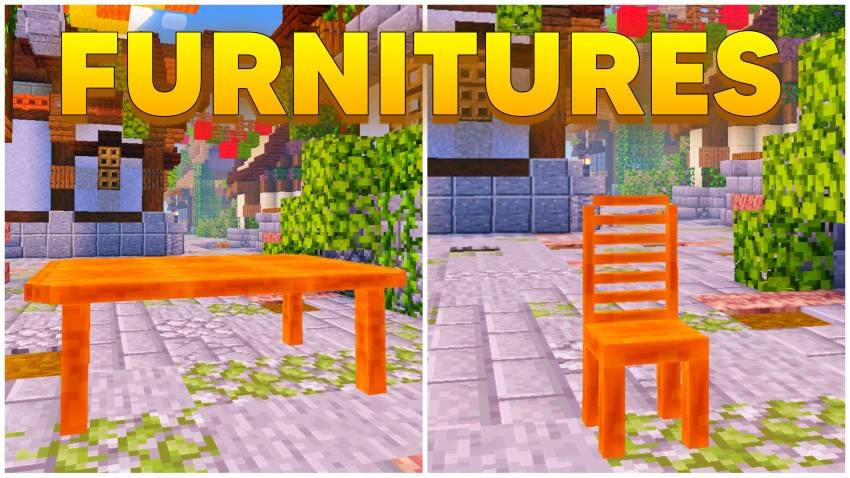
- Furniture Morphs: Disguise as tables, chairs, and more.
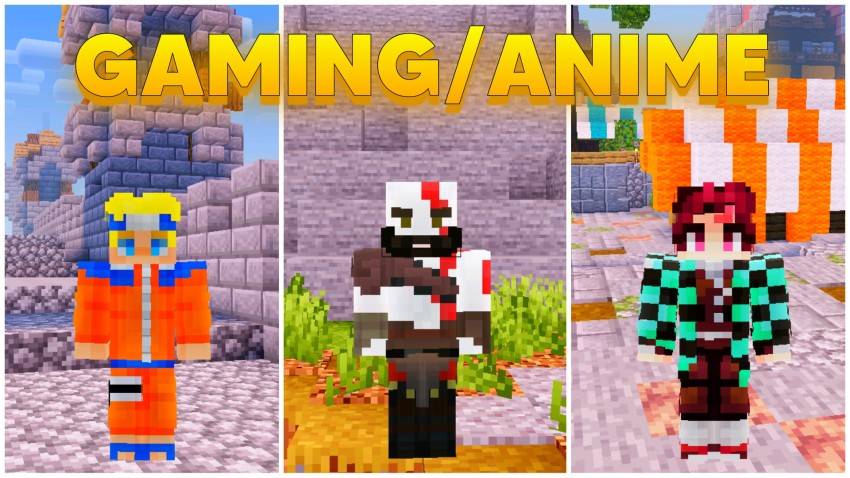
- Gaming & Anime Characters: Morph into popular figures including Kratos, Spiderman, Naruto, Gojo, and Luffy.
- Special Characters: Includes unique skins like Squid Game characters, John Cena, and Pennywise.
- Special Abilities:
- Creeper morph triggers an explosion animation when crouching.
- Zombie morph is vulnerable to sunlight and will burn.
- Hostile mobs won’t attack you when morphed.
- Unique abilities vary by morph.
Notes / Troubleshooting
If you want to return to your default player model at any time, use the "DG Player Morph" item. To avoid detection while disguised as blocks or furniture, use the "DG Solidifier" to hold your position and blend in naturally.
Screenshots
Screenshots & Video

Download The Ultimate Morph 2.0
Supported versions
1.21.101 1.21.100 1.21.94 1.21.93 1.21.92 1.21.90 1.21.82 1.21.81 1.21.80 1.21.73 1.21.72 1.21.71 1.21.70 1.21.61 1.21.60 1.21.51 1.21.50 1.21.44 1.21.43 1.21.41 1.21.40 1.21.30 1.21.20 1.21.2 1.21 1.20.80 1.20.60 1.20.1 1.20
Supported versions
1.21.94 1.21.93 1.21.90 1.21.82 1.21.81 1.21.80 1.21.73 1.21.72 1.21.71 1.21.70 1.21.61 1.21.60 1.21.51 1.21.50 1.21.44 1.21.43 1.21.41 1.21.40 1.21.30 1.21.21 1.21.20 1.21.2 1.21 1.20.80 1.20.70 1.20.60 1.20.50 1.20.40 1.20.1 1.20
 5.00/5
 0 Comments