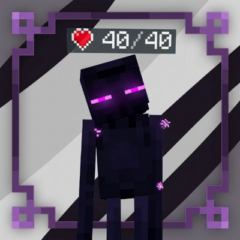
Dynamic Health Bar Indicator
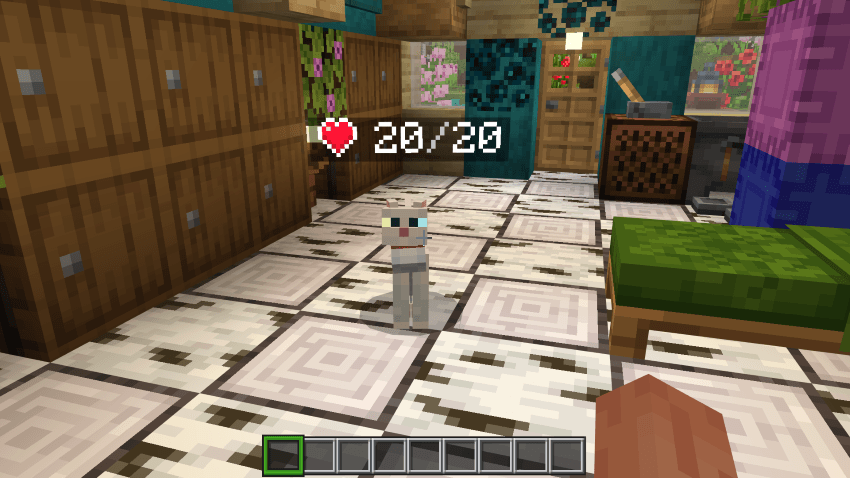
Dynamic Health Bar Indicator adds a sleek heart icon and health counter floating above every mob and player, updating in real time as they take damage or heal. This lightweight behavior and resource pack combo requires no entity file changes or experimental settings, allowing seamless integration with any existing addons or resource packs.
Installation
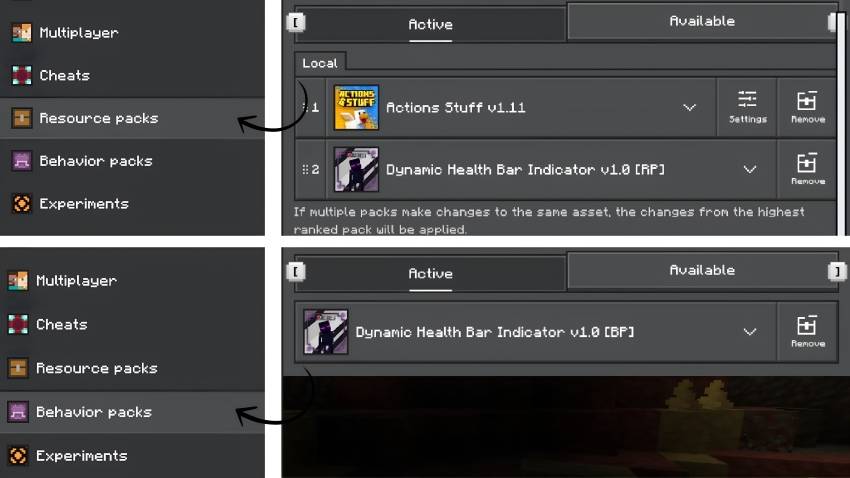
- Download the provided
.mcaddonfile. - Open the file to automatically import it into Minecraft.
- Enable both the behavior pack (
[BP]) and resource pack ([RP]) in your world's settings. - No experimental features need to be enabled; simply load the world and enjoy.
Requires Minecraft Bedrock Edition version 1.21.80 or later.
Requirements and Compatibility
This addon does not modify any entity, texture, or model files, ensuring compatibility with all other addons, shaders, and resource packs. It works perfectly alongside animation packs and custom mobs from other addons, displaying health bars for any entity that has health.
There is no conflict risk regardless of load order, so you can place it anywhere in your pack list.
Key Features
- Displays a clean heart symbol (
�����������������������) and numeric HP above each mob and player. - Supports all vanilla and custom mobs that have health, including those added by other addons.
- Shows health bars for other players in multiplayer, and for yourself when in third-person view.
- Updates instantly when damage is dealt or healed.
- Optimized for performance, processing only mobs near the player.
- Preserves custom mob name tags, displaying the health indicator just below the mob’s name.
- Zero conflicts due to no entity file edits or animations required.
How to Use
Adjust settings easily via chat commands, which save per world:
/scriptevent dhbi:players off— Hide health bars on players./scriptevent dhbi:display actionbar— Show health on your HUD instead of above entities./scriptevent dhbi:mode always | proximity | look— Control when bars are visible./scriptevent dhbi:distance <4-64>— Set the viewing distance for health bars./scriptevent dhbi:hideatfull on— Display bars only on damaged mobs./scriptevent dhbi:color on— Color-code the health count based on remaining health./scriptevent dhbi:status— View current settings.

 4.70/5
bag