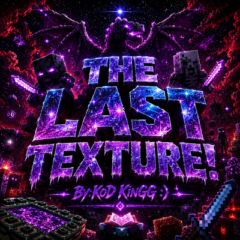
THE LAST TEXTURE!
THE LAST TEXTURE! Experience a meticulously crafted texture pack tailored for both vanilla and technical Minecraft players seeking enhanced performance and refined visuals. This pack balances aesthetic appeal with practical features, ideal for survival, PvP, and optimization enthusiasts aiming for a sleek and efficient gameplay environment.
Installation
To install the texture pack, download the pack file and place it into your Minecraft resource packs folder. Then, enable the pack through the game's settings menu under "Global Resources" or "Resource Packs." Make sure to select the desired mode for your preferred experience.
How to Use
Once activated, the texture pack automatically improves your in-game visuals and performance. You can switch between four included modes—Particles, No Particles, With Animations, and Default—depending on your preference for visual effects and performance optimization.
Requirements / Compatibility
This texture pack is designed for Minecraft Bedrock Edition and is compatible with vanilla gameplay as well as technical setups. It supports survival gameplay and PvP, providing enhancements without compromising game mechanics. No additional mods are required.
Key Features
- RGB animated experience bar for better XP tracking
- Custom heart icons for health display
- Visible armor durability indicators
- Tool durability shown clearly
- Miniature sword and tools for compact HUD elements
- HUD character viewer for real-time player status
- Glowing effects on armor and enchantments for visual clarity
- Accelerated item animations and crafting processes
- Display of coordinates and day counter for easy navigation
- Custom purple-themed graphical user interface
- Fog removed from all biomes for unobstructed views
- Optional no-particles mode to reduce visual distractions
Notes / Troubleshooting
If you experience any visual glitches or performance issues, try switching between the provided modes to find the best balance for your device. Ensure your Minecraft is updated to the latest version for optimal compatibility.
 5.00/5