SecurityBeCraft
SecurityBeCraft is a comprehensive security addon designed to enhance protection in your Minecraft Bedrock world. It offers a variety of tools such as security cameras, drones, reinforced chests, turrets, and reinforced doors to safeguard your belongings and area from other players or hostile mobs.
Requirements
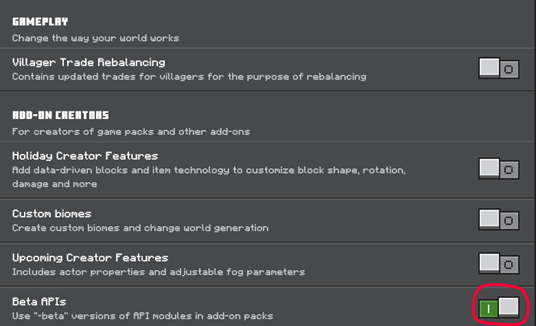
This addon requires the Beta API's experimental gameplay features to be enabled to function correctly.
Getting Started
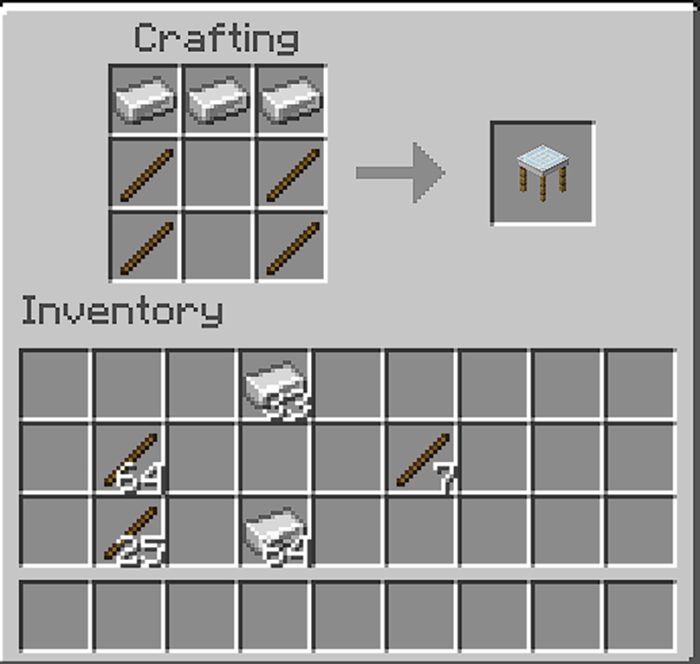
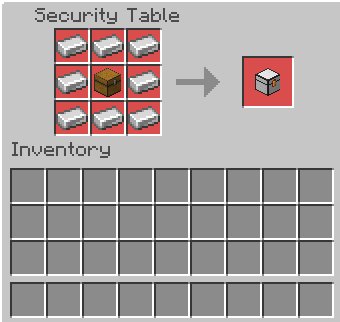
Begin by crafting the Security Table, the cornerstone crafting station for all security devices in this addon. The recipe involves 3 iron ingots and 4 wooden sticks.
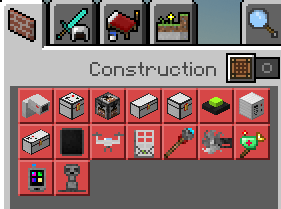
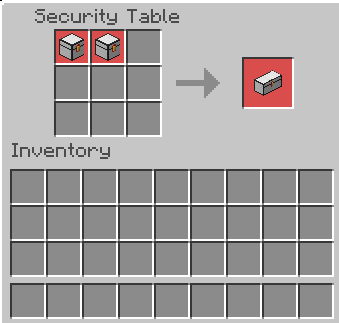
Using the security table, you can craft all security items like cameras, reinforced chests, turrets, and spy drones. Viewing each item’s recipe is as simple as clicking on the item within the table.
Spy Drones and Cameras
To monitor your cameras and drones, craft a Tablet. This lets you access live feeds from fixed cameras or pilot drones around the world. The tablet crafting requires a combination of specified materials.
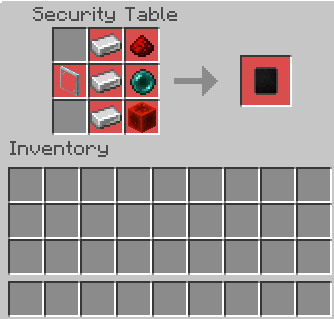
After crafting the tablet, build cameras and drones using the recipes below:
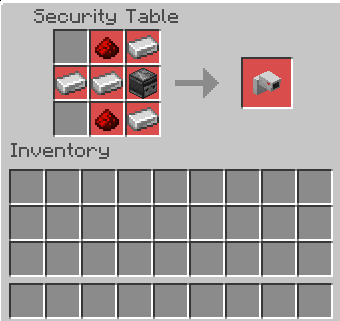
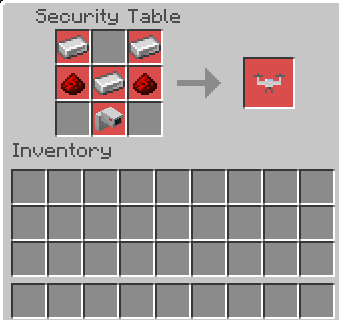
To set up a camera:
- Place the camera on a wall.
- Interact with it to assign a unique name (names must be unique per camera).
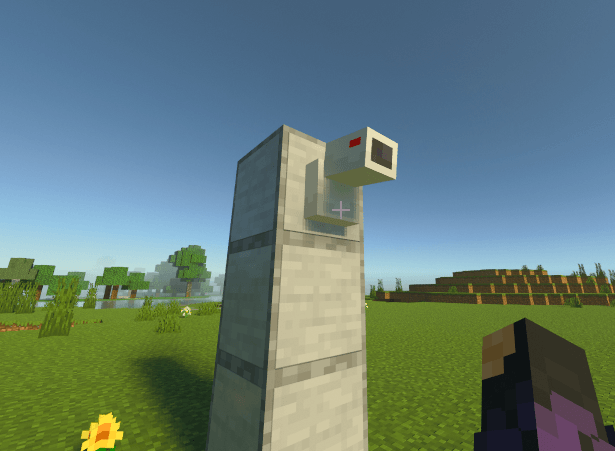
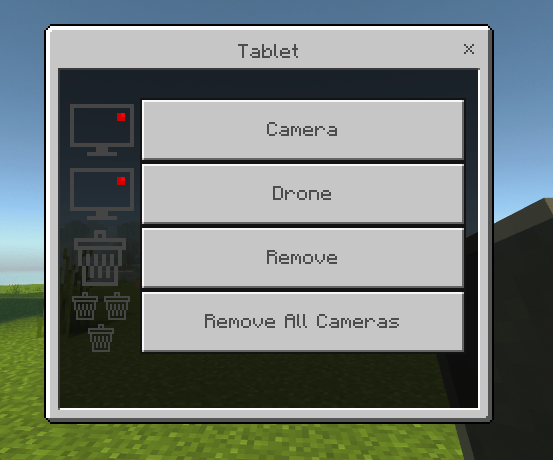
Once configured, access the camera feed through the tablet interface, which offers four controls:
- Camera: Select and view any configured camera.
- Drone: Choose and pilot drones.
- Remove: Delete a selected camera (note: drones require shift + right-click to remove).
- Remove All Cameras: Clear all cameras at once.
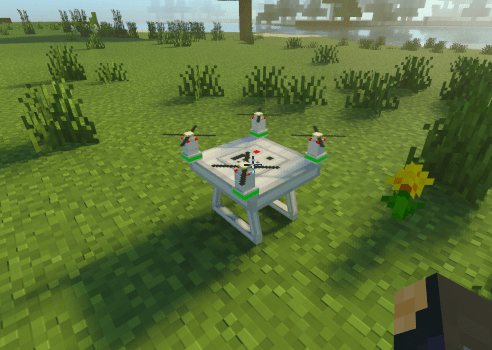
Drones function similarly but are placed on the ground. Assign a unique name by interacting with the drone. Keep in mind drones have a signal range; if you lose control, move closer to regain connection.
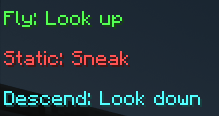
Drone flying controls are displayed on the tablet interface.
Mines
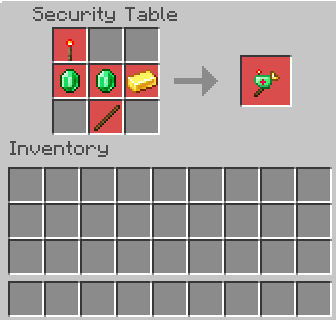
Mines operate like cameras with unique names but are used for defense. Place mines on the ground and interact to arm or disarm them. When armed, mines glow red and detonate when triggered by proximity or remotely via the mine module.
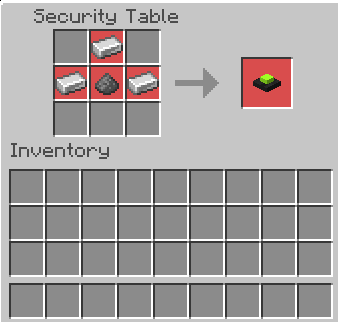
Mine crafting recipes are as follows:
Reinforced Chests
Two types of reinforced chests are available:
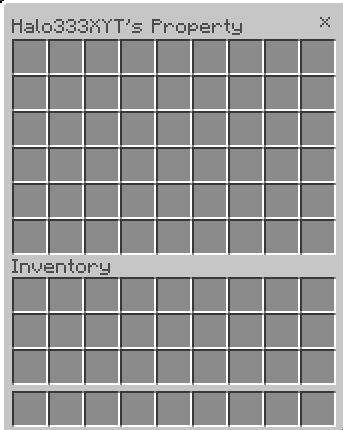
- Normal Reinforced Chest: Only the player who placed it can open it.
- Password-Protected Chest: Requires a password to access, which must be set upon placement.
Normal chests have a plain white top, while password chests have black dotted tops and include "KeyPad" in their names.
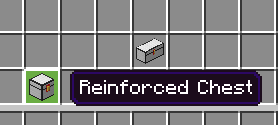
Chests come in small and large sizes.
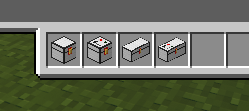
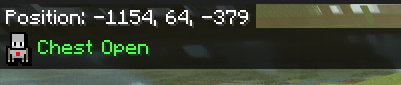
To set a password on a keypad chest, interact with it after placement and enter your desired code.
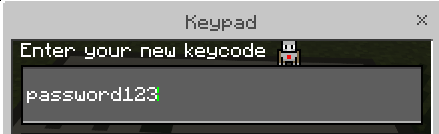
Once unlocked, the chest will open for users who know the password.
Turrets
Turrets provide automated defense against hostile mobs and players. Place turrets on the ground; the owner is the player who placed them. Interact with turrets to configure their operation.
If you own multiple turrets, the turret module allows centralized control and the ability to remove all turrets at once.
Reinforced Doors
Reinforced doors are indestructible and feature two access methods:
- Scanner: Automatically opens doors for the owner when looking at the scanner. It operates within a 2-block range, allowing for double doors.
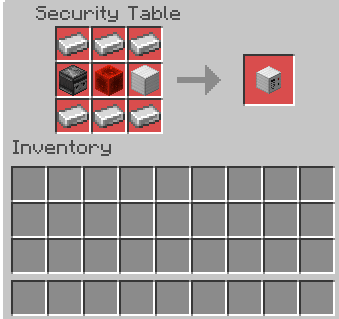
- Keypad: Requires a password to open, similar to keypad chests.
Scanner
To open doors using the scanner, simply look directly at it.
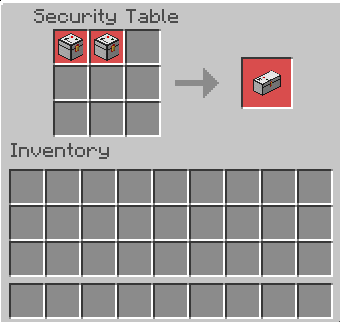
Keypad
Set a password on keypads to secure your doors. Enter the password to unlock.
Reinforced Blocks
Block reinforcement makes blocks immune to explosions and breaking attempts. Two tools are essential:
- Block Reinforcer: Use this to make any block indestructible by interacting with it.
- Block Remover: Allows removal of blocks you reinforced. You cannot remove blocks reinforced by other players.
Reinforced blocks display their status and owner when interacted with.