Querencisa Visual Pack
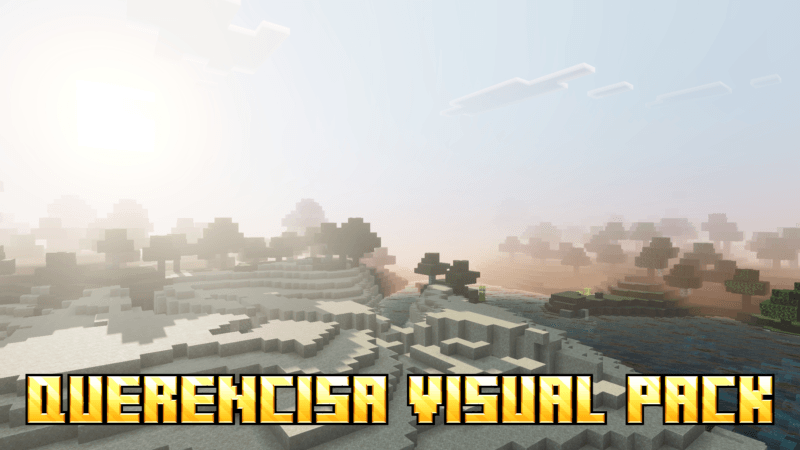
Querencisa Visual Pack is a shader designed to significantly improve your Minecraft Bedrock Edition visuals. It features physically based rendering (PBR), ACE tone mapping, white balance adjustments, and intricate midtone control. This pack delivers a stunning blend of dynamic dawn skies, anime-inspired night scenes, and refined atmospheric effects including realistic fog.
Installation / How to use
To apply the Querencisa Visual Pack, download the shader file and place it in your Minecraft resource packs folder. Activate the pack through the game's settings under the "Global Resources" section. Ensure the shader is enabled to experience enhanced lighting and atmospheric changes while playing.
Requirements / Compatibility
This visual pack is compatible with Minecraft Bedrock Edition on platforms that support custom shaders and resource packs. For the best performance, use the latest version of the game and hardware capable of handling advanced graphical effects.
Key features
- Physically Based Rendering (PBR) for realistic material appearance
- ACE tone mapping for improved color grading
- Adjustable white balance temperature to refine color tones
- Complex midtone adjustments for balanced lighting
- Dynamic dawn sky with sun illumination
- Anime-style night ambiance with enhanced atmosphere
- Polished fog and environmental effects for immersive visuals
Notes / Troubleshooting
If you encounter performance issues, consider lowering graphics settings or disabling other resource-intensive packs. Ensure your device supports shader functionality, as some older hardware may not display effects correctly.
Visual example:
 5.00/5