OptiDark
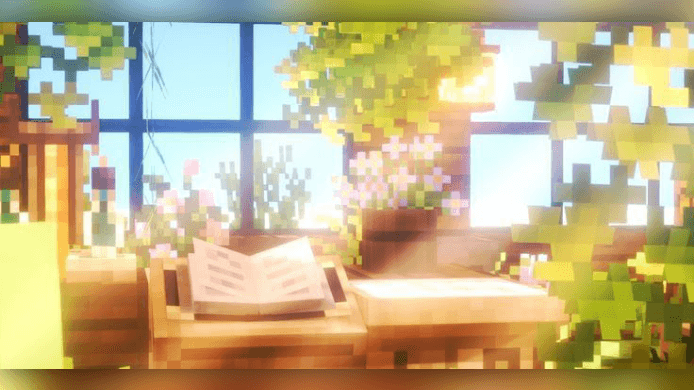
OptiDark is a comprehensive performance-enhancing texture pack designed for Minecraft Bedrock Edition. It significantly reduces lag and improves gameplay smoothness, making it ideal for devices with limited resources. Alongside performance boosts, it offers a variety of visual and UI enhancements to enrich your Minecraft experience.
Key Features
- Streamlined and clean user interface with custom GUI elements and backgrounds.
- Custom loading screens and quick-access settings for faster configuration.
- Smooth Minecraft Seven font and improved breaking animations.
- Animated item names, new crosshair design, and revamped controls button UI.
- Enhanced chat UI and custom click sounds for better interactivity.
- Quick loot functionality and advanced inventory features including time, direction, and deposit options.
PvP Optimizations
- Increased FPS and elimination of lag spikes for smoother combat.
- Compact tool models (except hoes), short swords, and smaller totems.
- Visual improvements such as dark grass, clean water and lava, still water and lava effects, low fire intensity, and no particles.
- 3D mace model and stonecutter without animation to reduce distractions.
Block Visual Updates
- Glass doors and trapdoors redesigned for clarity.
- Outlined ores including copper, flat glass panels, and clean glass textures.
- Invisible item frames and directional indicators on lodestones, observers, and hoppers.
- Improved redstone power visuals, smoother wool and carpet textures.
- Anvils and decorated pots feature enhanced appearances with colored shards.
- Outlined infested stone types and a better-looking enchanting table.
Item Enhancements
- Detailed potion textures and eating animations with accompanying sounds.
- Expanded item information including food, armor, tools, and consumption times.
- Detailed maps and spawn eggs, along with advanced bow and crossbow states.
- Smoother textures for ingots, deepslate ores, and armor (excluding chainmail).
- Refined book designs for improved aesthetics.
Additional Features
- Removal of pumpkin and binocular blurs for clearer vision.
- Clean dimension entry screens along with simplified Nether and End portal activation visuals.
Installation / How to Use
To install OptiDark, download the pack and import it directly into your Minecraft Bedrock Edition resource packs folder. Enable the pack from the resource packs menu in-game to apply the textures and enhancements. Adjust settings as needed through the custom UI features provided.
Requirements / Compatibility
OptiDark is compatible with Minecraft Bedrock Edition on devices that experience performance issues or lag. It is optimized for lower-end hardware but can be used on any device to enhance UI and visual clarity. Ensure your game version supports custom resource packs for full functionality.
Usage Permissions
This texture pack may be modified for personal use only. Sharing the original download link is allowed exclusively through authorized platforms. Redistribution of modified versions, claiming the pack as your own, or uploading it to unauthorized third-party sites is prohibited. Unauthorized use of pack assets may result in copyright enforcement.