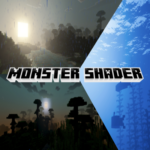
MONSTER SHADER
Monster Shader enhances your Minecraft world with vibrant colors, rich saturation, and a natural appearance reminiscent of ancient times. It transforms the environment to evoke warm sunrises, enchanting sunsets, and dramatic nights, bringing a fresh and immersive atmosphere to your gameplay. The shader also improves ocean visuals, making the water appear deep blue yet crystal clear, enriching the overall mood and inviting you to explore further.
Installation / How to use
To install Monster Shader, import the shader resource pack into your Minecraft Bedrock Edition. After enabling the shader in your world settings under the resource packs section, restart the game or reload your world to apply the effects. Make sure to activate the shader for each world where you want to experience the enhanced visuals.
Requirements / Compatibility
Monster Shader is designed for Minecraft Bedrock Edition and works best on devices with capable graphics performance. Ensure your game is updated to the latest version to avoid compatibility issues. The shader is compatible with most worlds but may not function correctly alongside conflicting resource packs or shader mods.
Key features
- Warm, atmospheric lighting effects during sunrise
- Magical and colorful sunsets enhancing visual appeal
- Epic, moody nighttime ambiance
- Deep blue, crystal-clear ocean water
- Overall boost to color saturation and natural look
- Improves immersion and mood for extended gameplay sessions
