Ferous Luna Shader
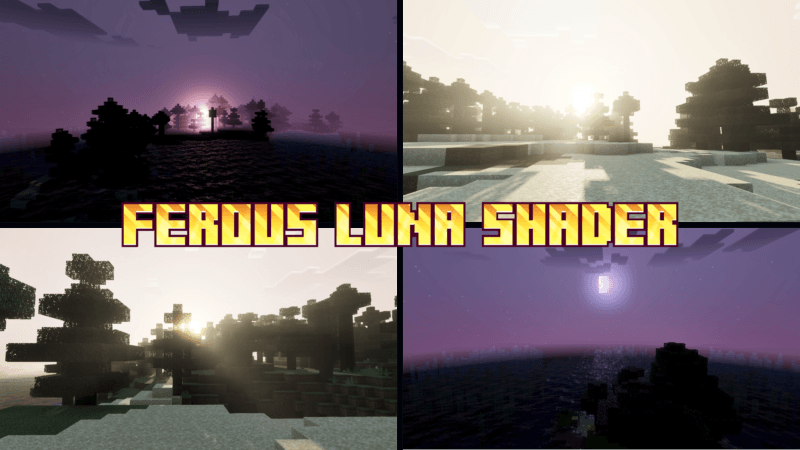
Ferous Luna Shader enhances Minecraft Bedrock Edition with rich, warm visuals that bring a magical ambiance to night scenes, moonlight, and the golden hours of sunrise and sunset. This shader adds a cinematic touch to the sky while ensuring gameplay remains clear and immersive.
Installation / How to Use
To install Ferous Luna Shader, download the shader pack and import it into Minecraft Bedrock Edition through the Resource Packs menu. Once imported, activate the shader in your world settings under the Video or Global Resources tab to experience the enhanced visuals.
Requirements / Compatibility
This shader is designed for Minecraft Bedrock Edition and performs best on devices that support advanced graphical features. Ensure your device and game version support shader packs to fully enjoy the effects.
Key Features
- Warm, dynamic lighting effects for a cinematic atmosphere.
- Enhanced night sky with magical moonlight effects.
- Beautiful color transitions during sunrise and sunset.
- Maintains clear visibility to keep gameplay smooth and accessible.
Notes / Troubleshooting
If you experience performance issues, try lowering your game’s render distance or graphics settings. Make sure your device’s software is up to date for the best compatibility.
Visual Example:

 1.00/5