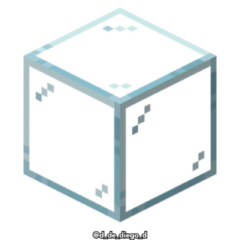
Connected Glasses
Connected Glasses is a texture pack designed to seamlessly merge glass block textures, eliminating visible borders between different glass blocks. It enhances the visual continuity in your Minecraft worlds by connecting all types of glass textures for a smooth appearance.
Installation / How to Use
To apply the Connected Glasses texture pack, download it and add it to your Minecraft resource packs folder. Then, enable it from the Resource Packs menu in the game settings. The textures will automatically connect when placing any glass blocks in your world.
Requirements / Compatibility
This texture pack is compatible with all versions of Minecraft Bedrock that support custom resource packs. It works with every variety of glass blocks available in the game, ensuring connectivity across all glass types without conflicts.
Key Features
- Connects textures across all glass block types for a uniform look.
- Improves building aesthetics by removing blocky glass edges.
- Easy to install and compatible with standard Minecraft Bedrock editions.
Notes / Troubleshooting
If you notice any disconnected glass textures, ensure the texture pack is correctly enabled and loaded above other conflicting packs. Restarting the game after installation can help apply changes properly.

