
Ultimate Vein Miner
Ultimate Vein Miner enhances your Minecraft Bedrock mining by instantly breaking entire ore veins with a single swing. Compatible with Bedrock versions 1.20.30 and above, this addon respects vanilla tool tiers and allows you to toggle vein mining on or off for a customizable gameplay experience.
Installation / How to Use
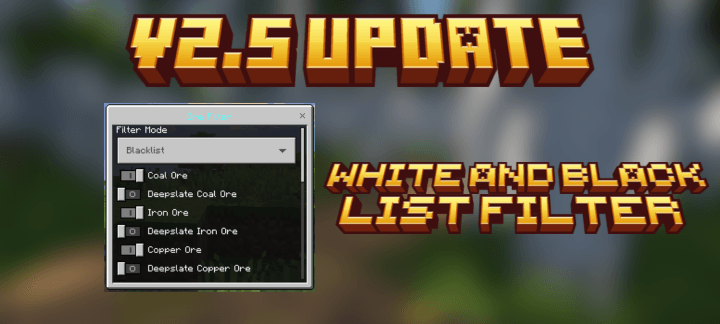
Import both the Behavior and Resource packs into your Minecraft Bedrock edition world. Once active, press Sneak + Right Click to toggle the vein mining feature on or off. Access the in-game configuration menu by pressing Jump + Right Click to adjust visual effects, speed, particles, sounds, and durability settings. Simply mine any supported ore block to activate vein mining and clear connected ores within range.
Requirements / Compatibility
- Minecraft Bedrock Edition version 1.20.30 or higher (recommended for full features)
- Supports all vanilla pickaxes: Wood, Stone, Copper, Iron, Gold, Diamond, Netherite
- Compatible with many modded pickaxes and other add-ons
- Does not add new items or recipes, ensuring smooth integration with multiplayer and realms
Key Features
- Smart Vein Detection: Automatically breaks connected ores within a 6-block radius.
- Four Mining Modes:
- Instant: Classic rapid vein mining.
- Cascade: Ores break with a top-to-bottom waterfall effect.
- Explosion: Ores break with dramatic explosion visuals.
- Progressive: Animates ores breaking one-by-one with progress indicators.
- Customizable Visuals and Audio: Special effects per ore type, such as blue sparkles and XP sounds for diamonds, explosive effects for ancient debris, green particles for emeralds, and golden totem particles for gold.
- Durability and Tool Tier Enforcement: Respects vanilla mining tiers with warnings, and optional durability damage system.
- 28 Supported Ores: Includes all vanilla ores, deepslate, and nether variants.
- Persistent Settings: Player-specific configurations saved automatically.
Notes / Troubleshooting
If vein mining does not activate, ensure that the feature is toggled on using the Sneak + Right Click control. Verify that you are using a supported pickaxe and that your Minecraft version meets the minimum requirement. For customization or to adjust performance, open the settings menu with Jump + Right Click. The addon is optimized for multiplayer and should work seamlessly with other installed add-ons.

 1.00/5
Comments are loaded on demand to improve page speed on mobile devices.
Show comments (0)