
Sync Minecraft Time with Real Time!
22.02.2026
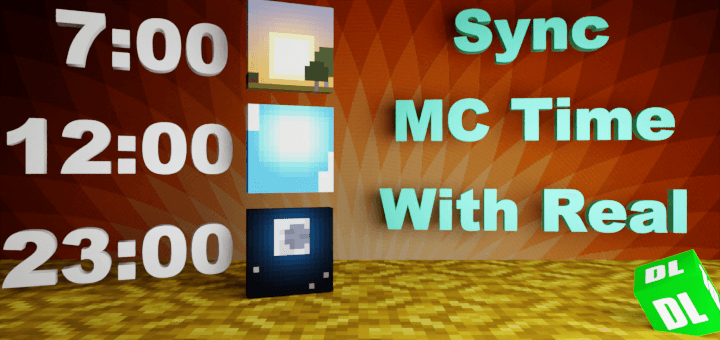
Sync Minecraft Time with Real Time! Experience Minecraft where the in-game time matches the current time on your device. This addon ensures that when it’s day outside, it’s day inside Minecraft too, creating a seamless real-world connection. It works perfectly alongside any other addon and supports multiplayer gameplay.
Key Features
- ✅ Fully compatible with all other addons
- ✅ Supports multiplayer environments
- ✅ Optimized for performance without using commands
- ✅ Easily toggle the addon on or off without restarting your world
Installation
- Download the behavior pack (BP) and add it to your Minecraft world.
- Enable the “Beta APIs” experimental feature in your world settings.
- Ensure you are running a stable Minecraft release version (beta or preview versions are not supported).
How to Use
Upon entering the world with this addon, a startup message will appear confirming initialization:
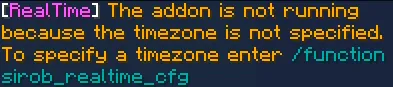
The addon synchronizes time based on UTC, so you need to configure your local time zone for accurate synchronization.
To set your time zone, use the command /function sirob_realtime_cfg to open the configuration interface:
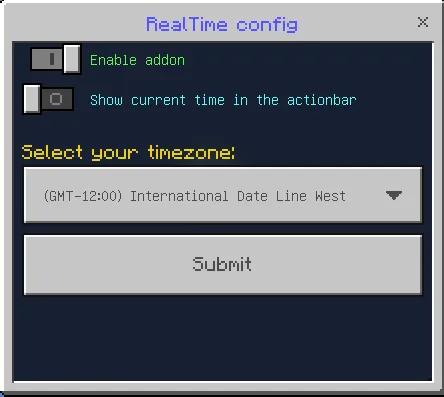
Select your time zone from the dropdown menu:

If you are unsure about your time zone, you can check it using your preferred method.
After selecting and submitting your time zone, the addon will operate correctly.
Additional configurable options include:
- Enable Addon: Quickly activate or deactivate the addon without reloading the world.
- Show Current Time in Action Bar: Displays the current synced time on your action bar to verify the correct time zone setting. If displayed time doesn’t match your local time, adjust the time zone accordingly.
Requirements / Compatibility
- Minecraft stable release versions only (no beta or preview builds supported).
- “Beta APIs” experimental feature must be enabled in world settings.
- Compatible with all other addons and multiplayer servers supporting script execution.
Notes / Troubleshooting
Does this addon work on Realms? To use on Realms, download your realm world, enable the required experiments, add the addon, and re-upload the world. If issues persist, it may be due to Realm limitations.
If the addon isn’t working:
- Verify you are using the stable Minecraft release matching the supported version.
- Check that “Beta APIs” are enabled in your world or server settings.
- Ensure only one version of the addon is active under both behavior and resource packs. Remove duplicates or older versions.
Addon works locally but not on a server? Confirm all above steps are followed. Some hosting providers require toggling experiments off and on again. Also, verify your host supports script-enabled addons.
Installation Recap
- Import the behavior pack into your Minecraft world.
- Enable “Beta APIs” in your world settings.
- Use only stable Minecraft versions.
[BP] [26.0+] RealTime (v1.1.24).mcpack
[83.45 KB]


Comments are loaded on demand to improve page speed on mobile devices.
Show comments (0)