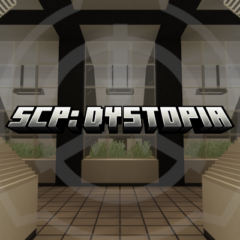
SCP: Dystopia
SCP: Dystopia revives the classic SCP experience from 2021-2022 within Minecraft Bedrock Edition. This add-on has been updated to function with the latest game versions, restoring features that were previously broken by updates. It preserves the original design to maintain the authentic feel of the original release.
Installation
To install SCP: Dystopia, import the add-on files into your Minecraft Bedrock Edition resource and behavior packs folders. Then, activate the packs in your world settings before starting the game. Ensure you enable both the resource pack and behavior pack to experience all features.
How to Use
Once installed and activated, you can explore the SCP-themed content in your Minecraft world. The add-on integrates various SCP entities and mechanics, offering a unique gameplay experience inspired by the SCP universe. Be sure to familiarize yourself with the in-game elements for optimal enjoyment.
Requirements / Compatibility
This add-on is compatible with the latest version of Minecraft Bedrock Edition. Since it was originally created for versions from 2021-2022, some features may reflect older design choices but have been updated to run smoothly in current game releases.
Key Features
- Inclusion of SCP entities and objects inspired by the SCP Foundation lore.
- Restored functionality of all features previously impacted by Minecraft updates.
- Preservation of the original add-on design to maintain the classic SCP gameplay atmosphere.
Notes / Troubleshooting
As this add-on retains its original design, some aspects may feel dated compared to newer content. If you encounter issues, verify that both resource and behavior packs are enabled. Also, ensure your Minecraft Bedrock Edition is updated to the latest stable release for best compatibility.
