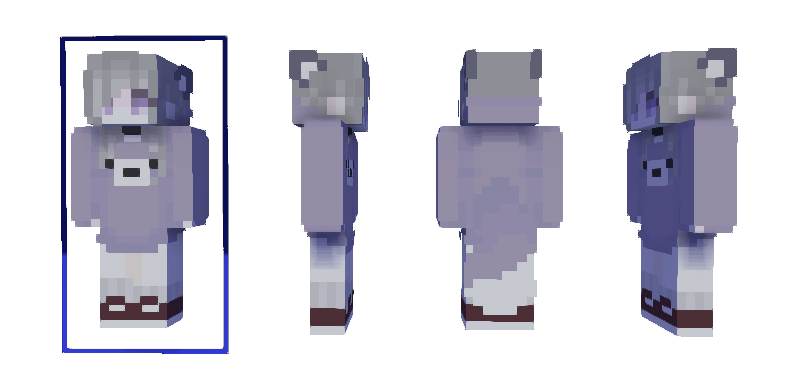
Sassy Sloth
Sassy Sloth is a unique purple-themed skin that combines a slow-moving vibe with a stylish and sassy flair. Perfect for players who want to stand out with a cool, laid-back look in Minecraft Bedrock Edition. This skin features distinct purple tones and charming details that bring the sloth character to life.
Installation
To apply the Sassy Sloth skin, download the skin file and import it into your Minecraft Bedrock Edition profile. Open Minecraft, navigate to the dressing room or profile section, select the option to change your skin, then choose the imported Sassy Sloth skin from your device.
How to Use
Requirements / Compatibility
This skin is compatible with Minecraft Bedrock Edition across all supported platforms, including Windows 10, mobile devices, and consoles. No additional mods or resource packs are required.
Key Features
- Distinct purple color palette emphasizing a sassy and stylish sloth look
- Detailed design capturing the slow-motion charm of a sloth
- Ready to use with standard Minecraft Bedrock Edition skin loaders
Notes
Make sure to back up your previous skin before applying the new one to avoid losing your favorite customizations. If the skin does not appear correctly, double-check that the file was imported properly and that Minecraft is up to date.
Sassy Sloth - Inori
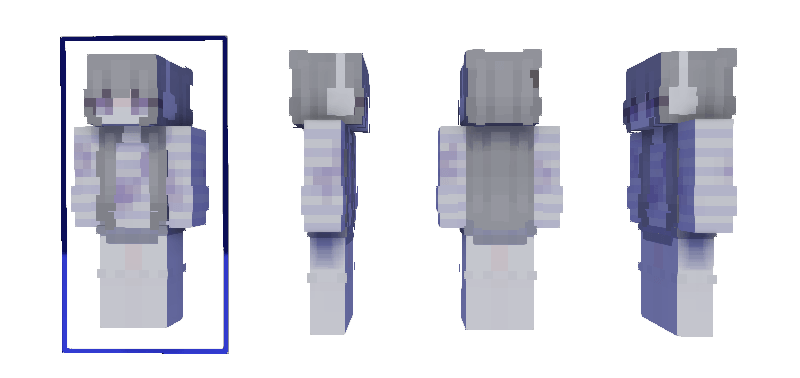
Sassy Sloth - Shea
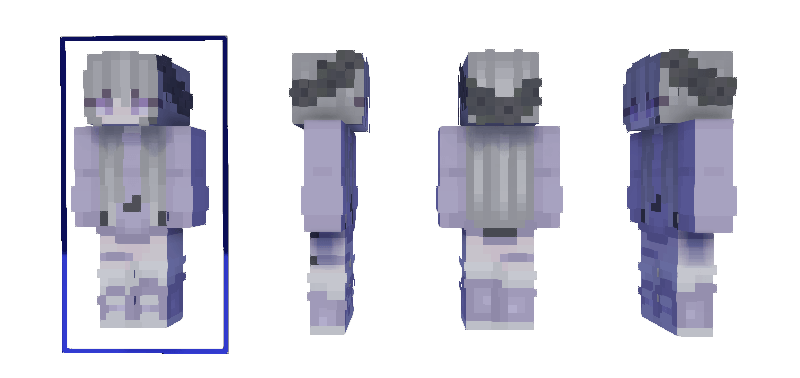
Sassy Sloth - Sayu