
No Fog Ultra
No Fog Ultra enhances your Minecraft experience by completely eliminating fog across all biomes and dimensions, resulting in significantly improved visibility. This texture pack makes distant landscapes and underwater environments clear, even when using lower render distances, thereby improving PvP awareness and exploration. It is designed to be lightweight and performance-friendly, ensuring smooth gameplay without sacrificing visual clarity.
Installation / How to Use
- Download and place the No Fog Ultra resource pack into your Minecraft resource_packs directory or import it directly via the in-game resource pack menu.
- Open or create a world, then navigate to Resource Packs and activate the No Fog Ultra pack.
Requirements / Compatibility
- Compatible with all Minecraft biomes and dimensions.
- Works well with low to medium render distances for optimal performance and visual clarity.
- Supports both Simple and Fancy graphics modes without any issues.
- No behavior packs are required, maintaining game authenticity and achievement eligibility.
Key Features
- Complete fog removal in all environments, including underwater.
- Enhanced visibility at lower render distances, making distant terrain sharp and clear.
- Improved PvP awareness by making players and mobs easier to detect.
- Clear views for exploration, building, and navigation without visual distractions.
- Lightweight and optimized to avoid any impact on game performance.
- Achievement-safe with no behavior pack modifications necessary.
Recommended Settings
- Set the render distance to low or medium to balance performance with visibility.
- Either Simple or Fancy graphics modes are fully supported by this pack.
Visual Examples
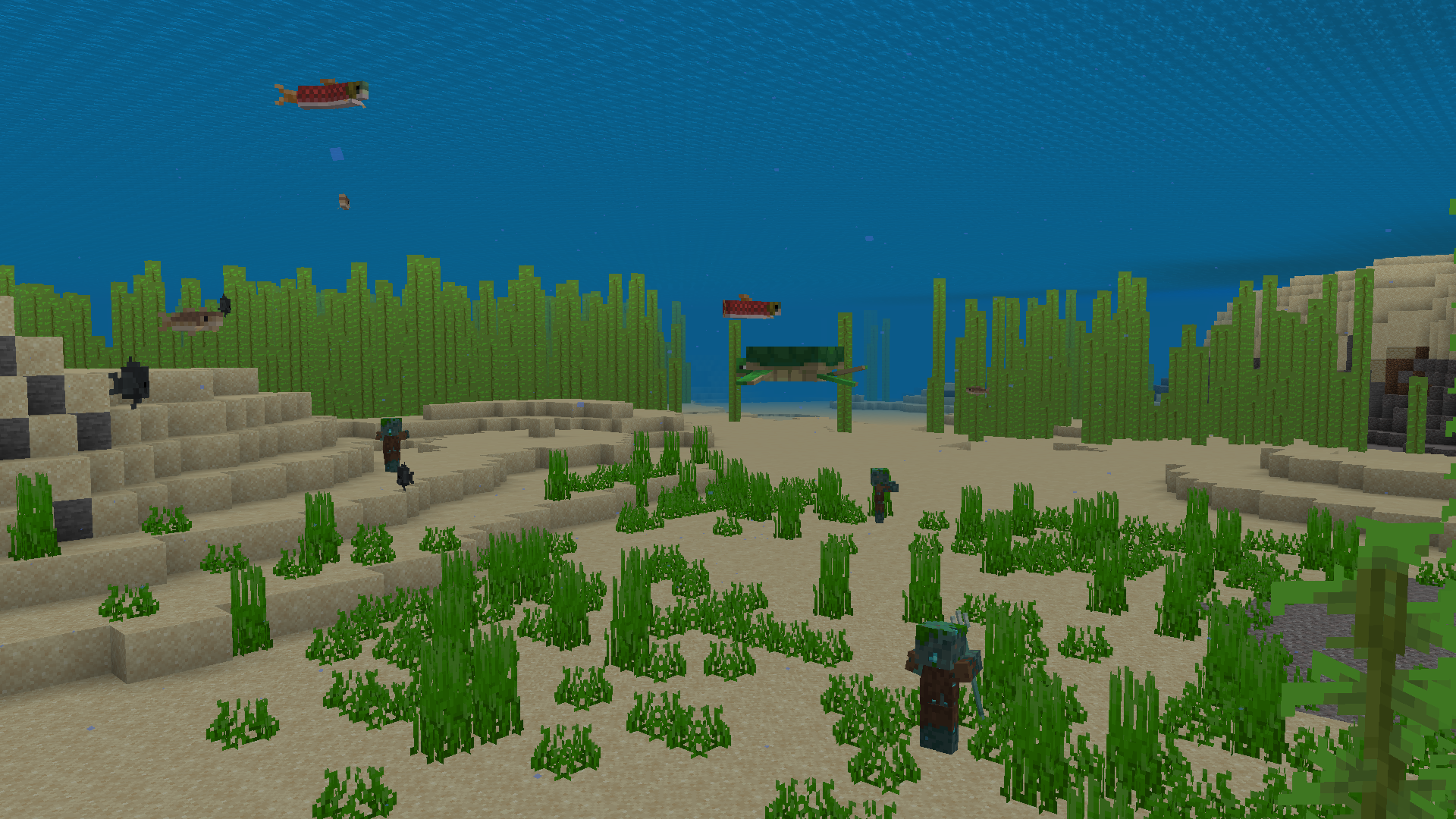
Underwater fog is removed, allowing you to clearly see mobs, structures, and environment details while swimming, even at lower render distances.
Screenshots & Video
Download No Fog Ultra
Supported versions
1.21.50 1.21.2 1.21.20 1.21.90 1.21.101 1.21.100 1.21 1.21.60 1.21.70 1.21.80 1.21.120 1.21.121 1.21.123 1.21.130 1.21.131 1.21.132 26.0.02 26.0 26.3 26.10 26.11 26.12 26.20 26.13 26.30 26.40
Supported versions
1.21.50 1.21.2 1.21.20 1.21.90 1.21.100 1.21 1.21.60 1.21.70 1.21.80 1.21.120 1.21.121 1.21.130 26.0.02 26.0 26.3 26.10 26.11 26.12 26.20 26.13 26.30 26.40
Supported versions
1.21.50 1.21.2 1.21.20 1.21.90 1.21.100 1.21 1.21.60 1.21.70 1.21.80 1.21.120 1.21.121 1.21.130 26.0.02 26.0 26.3 26.10 26.11 26.12 26.20 26.13 26.30 26.40
Supported versions
1.21.50 1.21.2 1.21.20 1.21.90 1.21.100 1.21 1.21.60 1.21.70 1.21.80 1.21.120 1.21.121 1.21.130 26.0.02 26.0 26.3 26.10 26.11 26.12 26.20 26.13 26.30
Supported versions
1.21.50 1.21.2 1.21.20 1.21.90 1.21.100 1.21 1.21.60 1.21.70 1.21.80 1.21.120 1.21.121 26.0 26.10 26.11 26.12 26.20 26.13 26.30
Supported versions
26.30 26.20 26.13 26.12 26.11 26.10 26.3 26.0 1.21.121 1.21.120 1.21.100 1.21.90 1.21.80 1.21.70 1.21.60 1.21.50 1.21.20 1.21.2 1.21
Supported versions
26.30 26.20 26.13 26.12 26.11 26.10 26.3 26.0 1.21.121 1.21.120 1.21.100 1.21.90 1.21.80 1.21.70 1.21.60 1.21.50 1.21.20 1.21.2 1.21
Supported versions
26.10 26.3 26.0 1.21.132 1.21.130 1.21.123 1.21.111 1.21.100 1.21.90 1.21.80 1.21.70 1.21.60 1.21.50 1.21.40 1.21.21 1.21.20 1.21
 5.00/5
Comments are loaded on demand to improve page speed on mobile devices.
Show comments (0)