Newb Glow Legacy
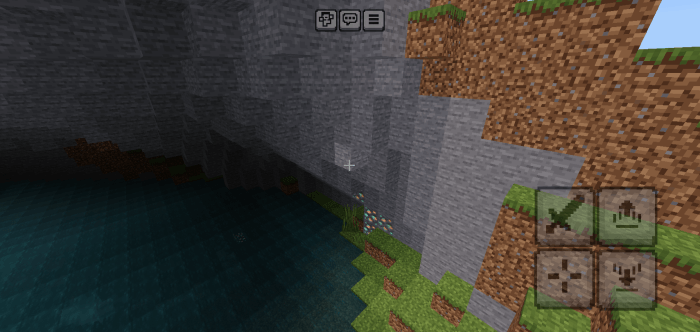
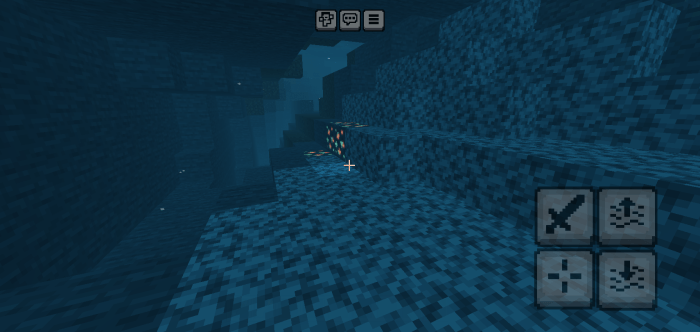
Newb Glow Legacy is a minimalist shader pack designed to enhance Minecraft Bedrock Edition by adding a glowing effect exclusively to ores and certain blocks. This lightweight pack is now updated to support Minecraft versions 26.30 and above across Android, iOS, and Windows platforms, focusing on efficient resource use without complex shadow or lighting effects.
Installation
Android
- Install the MB Loader app from your app store to enable RenderDragon shader support.
- Ensure you have an original copy of Minecraft installed on your device.
- Open MB Loader and grant all necessary permissions.
- Import the Newb Glow shader pack using MB Loader.
- Launch Minecraft through MB Loader.
- Activate the shader under Global Resource Packs (avoid enabling it in World Packs).
- Start playing with the glowing ores effect enabled.
Windows
Due to recent changes in Minecraft's file structure, older tools like BetterRenderDragon and matject no longer function properly. Instead, use the Wyvern shader loader, which supports multiple Minecraft versions with minimal dependency on updates.
- Install and open Minecraft normally.
- Run the Wyvern loader application.
- Apply the shader pack through the Global Resource Packs section.
- Enjoy the glow effect in your game.
iOS
- Obtain the Minecraft IPA file.
- Rename the shader pack file from
.mcpackto.zipand extract it. - Copy the shader's
rendererfolder. - Backup the original
rendererfolder inside the Minecraft IPA. - Replace the original
rendererfolder with the shader'srendererfolder. - Install the modified IPA on your device.
- Ensure the texture pack is added to the RenderDragon Global Resources.
- Launch the game to experience the glowing ores.
- To revert changes, restore the original
rendererfolder in the IPA.
How to Use
After installation, activate the shader pack exclusively in the Global Resource Packs section within Minecraft's settings. Avoid enabling it as a World Resource Pack to ensure proper functionality. Once enabled, the glowing effect will highlight ores and certain blocks, enhancing visibility without impacting performance.
Requirements / Compatibility
- Minecraft Bedrock Edition version 26.30 or later.
- MB Loader app for Android.
- Wyvern loader for Windows.
- Ability to modify IPA on iOS devices.
- Compatible with the following texture packs:
- Barebone
- Easyblock
- Dandelion X
- Faithful 32
- Faithful 64
- Pixel Perfection Legacy Bedrock
- Multipixel
- John Smith Legacy and John Smith Legacy Jim Stone Craft (upcoming update)
Key Features
- Glowing effect specifically applied to ores and minerals.
- Minimalistic design focusing on performance efficiency.
- No added complex lighting or shadow enhancements.
- Works seamlessly across Android, iOS, and Windows with the appropriate loader.
Notes
- This shader pack is compatible for use on servers, in videos, streams, and within other addon packs.
- Always enable the shader in Global Resource Packs to avoid issues.
- On Windows, if you experience any loading issues, ensure shaders are correctly added to Global Resources and the Wyvern loader is properly run.
Visual Examples
Below are examples showcasing the glowing ores effect in various environments: