Foreboding Project
Foreboding Project transforms Minecraft into a subtle psychological horror experience, replacing familiar comfort with creeping unease and isolation. This addon evolves gradually, encouraging players to question reality as the world around them shifts in unsettling ways without direct monster threats.
Installation / How to use
To install Foreboding Project, apply both the behavior and resource packs to your Minecraft world. You can enable the addon in existing worlds or new ones. After installation, the experience begins unnoticed, allowing you to play normally while subtle events slowly introduce the unsettling atmosphere.
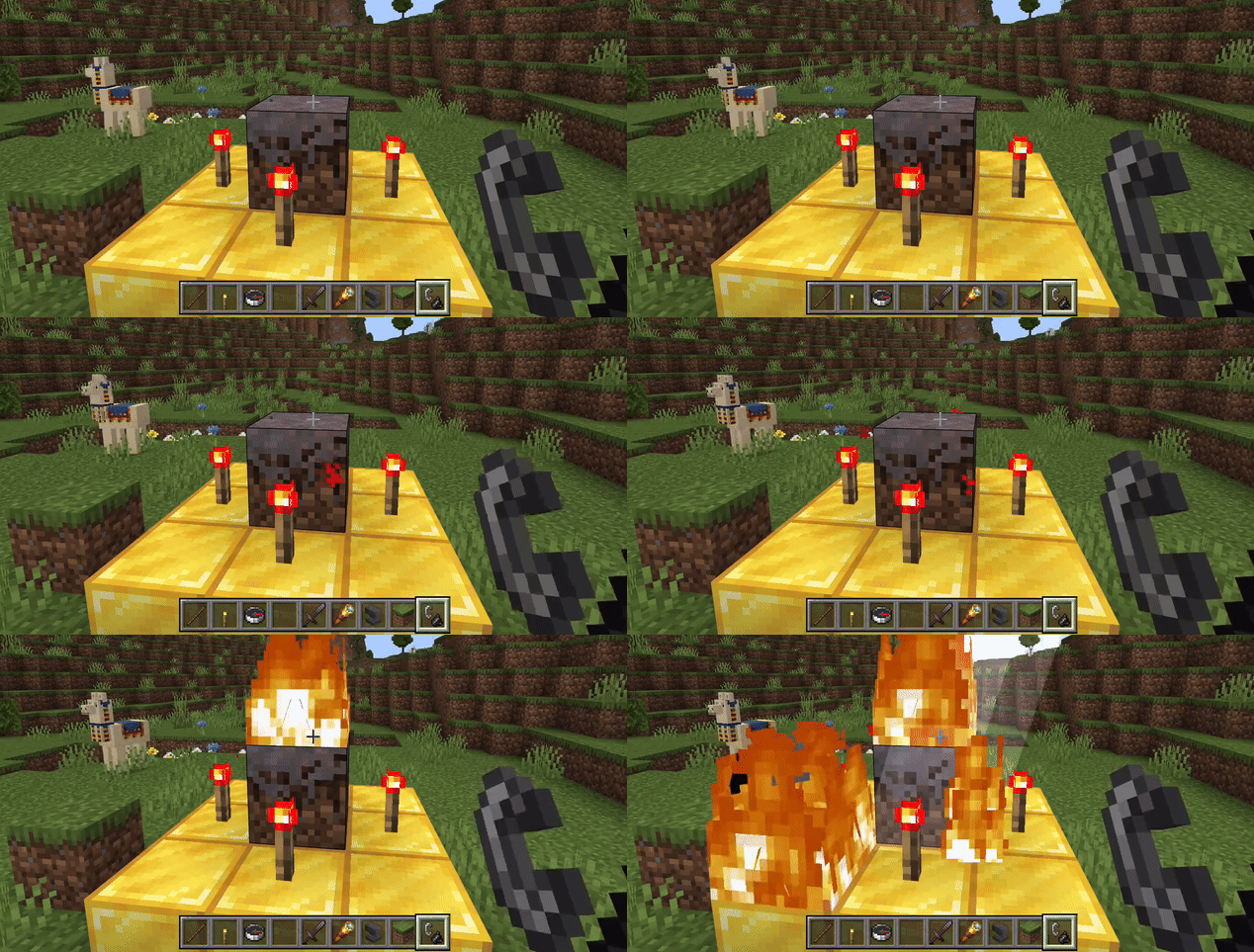
For accessing custom settings, operators can summon an in-game menu by constructing a specific altar: place 8 gold blocks with 4 redstone torches, a mossy cobblestone at the center, and a mycelium block above it. Ignite the mycelium using flint and steel to open the menu.
Note: If updating from an earlier version, replace both packs to ensure proper functionality.
Requirements / Compatibility
This addon is compatible with Minecraft version 1.26.0 and onward, requiring no experimental gameplay features to be enabled. It integrates seamlessly with existing worlds and supports multiplayer, including unique multiplayer events.
Key features
- Maintains a vanilla Minecraft atmosphere
- Gradual psychological horror progression without direct combat threats
- Environmental changes and eerie subtle events that build tension
- No unfair deaths or intentional jumpscares
- Over 100 unique events that evolve over time
- Vanilla achievements remain achievable
- Custom in-game menu for configuration
Important: You will not be attacked or hunted, but the feeling of isolation and unease grows stronger.
Notes / Troubleshooting
The addon’s events start only after specific conditions are met, such as reaching certain depths, traveling distances, player levels, or time spent in the world. Initial changes are subtle and build over time, so patience and attention are essential.
Some gameplay mechanics may feel altered intentionally, like changes to tick speed, to enhance the unsettling experience.
To safely uninstall or reset the addon, use the configuration menu to revert settings to default or manually restore gamerules including randomtickspeed, naturalregeneration, daylight cycle, and mob spawning.
Foreboding Progression Summary
The addon unfolds in stages, each increasing the sense of dread:
- Chapter 1 - The Tranquil World: The world appears normal with slight subtle hints of change. Foreboding begins after meeting certain triggers like mining depth or time spent.
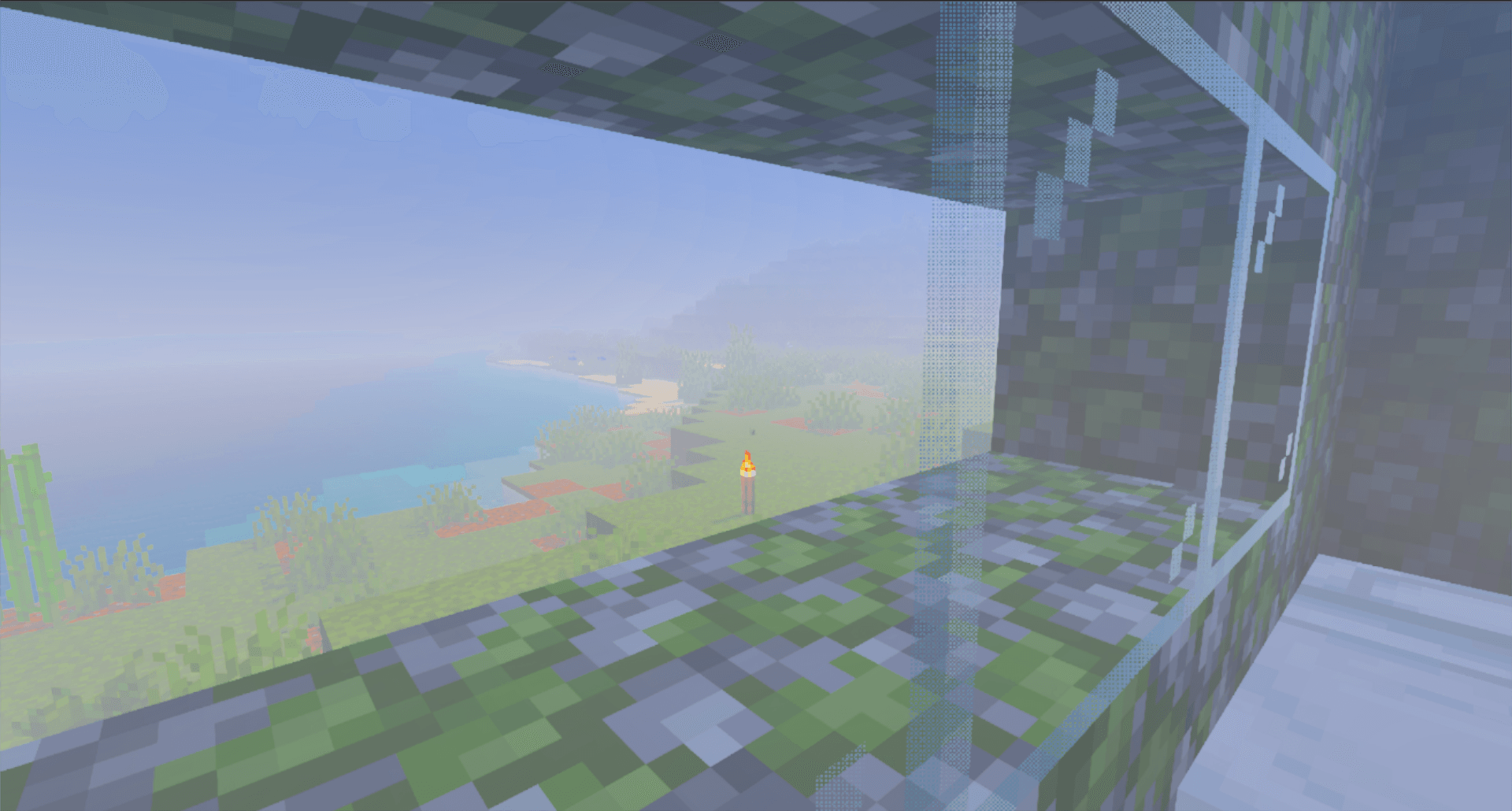
- Chapter 2 - Doom on the Horizon: A distant, thickening fog signals approaching unease.
- Chapter 3 - Is Something Off? The environment grows more distorted; crops stop growing, sounds fade, and eerie noises appear.
- Chapter 4 - The Haunted World: Dense fog envelops the world; unsettling events such as unexplained vanishings and blackouts occur.
- Chapter 5 - The Arrival: The fog surrounds you; hostile entities return stronger, night never ends, and healing stops.
- Chapter 6 - The Sunrise: Dawn breaks, fog recedes, and the world slowly returns to normal—though peace remains fragile.
Visual Examples



Additional Images









Some things are better left unseen, but you have already come this far, haven't you?

Comments are loaded on demand to improve page speed on mobile devices.
Show comments (0)