Dark Mode Theme
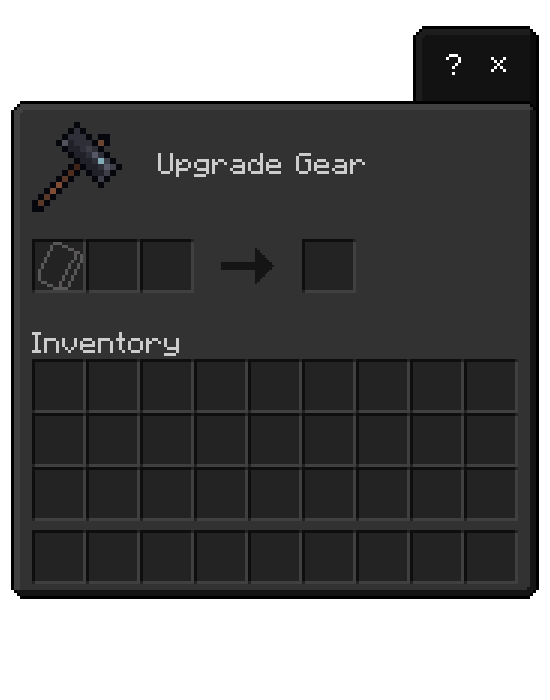
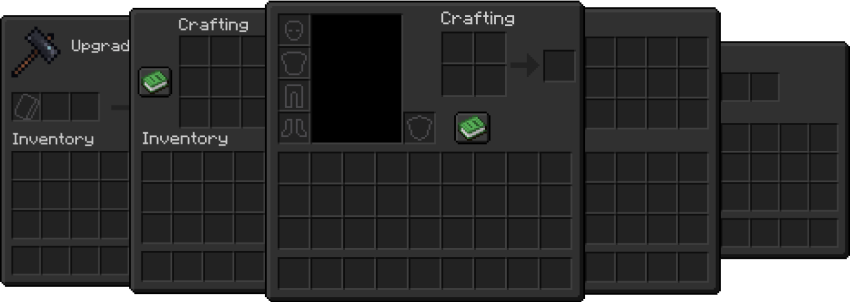
Dark Mode Theme transforms Minecraft Bedrock's default user interface into an elegant dark-themed design. This texture pack offers a sleek alternative to the standard light UI, enhancing your gameplay experience with a modern and visually comfortable style.
Installation / How to use
To apply the Dark Mode Theme, activate this pack within your Minecraft Bedrock settings. If you use other resource or texture packs, ensure Dark Mode Theme is placed above them in the pack list to override the UI elements properly. Always download and use the latest version of the pack for optimal performance.
Requirements / Compatibility
This theme supports both Minecraft Java and Bedrock editions. It is compatible with the default game UI and can coexist with other resource packs when prioritized correctly.
Key features
- Converts the game interface to a dark color scheme
- Enhances the UI with a stylish and modern look
- Compatible with Java and Bedrock versions of Minecraft

Notes / Troubleshooting
If you notice any conflicts or missing UI elements, verify the pack order in your settings and confirm that Dark Mode Theme is prioritized above other packs that modify the UI. Keeping the pack updated will help avoid compatibility issues.