Custom Paintings
Custom Paintings allows you to create and display your own images within Minecraft Bedrock Edition. Using a dedicated web editor, you can upload and customize pictures to be placed as wall decorations in your world. In-game, a special tool called the Brush lets you select and resize these paintings to fit your design perfectly.
Installation / How to Use
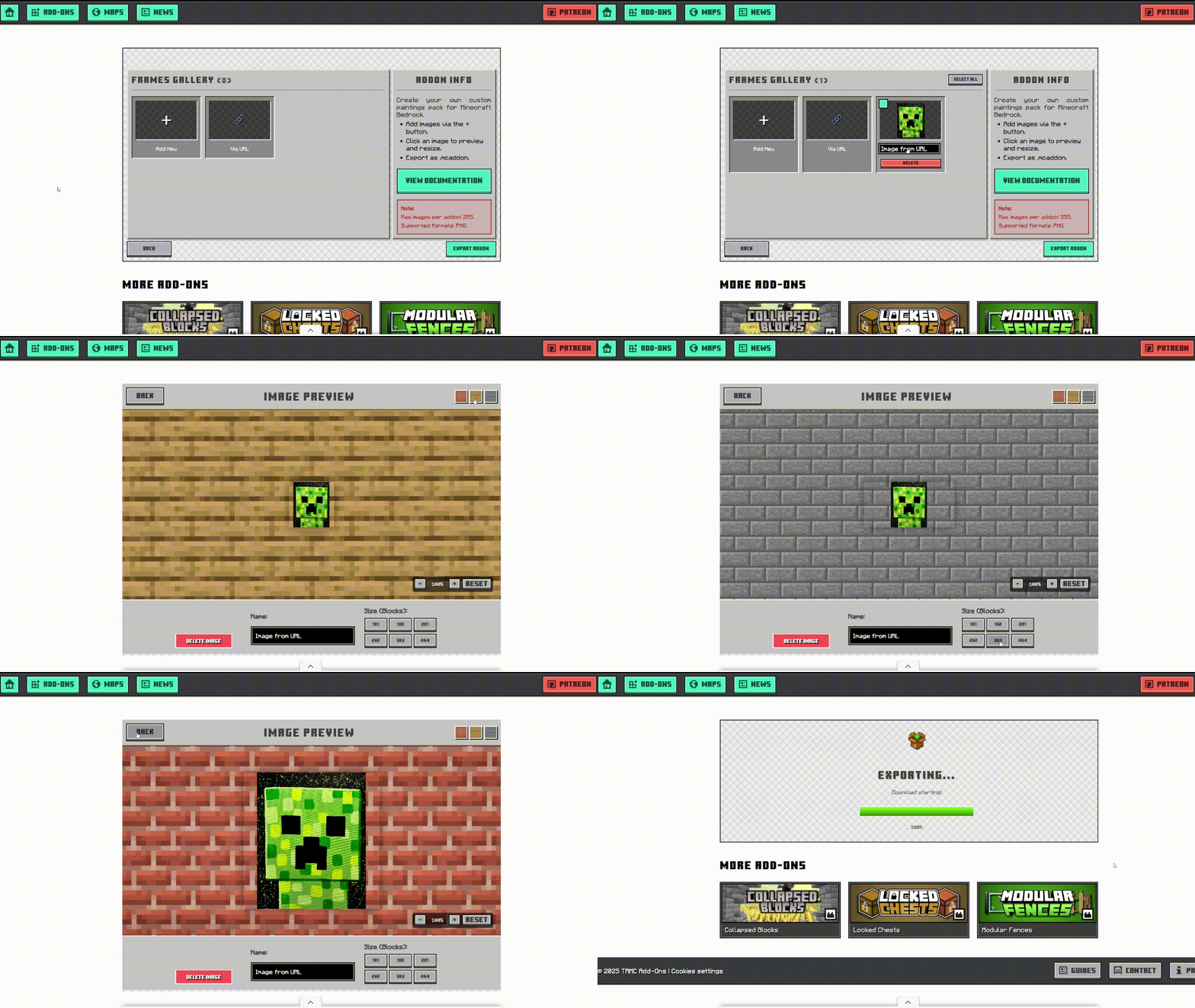
Begin by visiting the web editor to start a new project or import an existing one. Upload your desired images directly from your device or add them via URL. Use the preview feature to see how each painting looks against various Minecraft block backgrounds and test different sizes.
Once your collection is ready, export the project to receive a .mcaddon file. Import this file into Minecraft Bedrock Edition to use the addon.
Requirements / Compatibility
This addon is designed for Minecraft Bedrock Edition. It requires the ability to import .mcaddon files. No additional dependencies are necessary.
Key Features
- Fully customizable image uploads for unique paintings.
- Brush tool to select and adjust painting size dynamically.
- Supports multiple painting sizes from 1x1 to 16x16 blocks.
- Simple crafting recipes using paper, sticks, and wool.
- Preview paintings against different block backgrounds before exporting.
- Bulk image management for easy editing and deletion.
Crafting Recipes
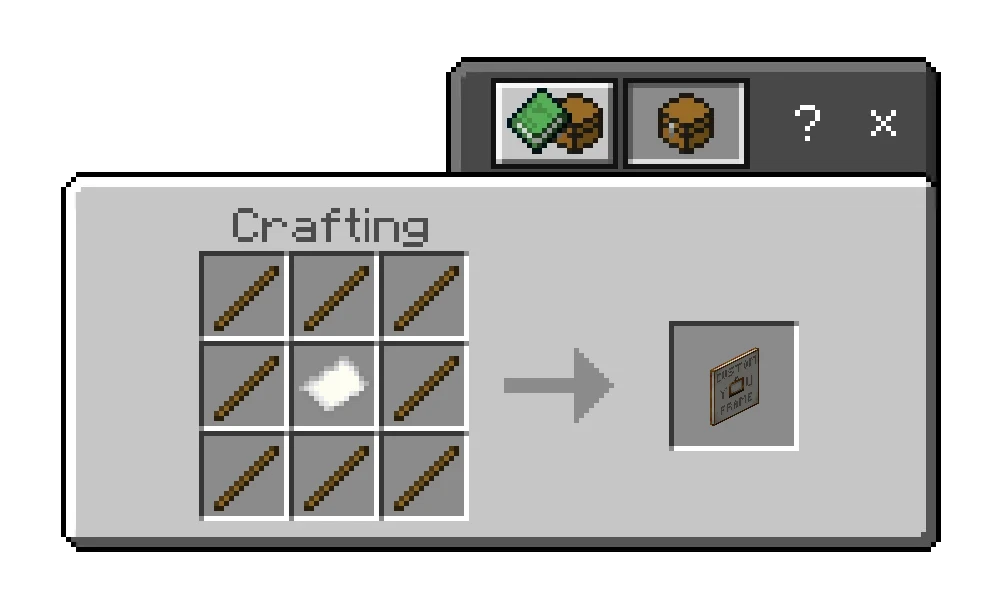
Custom Painting: Place one piece of paper in the center of the crafting grid surrounded by sticks.
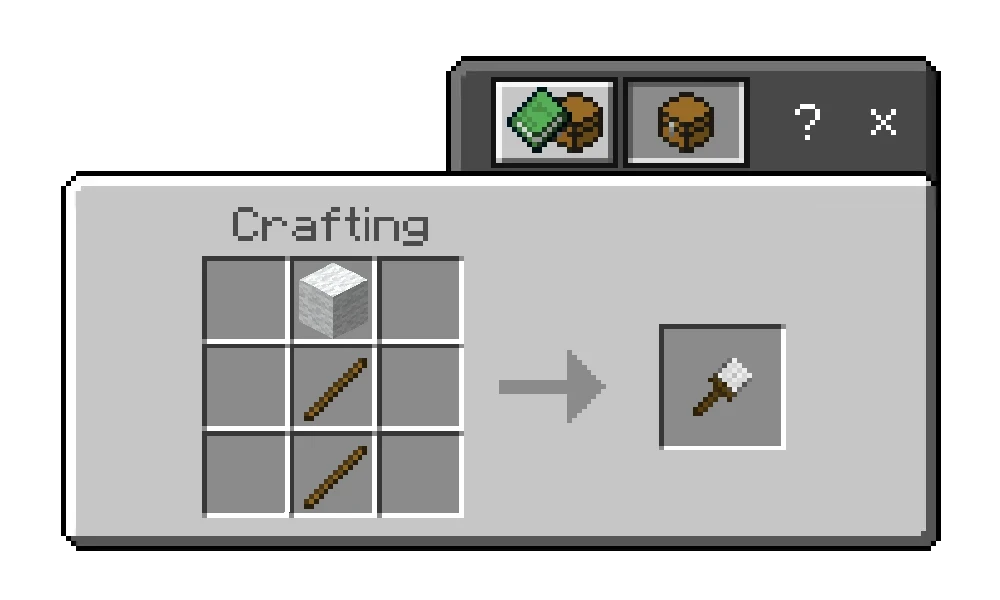
The Brush: Craft using two sticks and one block of wool.
Creative Uses
- Display community rules, custom maps, or memes on multiplayer servers.
- Enhance server hubs with personalized signage and branding.
- Decorate your personal builds with photos, artwork, or inside jokes.
Additional Tips
Right-clicking with the Brush opens a user interface to select images and adjust sizes conveniently. Experiment with different backgrounds in the editor to find the best look for your paintings.
Using the Editor
Launch the editor and choose to create a new project or import an existing one. Use the left menu to upload images or add them via links. Click images to preview and test sizes. Manage multiple images with bulk actions. When ready, export your addon pack as a .mcaddon file, which can then be imported into Minecraft.

 3.00/5