Coldbar Indicator
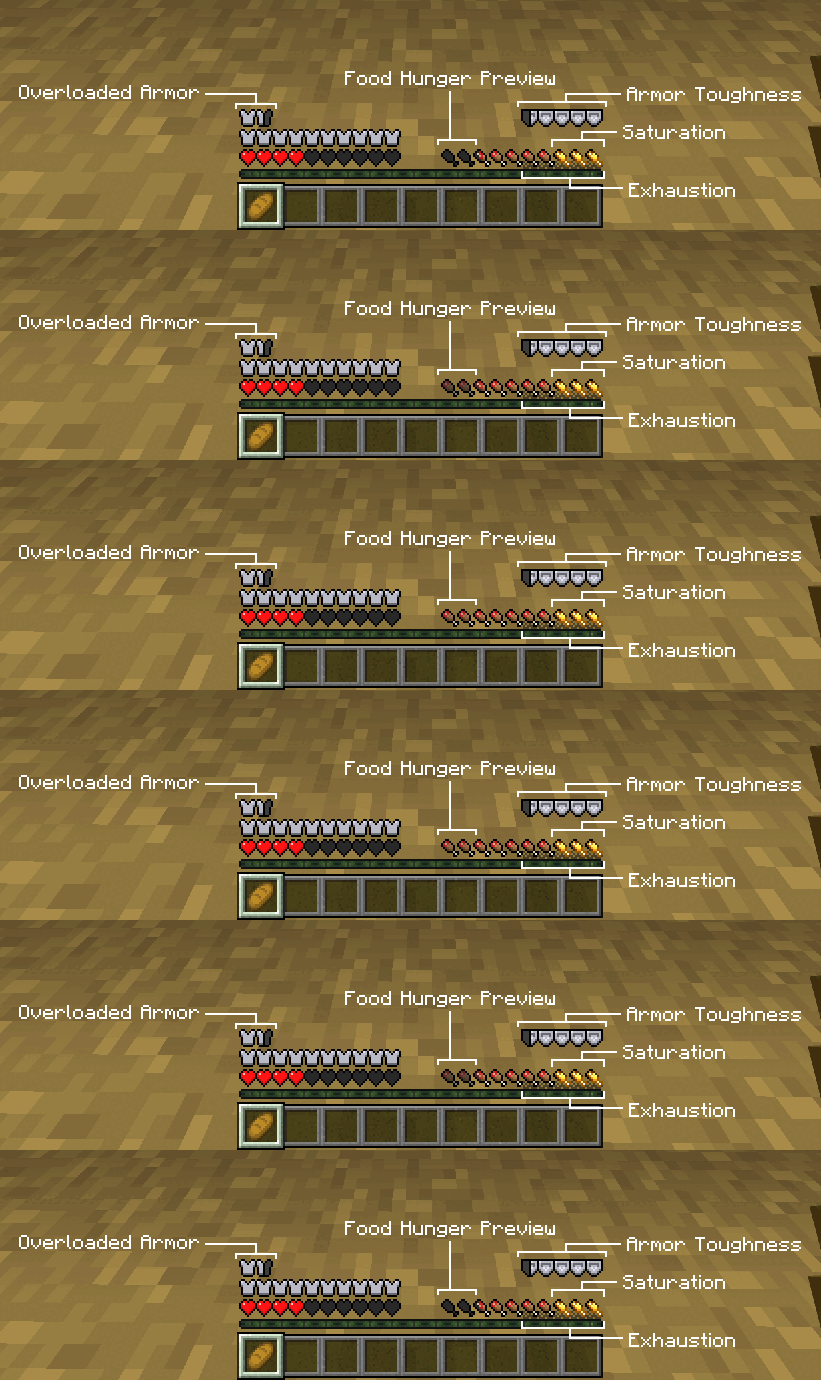
Coldbar Indicator enhances your Minecraft Bedrock experience by adding multiple new HUD bars that display detailed player stats such as armor toughness, additional armor layers, and various hunger-related metrics. This addon increases gameplay immersion by providing real-time visual feedback on your character's status beyond the standard interface.
Requirements / Compatibility
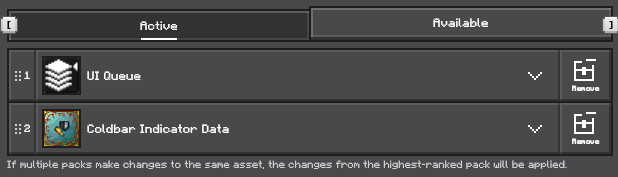
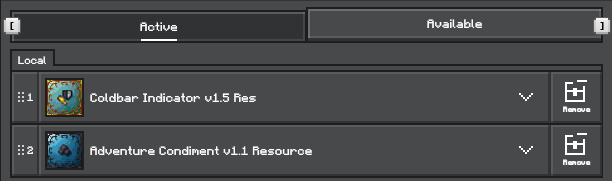
This addon is compatible only with the latest versions of Minecraft Bedrock Edition and does not function correctly on versions earlier than 1.21.90. It requires the UI Queue addon to operate. Optional compatibility is provided for Adventure Condiment and Kamii's Script Configuration to unlock additional features.
Installation
To install, ensure you have the UI Queue addon, as it is essential for the addon’s interface elements to display properly. You may also use other addons that include UI Queue integrated within them. After importing the resource pack, place it above other resource packs in your game settings to ensure proper priority.
Key Features
- Overloaded Armor Bar: Adds extra armor bars when your armor value exceeds 20, useful for custom armor sets.
- Armor Toughness Bar: Displays the armor toughness value of the currently equipped armor.
- Food Hunger Preview Bar: Shows a preview of hunger restoration when holding food items.
- Saturation Bar: Visualizes your current saturation level.
- Exhaustion Bar: Displays how much exhaustion your player has accumulated.
- Thirst Saturation Bar: Shows thirst saturation levels (requires Adventure Condiment).
- Enderman Glitch Effect: A visual glitch appears on screen when an Enderman is nearby.
- Damage Overlay: Screen effect that activates when taking damage.
- Step Direction Indicator: Highlights the direction of the nearest entity while moving.
- Hurt Direction Indicator: Reveals the direction from which damage was received.
- Explosion Flash Effect: Screen briefly flashes during nearby explosions.
- Glow Squid Hypnotize Effect: Visual effect triggered near glow squids.
- Potion Screen Effect: Displays a color-matched visual effect reflecting active potion effects.
- Food Thirst Preview Bar: Shows thirst restoration preview when holding food.
- Target View Indicator: Displays block or entity details of the currently targeted object.
- Pick Up Notification: Notifies which item was recently picked up.
- Biome Notification: Displays the name of the current biome the player is in.
Notes / Troubleshooting
Make sure to install the UI Queue addon before using this pack. The addon uses the title command for UI display, which will interfere with other uses of the title command. If the UI elements do not appear, confirm that all dependencies are correctly installed and prioritized in your resource pack list.