
Cinematic Fog
Cinematic Fog introduces dense, immersive fog effects to Minecraft Bedrock, enhancing the visual depth and atmosphere of your game. Designed to complement Vibrant Visuals shaders, this pack layers thick fog and dramatic lighting without altering your existing shader setup. It enriches your environment with a cinematic quality, perfect for players seeking a more engaging visual experience.
Installation / How to use
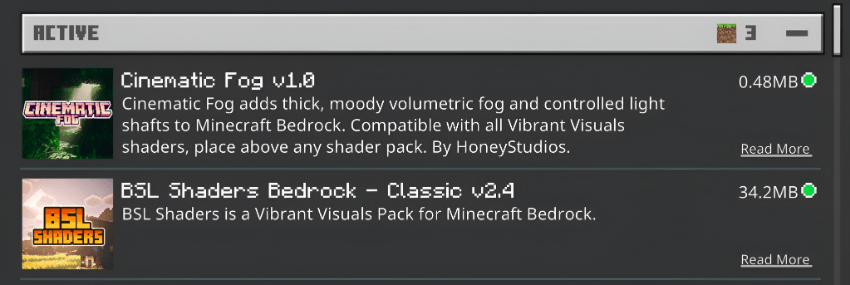
To apply Cinematic Fog, place the pack above any Vibrant Visuals shader in your resource pack list. This layering method allows Cinematic Fog to add atmospheric fog and depth while preserving your current shader effects.
Adjust your Vibrant Visuals settings to enable Volumetric Fog for optimal results.
Requirements / Compatibility
Cinematic Fog is fully compatible with all Vibrant Visuals shaders. It requires that the Volumetric Fog option be enabled in your shader settings to function correctly.
Key features
- Medium Subpack (Recommended): Provides balanced fog density with subtle, controlled sunrays for a natural look.
- High Subpack: Enhances sunrays intensity for a more dramatic and striking lighting effect.
Visual Example
Example showing Cinematic Fog layered with Vibrant Visuals shaders for enhanced depth and atmosphere:
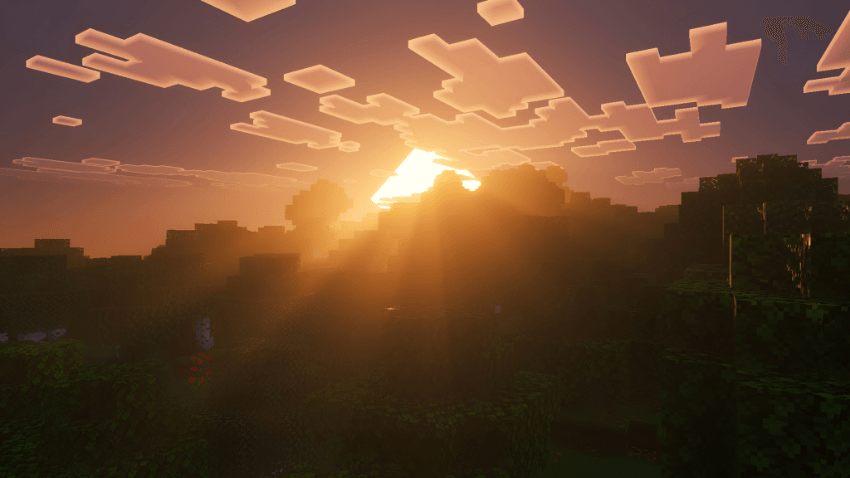
Additional visual demonstration of Cinematic Fog's impact on the lighting and fog effects:
Notes / Troubleshooting
If fog effects do not appear, verify that the Cinematic Fog pack is positioned correctly above the Vibrant Visuals shader and that Volumetric Fog is enabled in shader settings.
