Backrooms Dimension
Backrooms Dimension introduces the eerie and endless labyrinth known as the Backrooms into Minecraft Bedrock Edition. Experience procedurally generated yellow hallways, unsettling sounds, and a chilling atmosphere where something may be lurking nearby. This addon immerses players in an unpredictable environment with no map or clear objective, challenging them to survive and escape.
Installation / How to Use
To play this addon, launch Minecraft Preview and ensure that Beta APIs are enabled in the world’s experimental settings. Use the command /backrooms:enter to save your current location and enter the Backrooms dimension. To leave immediately without side effects, run /backrooms:exit. You can reset the world generation data with /backrooms:reset. Additional commands are available to manage the Bacteria entity and debug features.
Requirements / Compatibility
This addon is currently in Beta and works exclusively with Minecraft Preview featuring Beta APIs enabled. Expect occasional bugs, incomplete features, and performance issues. It is designed for Bedrock Edition on supported platforms that can run Minecraft Preview.
Key Features
- Procedural World Generation: The Backrooms layout uses a seeded 16x16 cell system, generating each area independently to maintain consistency for the same seed. A chunk queue system helps prevent lag spikes, and corrupted chunks auto-rebuild.
- Diverse Room Types: Explore a variety of rooms including endless yellow hallways, pillar rooms, large open spaces, unlit dark rooms, maze-like corridors, office-style setups, flooded sections, glitched zones with misplaced blocks, dead-end staircases, scattered furniture, and distorted geometry.
- Infinite Looping World: The dimension seamlessly loops every 1500 blocks, providing no visible boundary or edge.
- Sanity Mechanic: Your sanity level fluctuates based on lighting, proximity to threats, and distance. Brightly lit areas slowly restore sanity, dim spaces drain it gradually, while darkness causes rapid loss. The hub area is the only safe zone. Being near or seen by entities speeds up sanity depletion, affecting fog density, hallucinations, ambient sounds, and entity behavior.
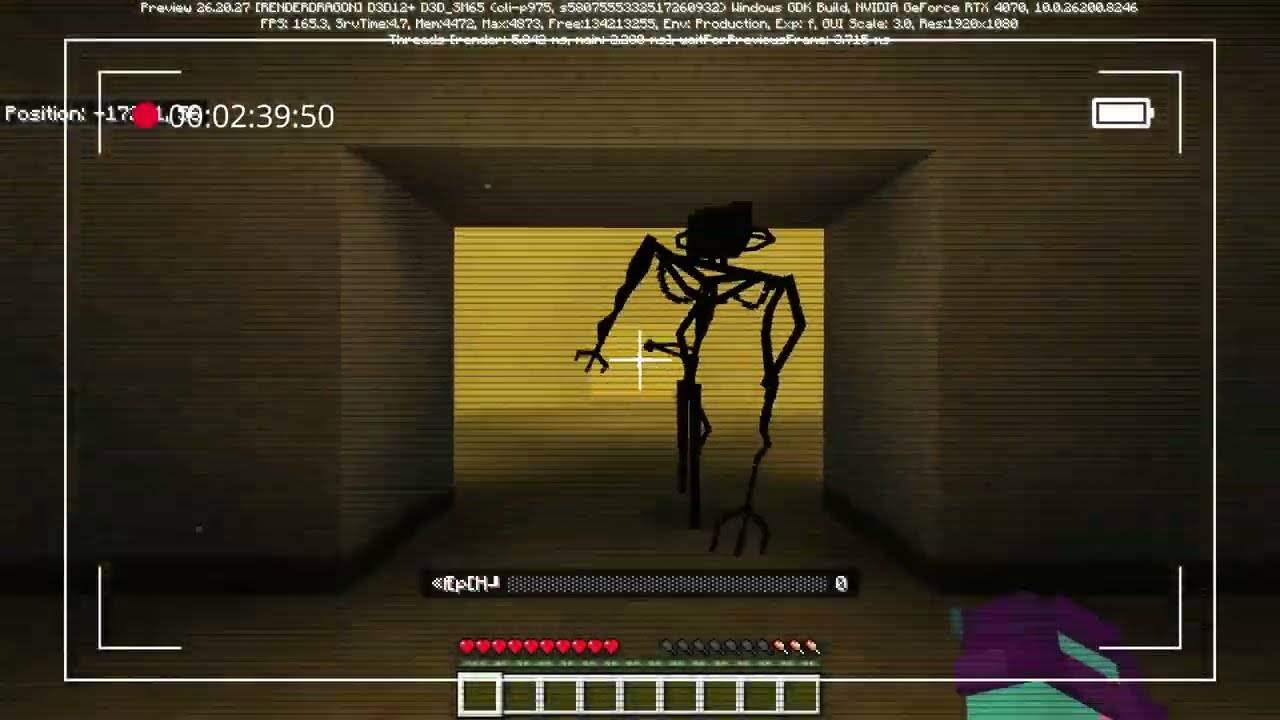
- Bacteria Entity: The sole hostile presence within Level 0, the Bacteria cycles through states of wandering, alertness, chasing, and losing track. It responds to player noise and movement, becomes more aggressive as sanity drops, and increases visibility as your sanity declines. Each player encounters only one instance of this entity.
- Atmosphere: Experience dynamic fog linked to sanity levels, ambient particles, flickering fluorescent lights, subtle audio loops and silent intervals, random whispers, visual glitches, and occasional hallucination events enhancing the horror experience.
- Almond Water: A rare consumable item found in rooms that restores 35 sanity points with a 10-second cooldown.
- Exit Door: A rare exit spawns far from the hub, triggering a brief visual sequence upon use, restoring sanity, and returning you to your original spawn point.
Commands
/backrooms:enter- Saves your position and transports you into the Backrooms./backrooms:exit- Instantly returns you without any additional effects./backrooms:reset- Clears all generated world data to restart exploration./backrooms:spawn_bacteriaand/backrooms:kill_bacteria- Manage the Bacteria entity manually./backrooms:bacteria_debug- Activates debugging features for the Bacteria entity.
Future Development
- Enhancements to the exit door functionality.
- Introducing additional room varieties and new levels.
- Improved entry and exit sequences for immersion.
- Fixing identified bugs, including those affecting the Bacteria entity.
- Adding more furniture and refined staircases.
- Audio improvements to complement the atmosphere.


Comments are loaded on demand to improve page speed on mobile devices.
Show comments (0)