Actual Backpack
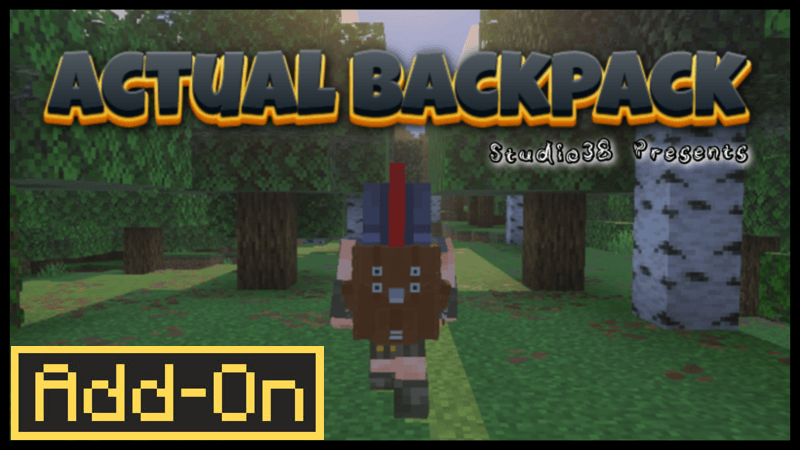


Actual Backpack enhances your Minecraft Bedrock experience by providing extra inventory space with a fully integrated backpack system. This add-on allows you to carry more items, wear the backpack on your back, or keep it stored in your inventory, all while maintaining a vanilla-friendly design inspired by the Hytale Backpack.
Installation
To install the Actual Backpack add-on, import the provided behavior and resource packs into your Minecraft Bedrock edition. Activate both packs in your world settings without enabling any experimental gameplay toggles, as none are required.
How to use



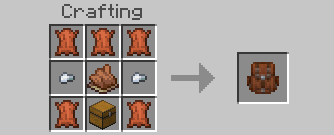
After crafting your Backpack, place it down on the ground to interact with it and store items inside. Sneak and interact with the backpack to wear it on your back, expanding your carrying capacity by 27 slots. To remove the backpack, sneak and jump simultaneously while standing still, then confirm the prompt to take it off.
You can also store the backpack in your inventory by punching it, allowing you to carry it without wearing it. The backpack's status, including storage capacity, is displayed on your hotbar.
Additionally, you can customize the color of your backpack by applying different dyes.
Requirements / Compatibility
- Compatible with all other add-ons and does not interfere with achievements.
- No experimental gameplay options need to be enabled.
- Does not utilize player.json, ensuring smooth compatibility.
Key features
- 27 extra inventory slots per backpack.
- Option to wear the backpack or keep it in inventory.
- Vanilla-style design inspired by the Hytale Backpack.
- Full support for other add-ons and achievement compatibility.
- Customizable backpack colors through dye application.
Notes
This add-on is designed to integrate seamlessly without requiring any special settings or causing conflicts with other content. Enjoy expanded inventory space and improved item management on your adventures.