Custom VeinMiner
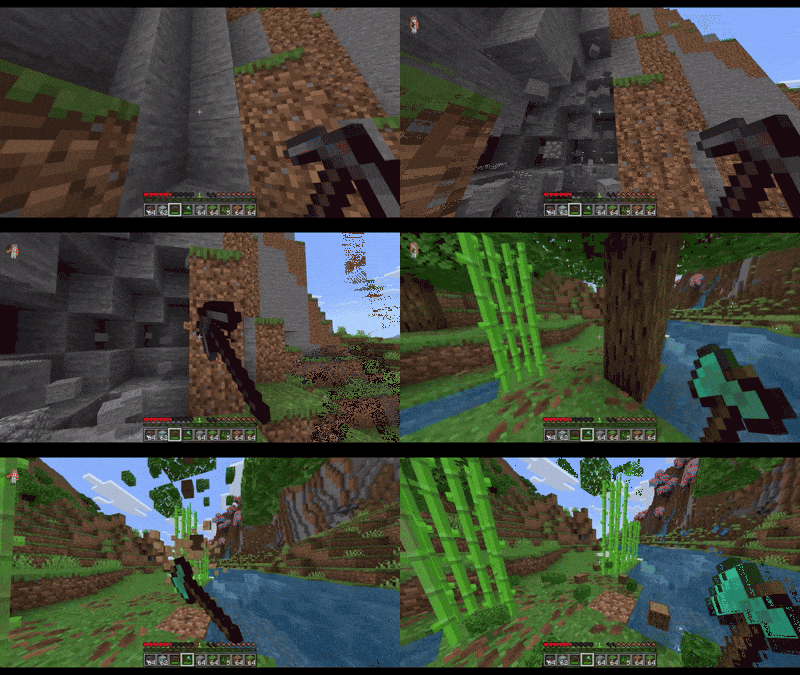
Custom Vein Miner is an advanced vein mining addon for Minecraft Bedrock Edition that allows you to break a block and automatically mine all connected blocks of the same type. This tool simplifies resource gathering by eliminating repetitive block breaking, making it ideal for ores, wood, stone, and more.
Installation
Import the addon into your Minecraft Bedrock world through the behavior packs menu. Once activated, you can access the vein miner interface using the in-game command.
How to Use
- Open the Vein Miner Interface
- Enter the command
/vmto bring up the GUI instantly.
- Enter the command
- Choose Blocks to Mine
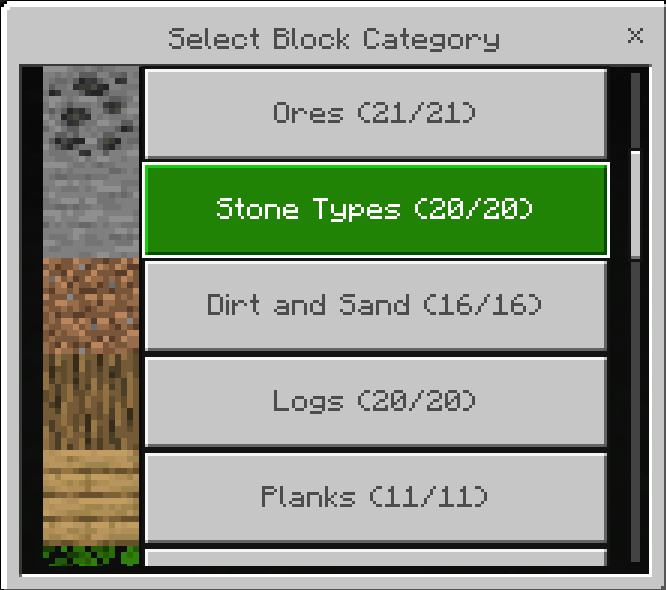
- Navigate to the "Select Blocks" tab to browse over 18 block categories.
- Toggle individual blocks or entire categories to include them in vein mining.
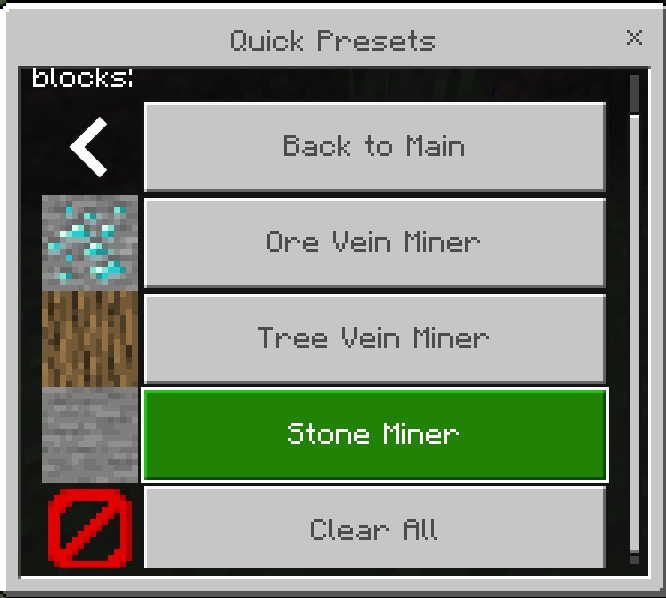
- Use the Quick Presets for fast selection of common groups like Ores, Trees, or Stone.
- Adjust Settings
- Set mining radius and maximum blocks per vein to balance performance.
- Enable or disable sneak requirement for vein mining activation.
- Configure drop behavior and enchantment effects such as Fortune and Silk Touch.
- Activate Tree Mode to automatically mine leaves connected to logs.
- Start Vein Mining
- Sneak and break any selected block to trigger vein mining.
- Connected blocks of the same type will break automatically, dropping items according to your settings.
Key Features
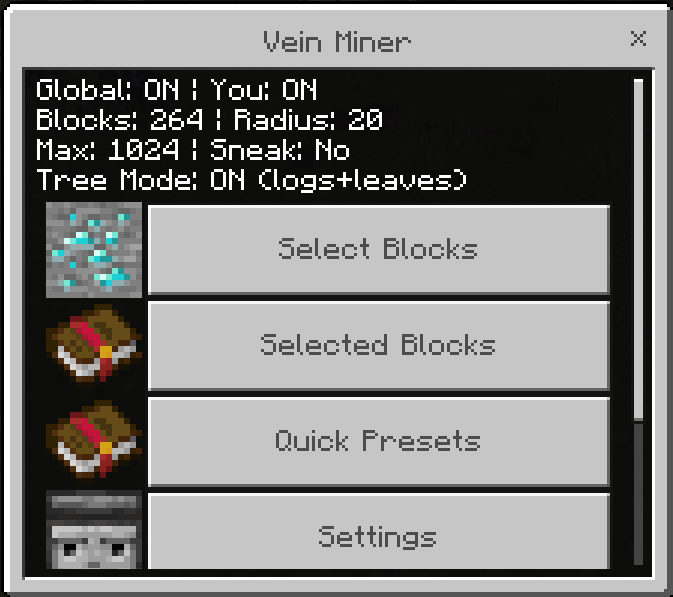
- Intuitive GUI: Easy navigation through block categories, selected blocks, quick presets, and settings.
- Extensive Block Categories: Over 18 categories including Ores, Stone, Dirt, Logs, Leaves, Glass, Wool, Concrete, Nether blocks, End blocks, and more.
- Customizable Settings: Control radius, max blocks, sneak requirement, drops, and enchantment effects.
- Tree Mode: Automatically mines leaves connected to logs for faster tree harvesting.
- Quick Presets: One-tap configurations for common mining setups.
Compatibility
This addon is designed for Minecraft Bedrock Edition and works best with worlds that support behavior packs. It respects tool enchantments like Fortune and Silk Touch based on your configuration.
Settings Overview
- Enable Vein Miner: Toggle the addon globally on or off.
- Mining Radius: Choose from 3, 5, 7, 9, 12, 15, or 20 blocks. A radius of 7 is recommended.
- Max Blocks: Limits the number of blocks mined in one operation to prevent lag. Options range from 32 to 1024 blocks; 32 or 64 is suggested for optimal performance.
- Require Sneaking: When enabled, vein mining only activates while sneaking to avoid accidental triggering.
- Drop Items: Toggle whether mined blocks drop items.
- Respect Fortune: Applies Fortune enchantment effects to drops.
- Respect Silk Touch: Applies Silk Touch effects to drops.
- Tree Mode: When enabled, breaking a log will also break connected leaves automatically.
Block Categories Included
- Ores (Coal, Iron, Diamond, Emerald, etc.)
- Stone Types (Stone, Cobblestone, Deepslate, Granite, Andesite)
- Dirt and Sand (Dirt, Sand, Gravel, Clay, Mud)
- Logs (All wood types and stripped variants)
- Planks (Wood planks)
- Leaves (Tree leaves and foliage)
- Glass and Ice (Transparent blocks)
- Wool (All colors)
- Concrete (All colors)
- Terracotta (All colors)
- Nether Blocks (Netherrack, Basalt, Magma, etc.)
- End Blocks (End Stone, Purpur, Obsidian)
- Prismarine (Ocean blocks)
- Sandstone (Sandstone variants)
- Copper Blocks (Copper and oxidized copper)
- Amethyst (Amethyst crystals)
- Sculk (Deep Dark blocks)
- Coral Blocks
- Miscellaneous Blocks (Building blocks, sponge, honey, bone, and more)
Visual Guide
The interface offers tabs for selecting blocks, managing your chosen blocks, accessing quick presets, and adjusting detailed settings for a personalized vein mining experience.


 1.50/5