All-Purpose Drone
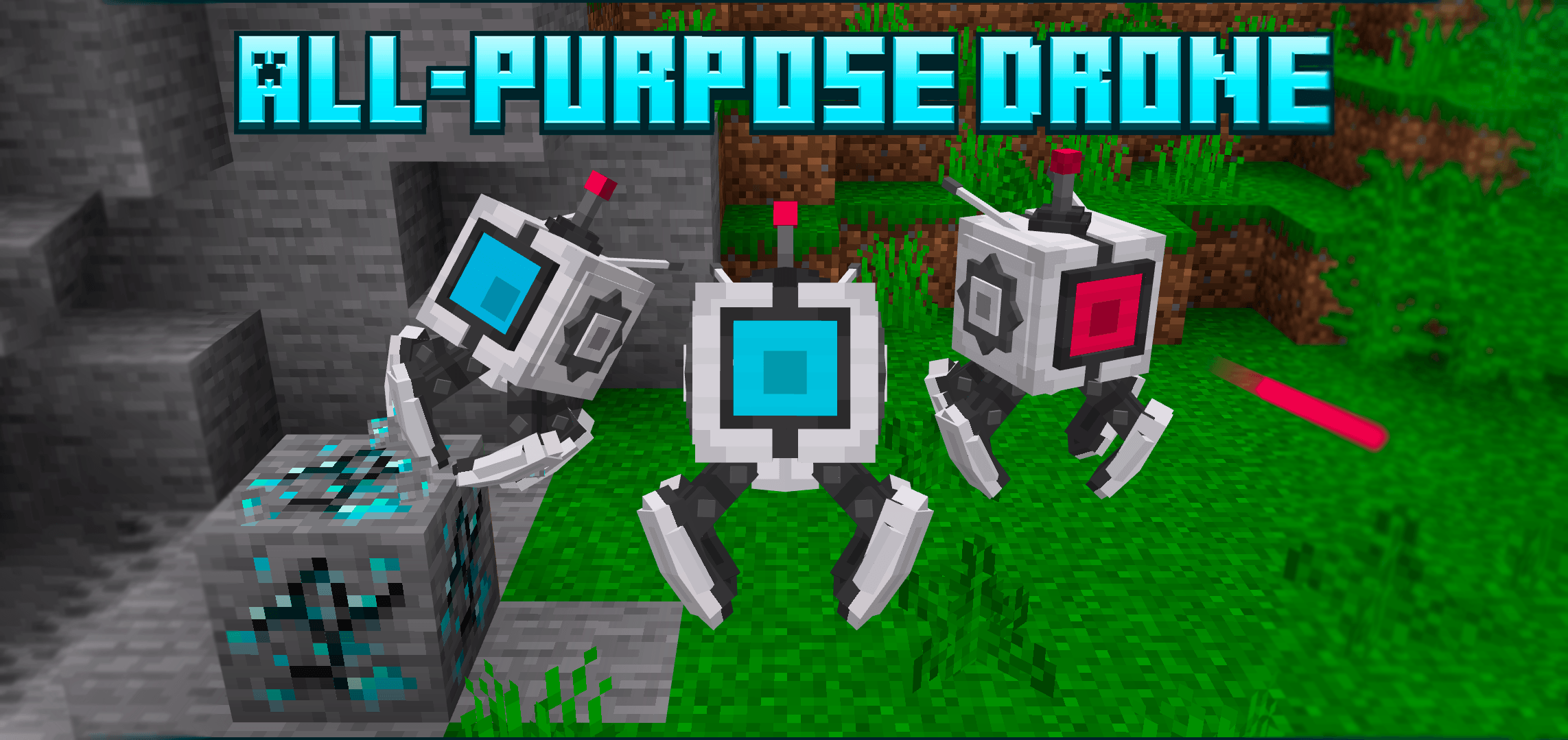
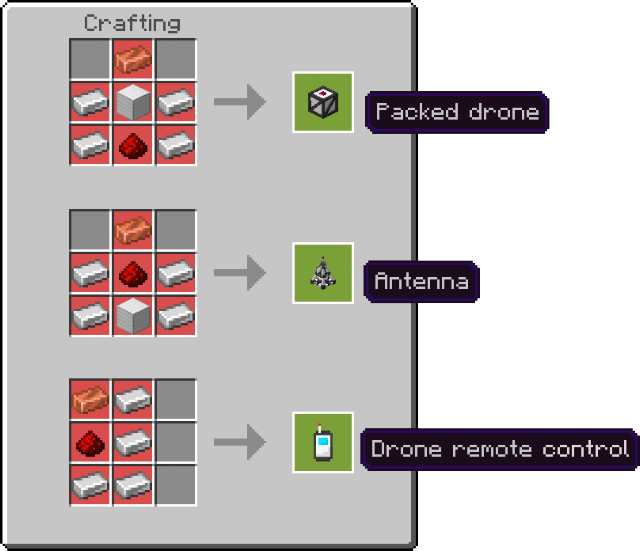
All-Purpose Drone is a versatile robotic assistant designed to follow your commands in Minecraft Bedrock Edition. This compact drone can perform tasks such as mining, building, attacking hostile mobs, item collection, and much more. Control multiple drones efficiently using its dedicated antenna and remote control devices.
Installation
- Download and install both the behavior pack and resource pack associated with the drone addon.
- Enable these packs within your world settings.
- Ensure the "Beta APIs" option is activated to guarantee proper functionality.
- Ignore any resource pack warnings during activation.
How to Use
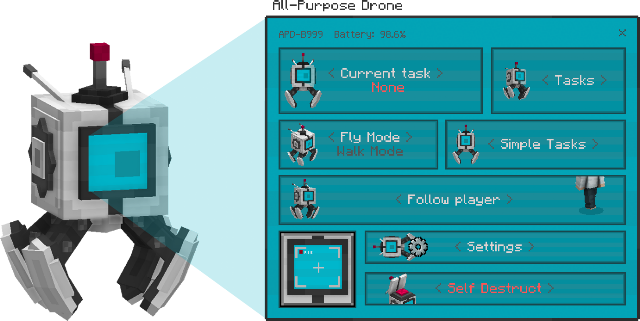
Begin by placing a packed drone block in the world and interacting with it to deploy a small drone entity. Interacting with the drone opens a control menu offering various options:
- Current Task: View and modify the drone's active task or cancel it.
- Tasks: Browse and assign from the full list of drone capabilities.
- Simple Tasks: Manage minor assignments like moving to specific coordinates, transferring items between chests, or emptying inventory.
- Follow Player: Toggle the drone's follow mode; drones teleport to you if they stray too far (configurable).
- Movement Modes: Switch between flying and walking modes depending on the task and battery status.
- Drone Camera: Activate a live camera feed to view the world from the drone's perspective.
- Settings: Customize drone name, owner access, resting zones, auto-flight, and visibility. Ownership restricts menu access to the owner.
- Self Destruct: Safely dismantle the drone with confirmation to prevent accidental removal.
Antenna Functions
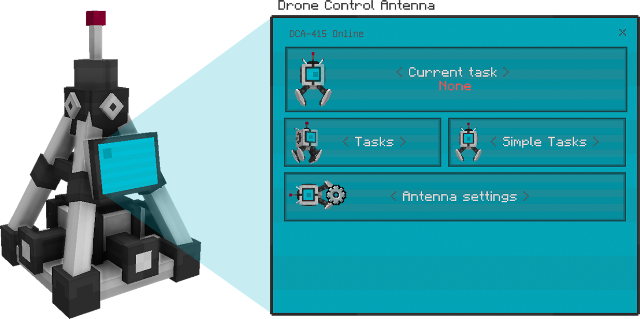
The drone control antenna block can recharge drones' batteries and dispatch updated tasks to nearby drones. Its configuration menu mirrors the drone's options but includes additional parameters such as:
- Drone search radius for task broadcasting.
- Signal resend frequency.
- Task unlocking, including battery charging.
Owners can restrict access; antennas without owners command only ownerless drones, while owned antennas can control drones with matching ownership or no owner.
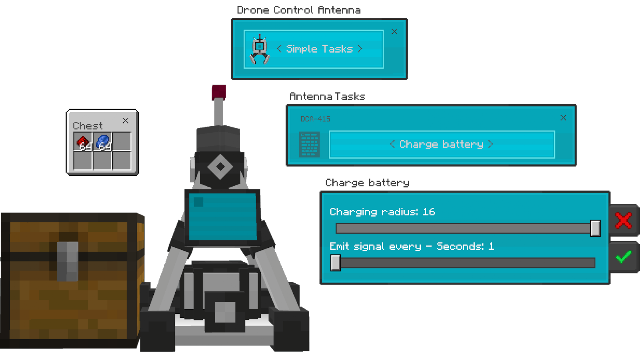
To charge drones, select the "Charge Battery" task under simple tasks, specify a radius, then place a chest or container adjacent to the antenna with redstone or lapis lazuli. These items convert into battery charge at a rate of 3% per unit consumed.
Drone Remote Control
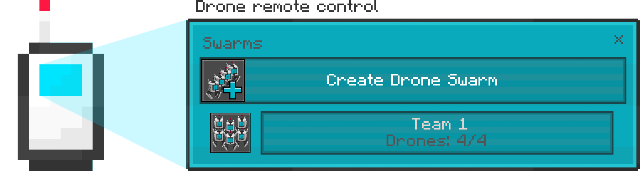
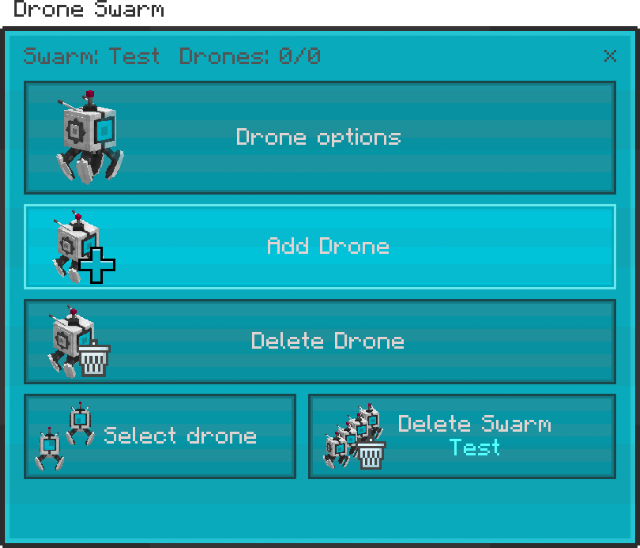
This item enables simultaneous command over entire drone groups (swarms). Create a swarm by entering a name and selecting it. Then add drones from a list of nearby drones without owners or those owned by you.
Once a swarm is formed, use the remote to issue commands via the familiar drone menu interface to all drones in the group.
Additional Features
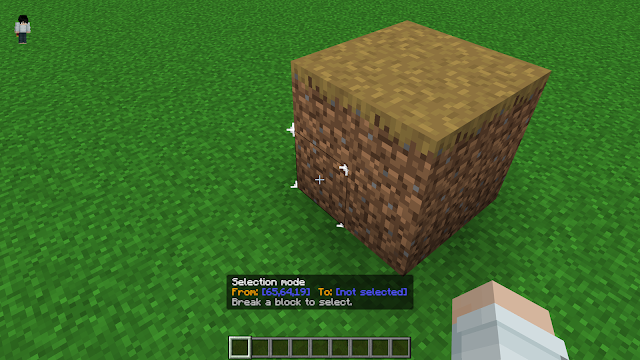
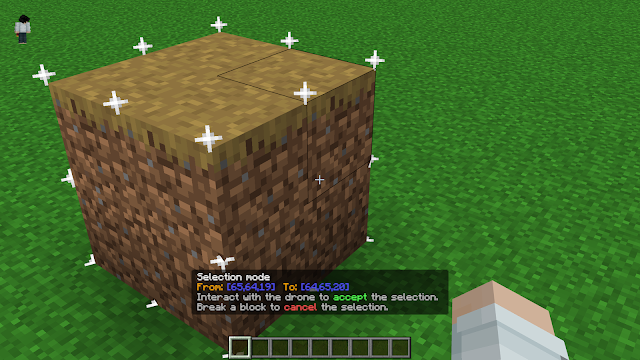
- Selection Mode: Simplify coordinate selection for "fill a location" and "mine a location" tasks using the "Select coordinates in the world" option or the UI button. This lets you select two blocks in the world as opposite corners without manually entering coordinates. Blocks are not actually broken during selection.
When activated, an actionbar message will guide you to break two blocks to set the selection bounds.
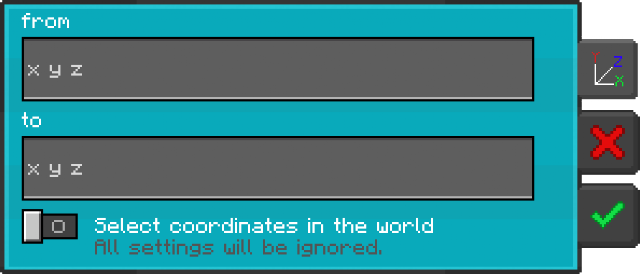
Use the selection to define the target area for drone tasks. Drones assigned to the task will visually indicate standby by a left-to-right motion; unassigned drones restrict menu access.

Drone Durability and Maintenance
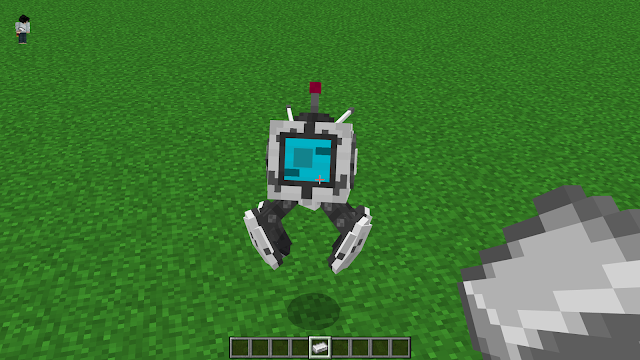
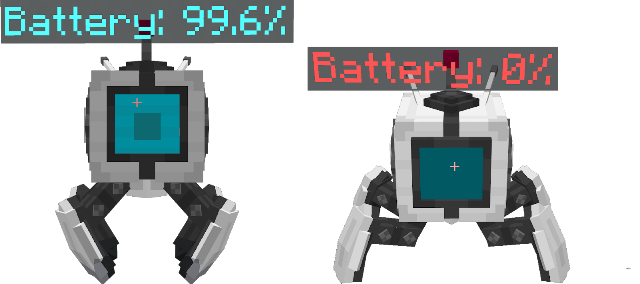
Drones have a health system similar to iron golems; damage affects their appearance. Repair drones by using iron ingots while crouching and interacting with them.
Battery Information
The drone's battery depletes by 0.1% every two seconds during movement or active tasks. Below 10% battery, flight disables and only walking mode remains. At 0%, the drone powers down, becoming unresponsive to commands.
Inventory Access
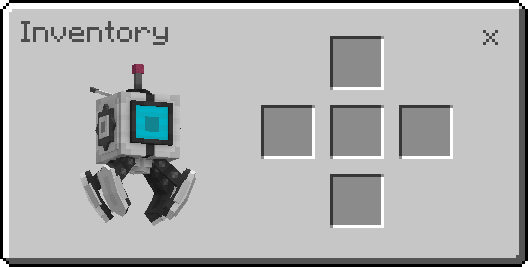
Drones feature a public 5-slot inventory accessible by any player. To open it, crouch and interact with the drone.
Key Features
- Multi-tasking drones: mining, harvesting, attacking, building, item collection.
- Swarm control via remote for managing multiple drones at once.
- Battery management through antennas using consumable resources.
- Flexible movement modes: flying or walking.
- Drone camera for remote viewing.
- Selection mode for easy coordinate targeting without manual input.
- Customizable ownership and access control to protect your drones and antennas.
- Public drone inventory for shared item storage.
- Solar panel attachment for enhanced drone functionality.
Crafting and Attachments
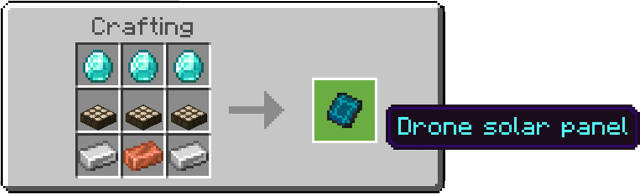
A small solar panel item is craftable and can be equipped to drones by interacting while holding it. This adds additional utility to your drones in the field.
Available Tasks
- Mine blocks and nearby ores.
- Harvest and grow crops.
- Attack hostile mobs.
- Fill designated locations.
- Bring mobs to locations.
- Collect items.
- Ore detection.
- Transfer items between chests.
- Simple tasks: moving to locations, inventory management, and more.
Notes
- Addon textures, models, and features may be updated or changed in future releases.
- Mining large areas with drones may impact game stability or cause crashes.
- The addon supports multiple languages including Spanish, Portuguese, Simplified Chinese, Italian, Russian, and Ukrainian.