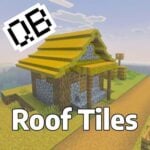
QB Roof Tiles
QB Roof Tiles enhances your Minecraft creations with a variety of sloped roof blocks, perfect for adding detail and realism to your buildings. This pack features terracotta, stone, wooden, and thatched roof tiles, allowing for diverse architectural styles and curved roof designs. Whether building homes or challenging parkour maps, these tiles offer both aesthetic appeal and functional variety.
Key Features
- 17 terracotta tile blocks in all standard and dyed colors
- 47 standard roof blocks angled around 45°
- 47 shallow roof blocks angled approximately 30°
- 47 steep roof blocks angled near 60°
- 32 floor tile variants
- 17 terracotta tile stairs, slabs, and vertical slabs each
- 3 slab types for hay, bamboo, and stripped bamboo materials
- Roof blocks available in terracotta, stone bricks, various wood types including bamboo mosaics, and thatched hay
- Curved roof designs made by combining different sloped tiles
- Corner roofs form naturally when placing tiles perpendicularly, similar to stair block behavior
- Steep slopes can be slippery, adding gameplay considerations
Installation / How to Use
Import the QB Roof Tiles addon into your Minecraft Bedrock Edition world or resource pack. Once installed, you can access the new roof blocks in your creative inventory or through commands. Combine the different slope angles and materials to build detailed roofs, corners, and curved structures. Use the stairs and slabs to achieve various architectural details and to blend roof edges smoothly.
Requirements / Compatibility
This addon is designed for Minecraft Bedrock Edition. It is compatible with worlds that support custom resource and behavior packs. Ensure you are running a version that supports addon installation and custom blocks.
Notes
In version 2.0, the addon introduced new thatched and wooden roof types for greater variety. The previous version featured a frame texture that blended beneath each roof block to match surrounding wood colors, but this was removed in version 2.0 to improve performance. The frame now uses a texture similar to the roof surface to maintain visual consistency while reducing resource usage.
