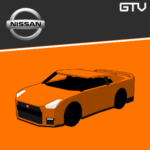
GTV | NISSAN CARS
GTV | Nissan Cars Addon brings a selection of Nissan vehicles into Minecraft Bedrock, featuring realistic driving mechanics such as progressive acceleration, customizable paint colors, and functional fueling systems. Experience iconic Japanese performance cars with dynamic speedometers, engine upgrades, and immersive animations tailored for street racing and urban exploration.
Installation
To add the Nissan Cars addon to your Minecraft Bedrock edition, download the addon files and import them through the game's add-on manager. Ensure the addon is activated in your world settings before playing.
How to Use
- Fueling: Vehicles require fuel before use. Hold coal or redstone in your hand and interact with the car to refuel. Make sure the vehicle is turned off during this process.
- Starting the Vehicle: Use the key item and interact with the vehicle to start the engine. The "Start" option will appear when the key is held.
- Gear Shifting: After the engine starts, remove the key from your hand. Then, interact to shift gears from Neutral (N) to Drive (D). Shifting back to Neutral is only possible when the vehicle is stopped.
- Turning Off: Hold the key and interact to turn off the vehicle. The "Stop" option will be shown.
Requirements / Compatibility
This addon is designed exclusively for Minecraft Bedrock Edition and requires no additional mods. It is compatible with worlds where behavior packs and resource packs can be loaded.
Key Features
- Speed System: Vehicles use a smooth, automatic-like acceleration mechanism for realistic driving.
- Engine Upgrades: Improve vehicle performance by installing upgraded engine parts that increase top speed and acceleration.
- Ignition: Vehicles start only by using a key item inside the car.
- Fuel System: Supports three fuel types: Coal (combustion engine), Redstone (electric motor), and Hybrid (combination of both). Manage fuel carefully to keep driving.
- Speedometer: Displays current speed in km/h and remaining fuel for precise control.
- Emissive Headlights: Realistic glowing headlights enhance nighttime driving.
- Color Customization: Paint cars with any Minecraft dye for personalized designs.
- Shop System: Purchase vehicles using iron ingots combined with engine parts.
- Multi-language Support: Available in numerous languages including English, Japanese, French, German, Spanish, and more.
Visuals
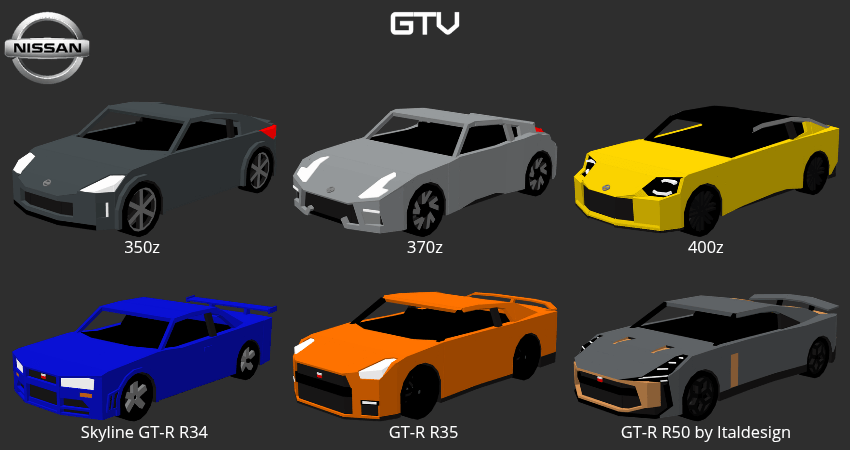
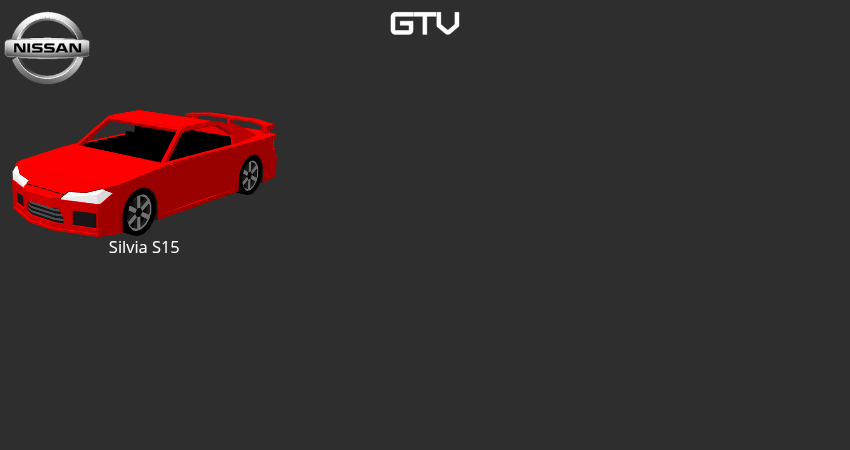
Explore the detailed Nissan cars featured in the addon:
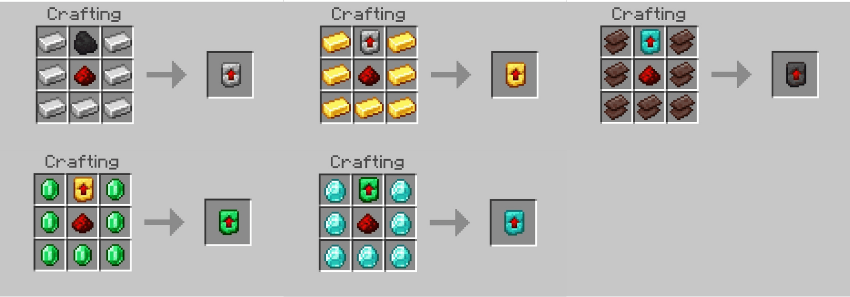
Crafting Recipes
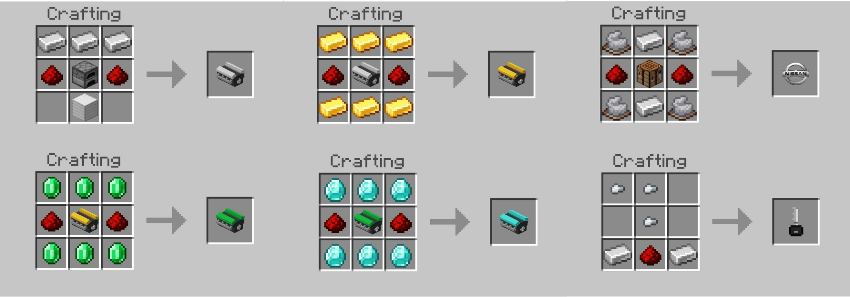
Create engine parts and other components required for upgrades:
Gameplay Mechanics
- Progressive Gear Shifting: Shift from Neutral to Drive and back, but only stop gear changes when the vehicle is completely stopped.
- Engine Upgrades: Apply engine items to increase acceleration and maximum speed.
- Fuel Management: Different fuel types with individual capacities require careful monitoring.
- Ignition and Key Usage: Vehicles start only with the key held, adding realism.
- Color Customization: Use any Minecraft dye to repaint vehicles.
Usage Tips
Remember to refuel cars before use and always carry the key to start and stop your vehicle. Practice shifting gears properly to enjoy smooth driving experiences. Manage fuel levels to avoid unexpected stops.
Additional Information
This addon is a fan-made project created purely for entertainment within Minecraft Bedrock and is not affiliated with Nissan or any official automotive company.
How to Play
Follow these steps to operate your Nissan vehicle:
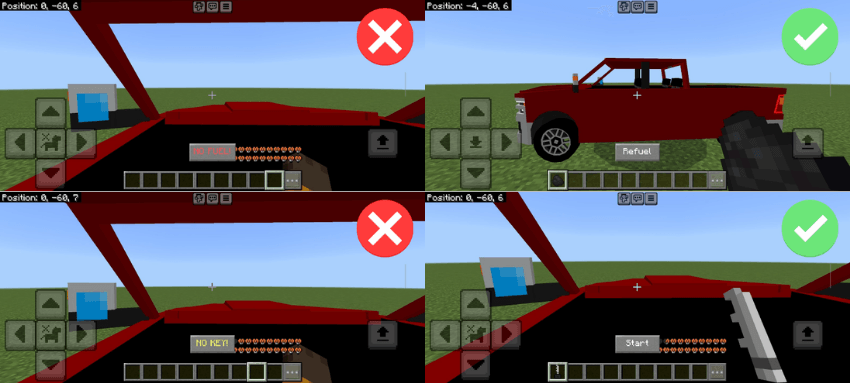
- Before driving, ensure the vehicle has fuel by holding coal or redstone and interacting with it.
- Vehicles must be switched off to add fuel.
- Use the key item to start the vehicle by interacting with it while holding the key.
- After starting, remove the key to shift gears from Neutral to Drive.
- To turn off, hold the key and interact with the vehicle to select the stop option.
