
The Ty-el’s UI Pack
28.02.2026
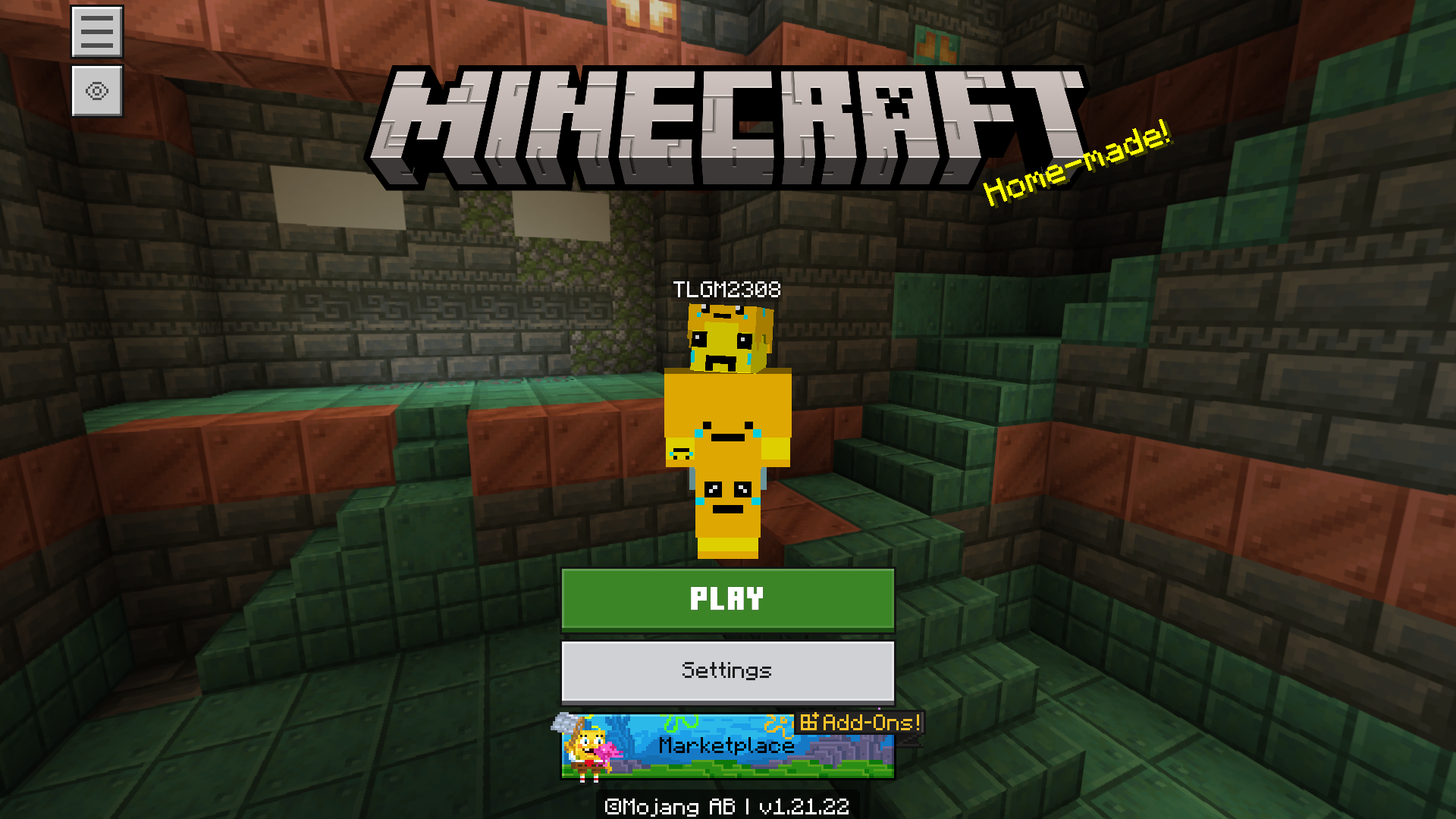
The Ty-el’s UI Pack enhances the Minecraft Vanilla UI by introducing subtle improvements, new features, and refined audio feedback while preserving the classic Minecraft feel. This pack offers a smoother, more functional interface compatible with many existing texture and resource packs, elevating your gameplay experience.
Installation / How to Use
Activate The Ty-el’s UI Pack through the Global Resources settings for the best, most stable experience. It is recommended to use the Classic UI Profile to access all features fully. Avoid enabling the pack both globally and in individual worlds unless the world requires resource packs upon joining, to prevent duplicated controls and potential errors. Choose the subpack that suits your preferences: Default, Default Vanilla, Performance, or Ultra Mode.
Requirements / Compatibility
This pack is designed primarily for Pocket UI but is also compatible with most texture or resource packs that do not modify the UI. It supports multiple languages including English (US & UK), German, Spanish (Spain & Mexico), French (France & Canada), Indonesian, Italian, Polish, Portuguese (Brazil & Portugal), Swedish, Turkish, Russian, Ukrainian, Japanese, Simplified and Traditional Chinese, Korean, and Vietnamese. Compatibility issues may arise when used alongside other UI-modifying packs.
Key Features
Pregame Enhancements
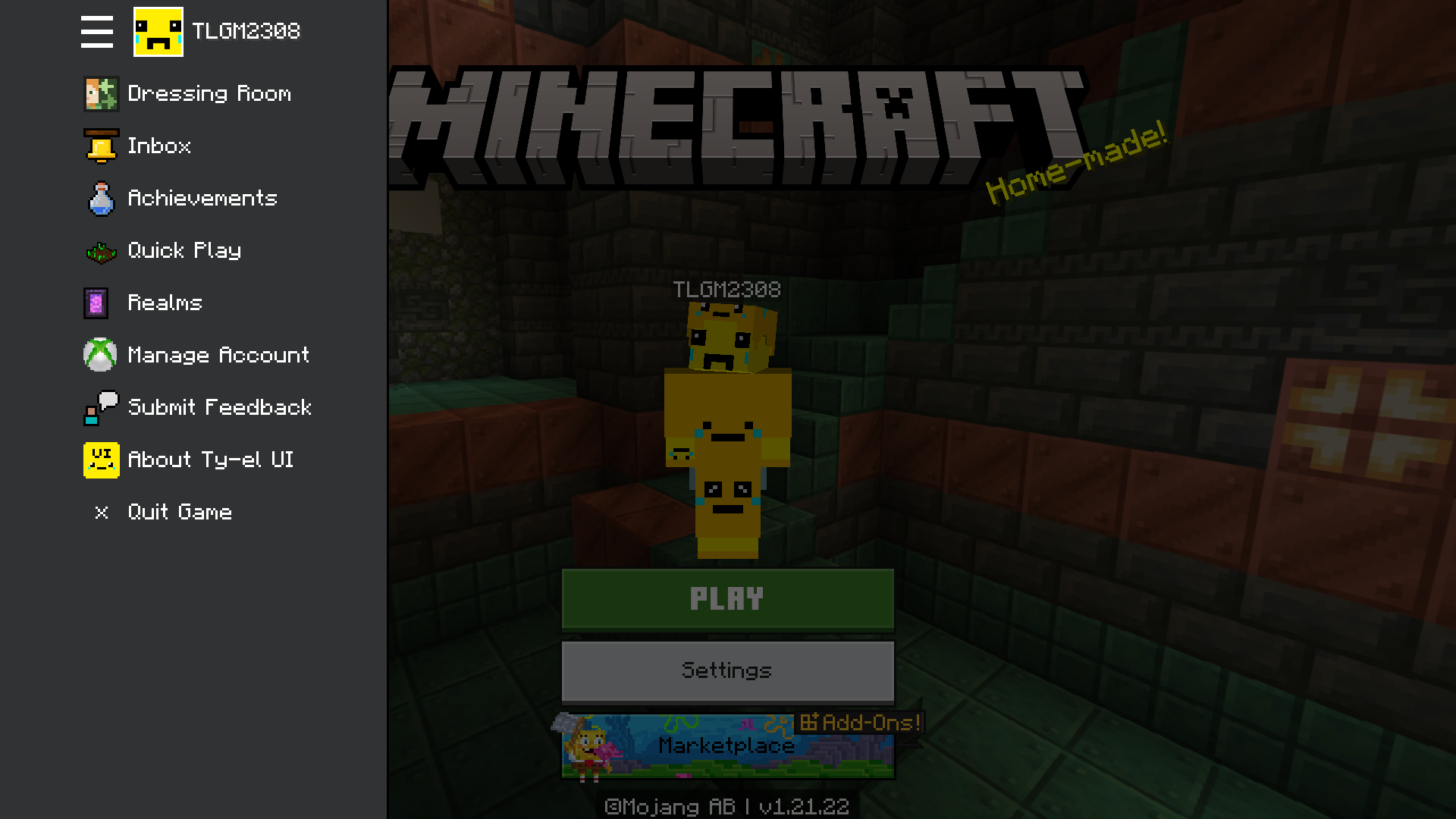
- Start Screen: Redesigned with a Marketplace-style sidebar menu offering quick access to settings, social media, and other useful buttons.
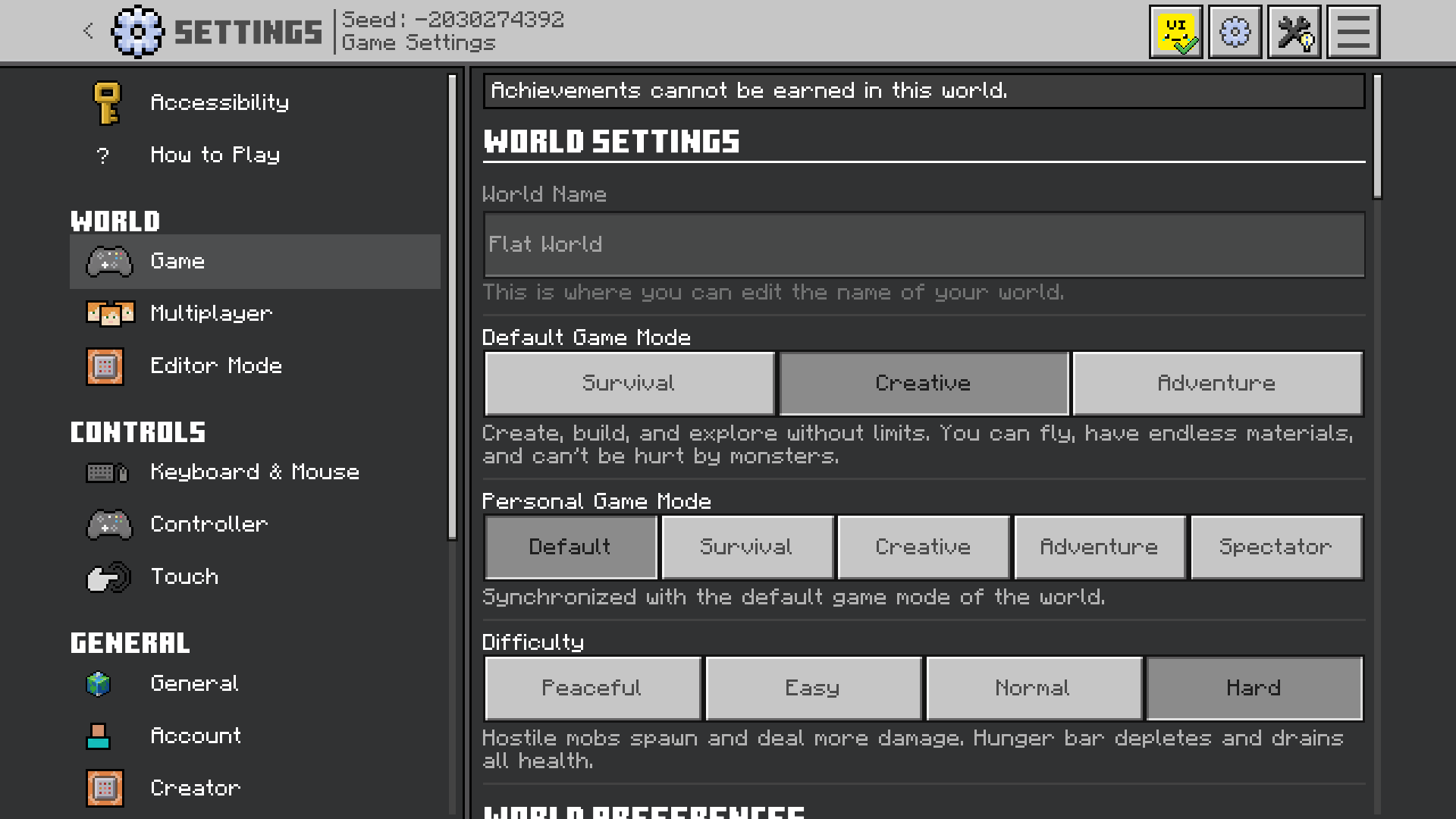
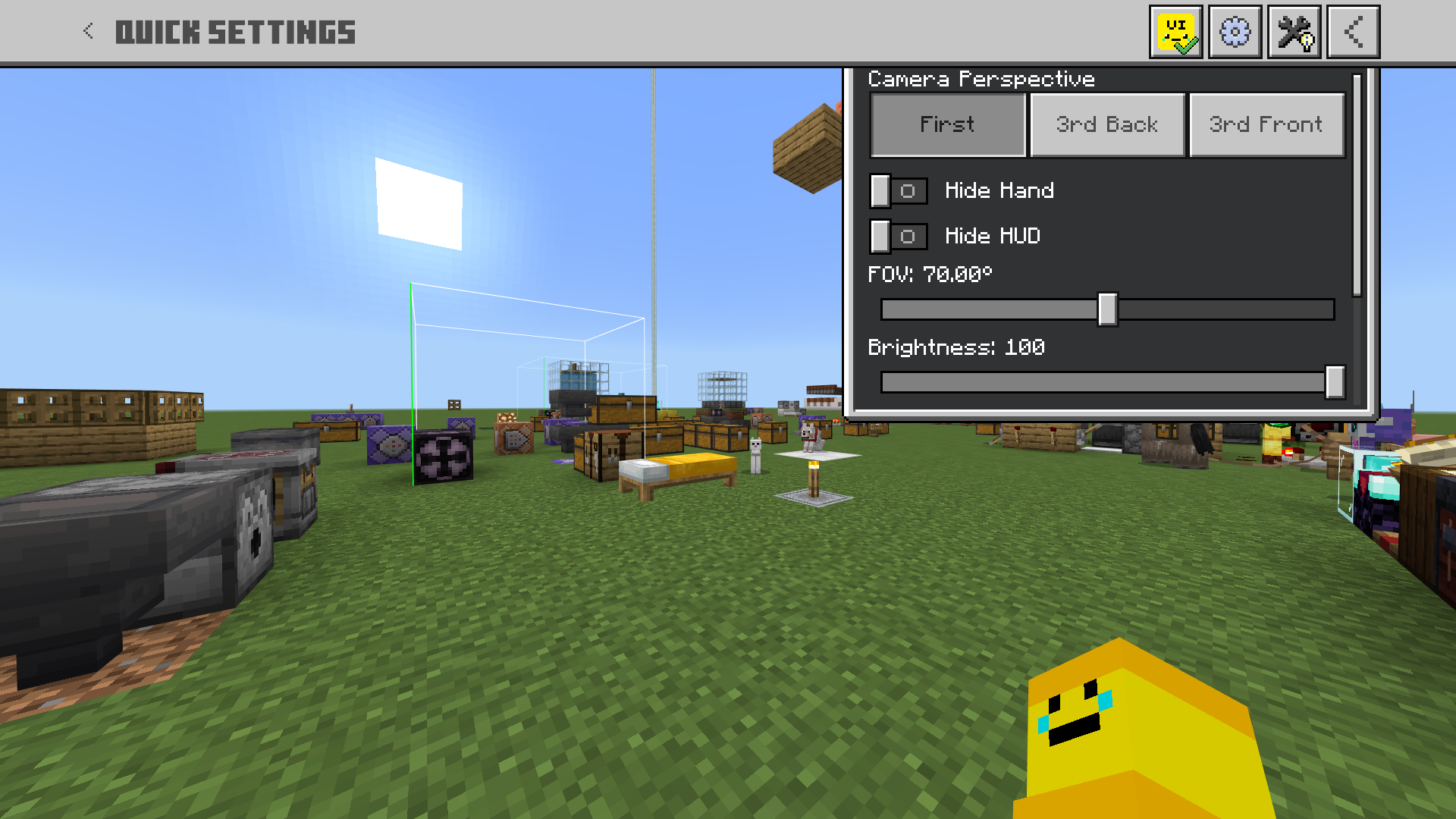
- Settings Screen: Overhauled to align with Ore UI aesthetics; dropdowns replaced with button modes for better usability. Added search functions for Resource Packs and Storage Management. Quick Settings accessible via a top-right button for on-the-fly adjustments.
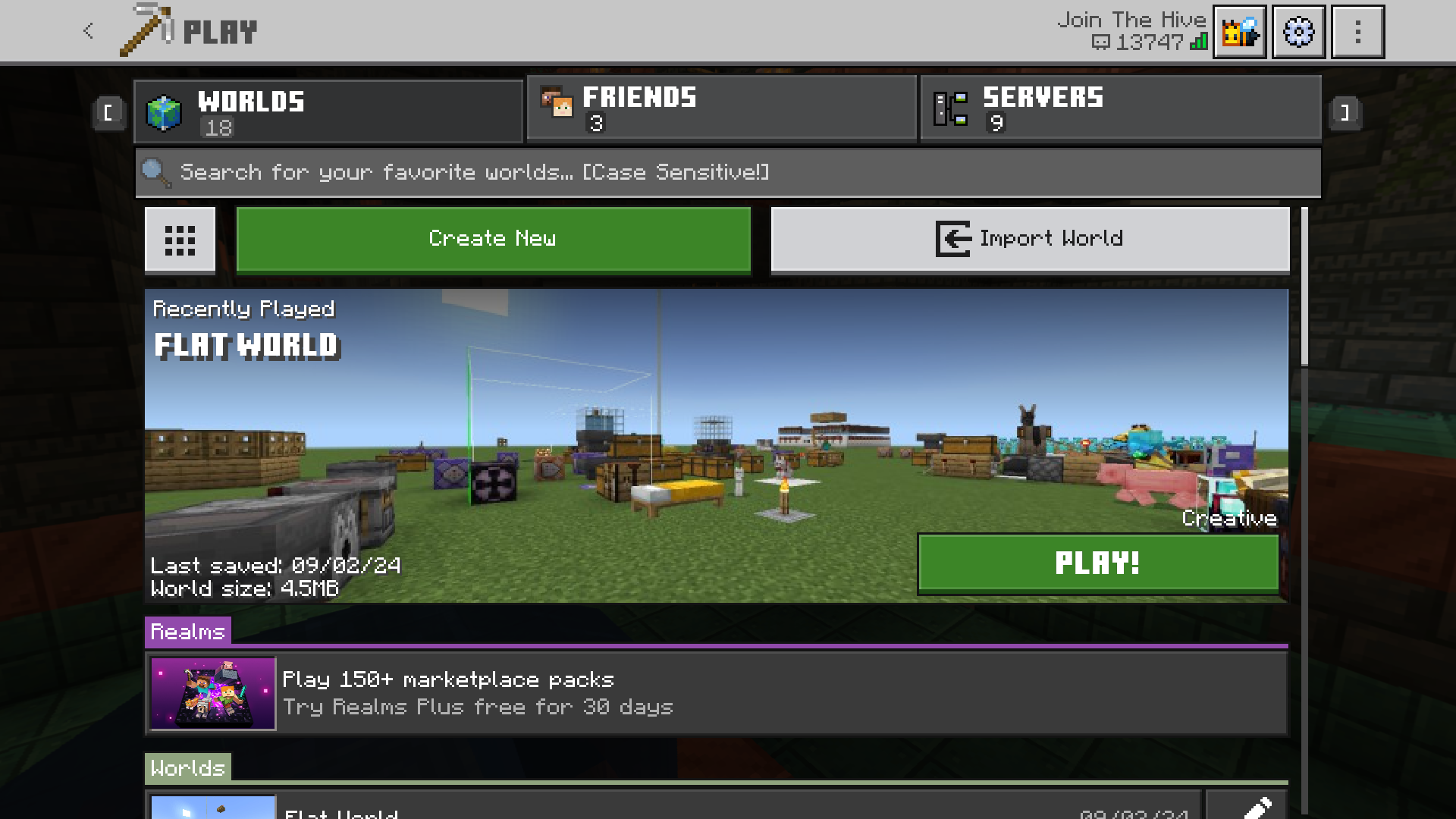
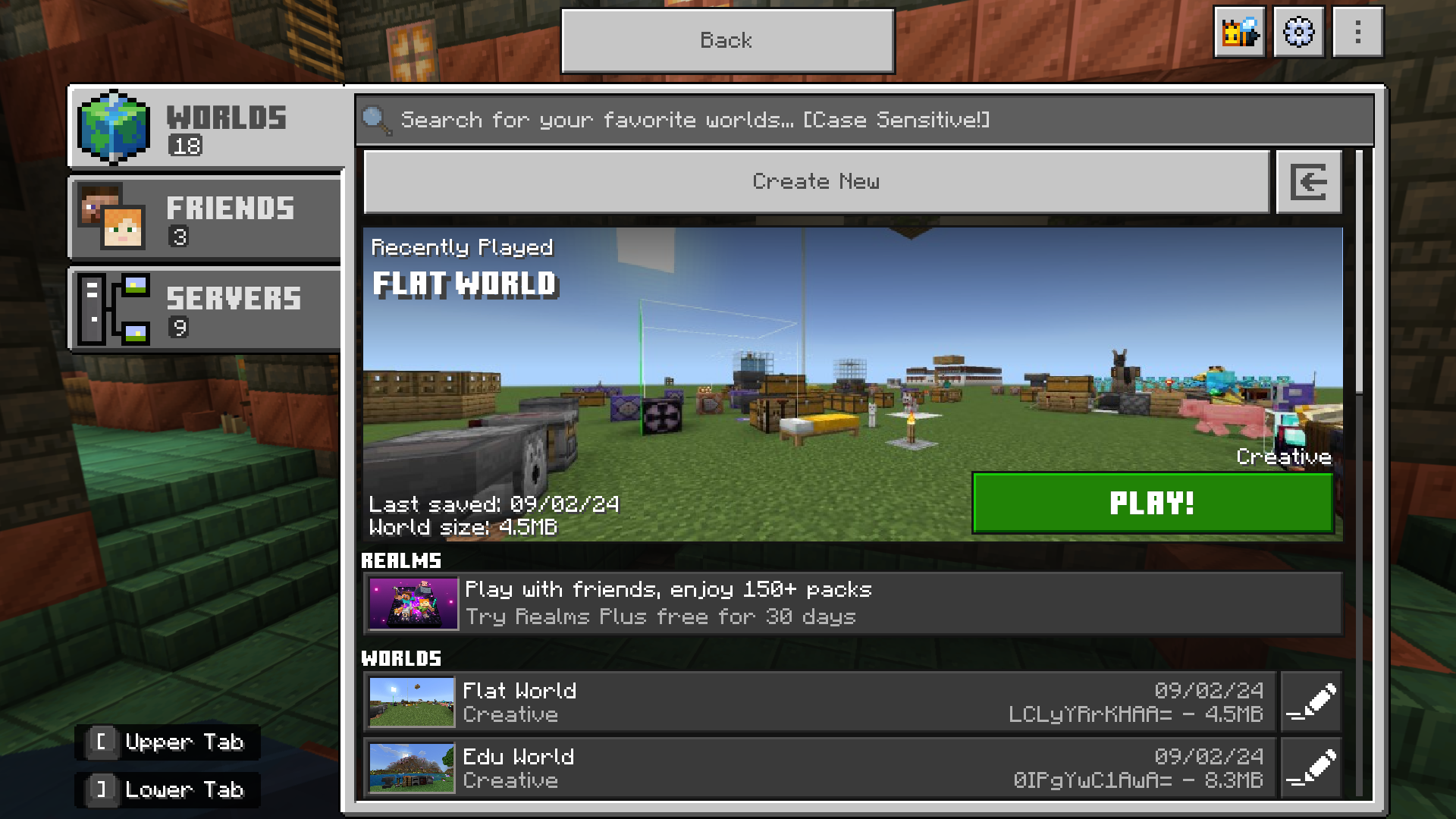
- Play Screen: Fullscreen redesign displaying world folder names and featuring a recently played worlds suggestion. World search functionality included, case-sensitive like Java Edition.
In-Game UI Improvements
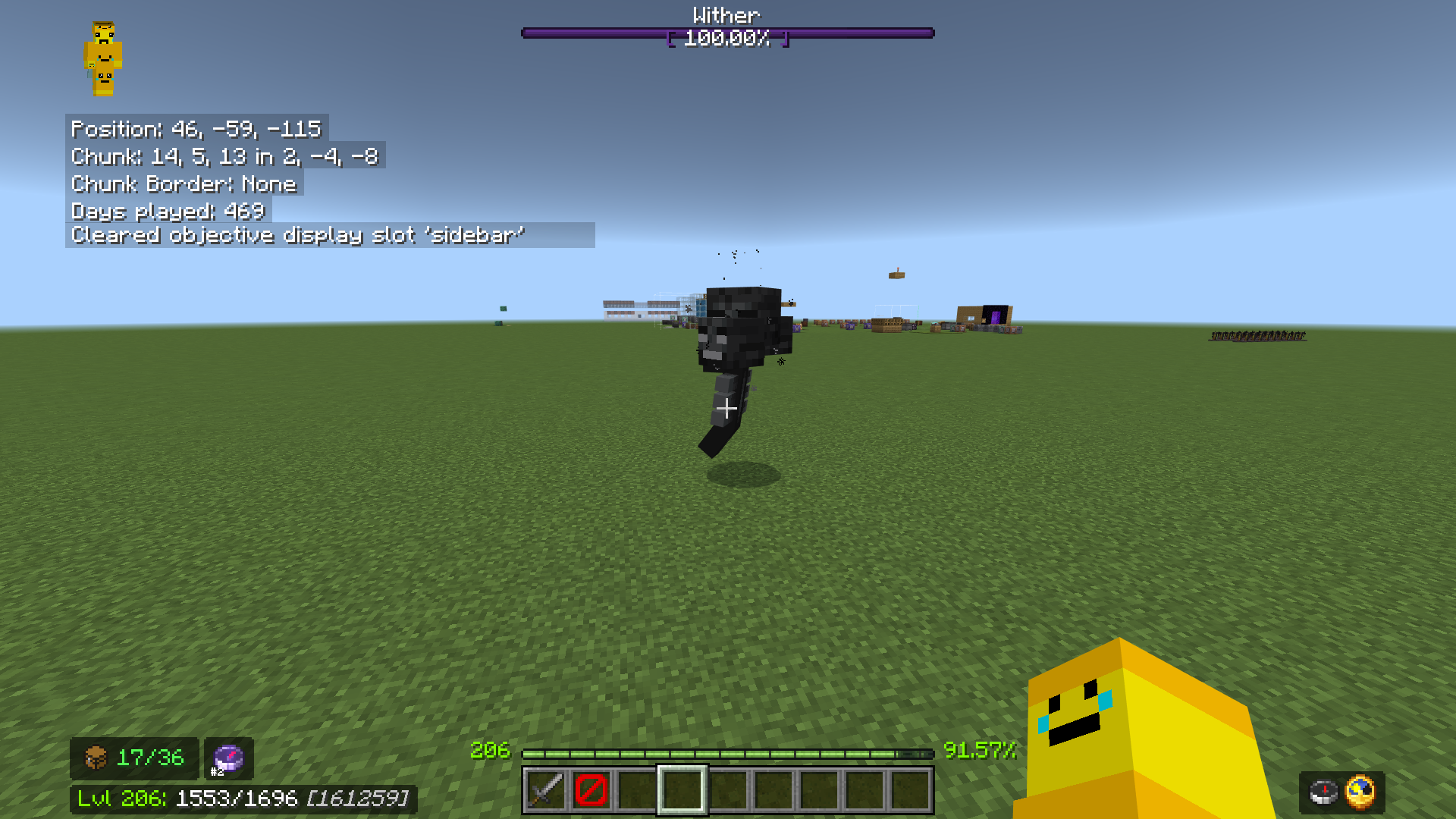
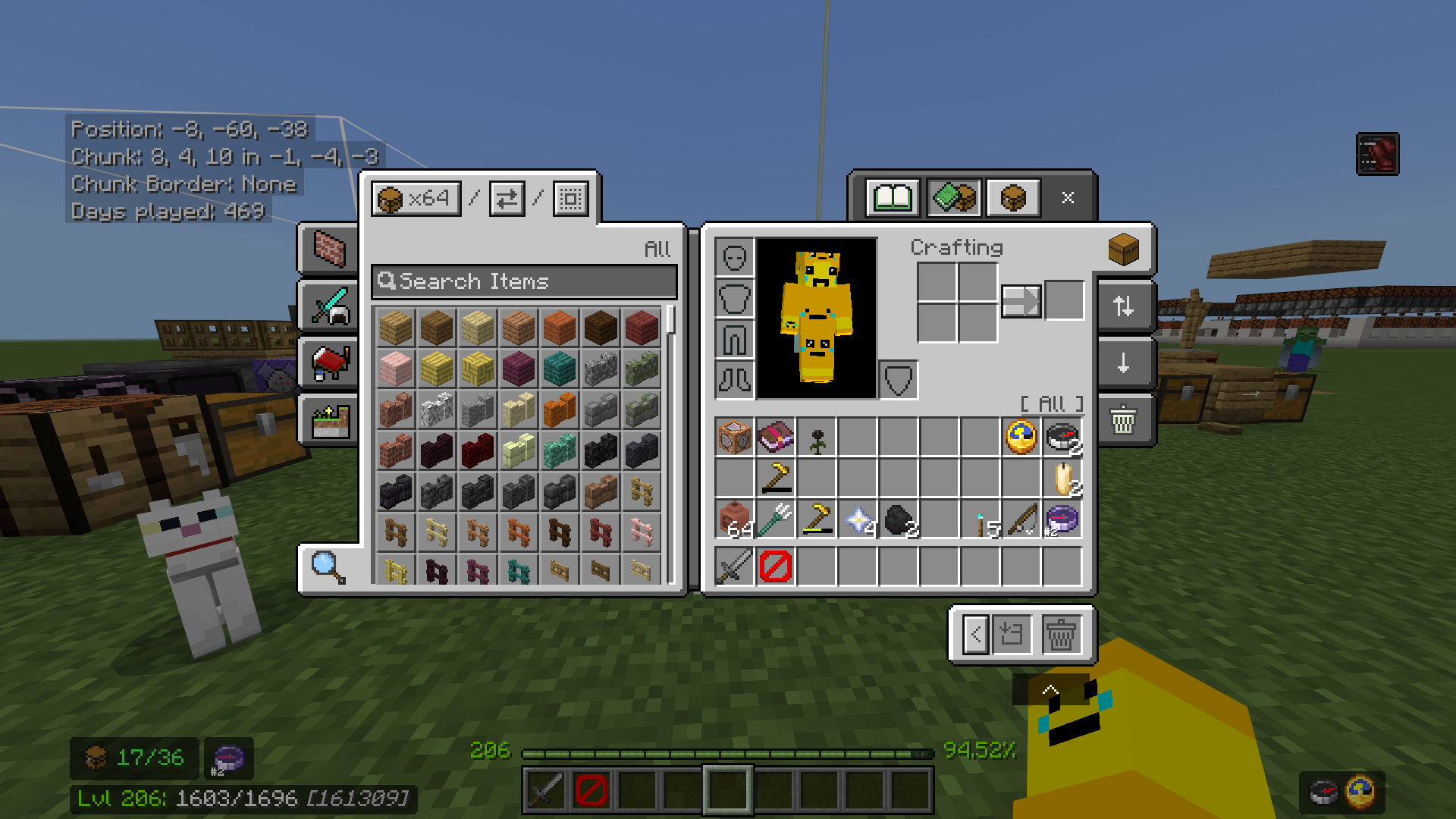
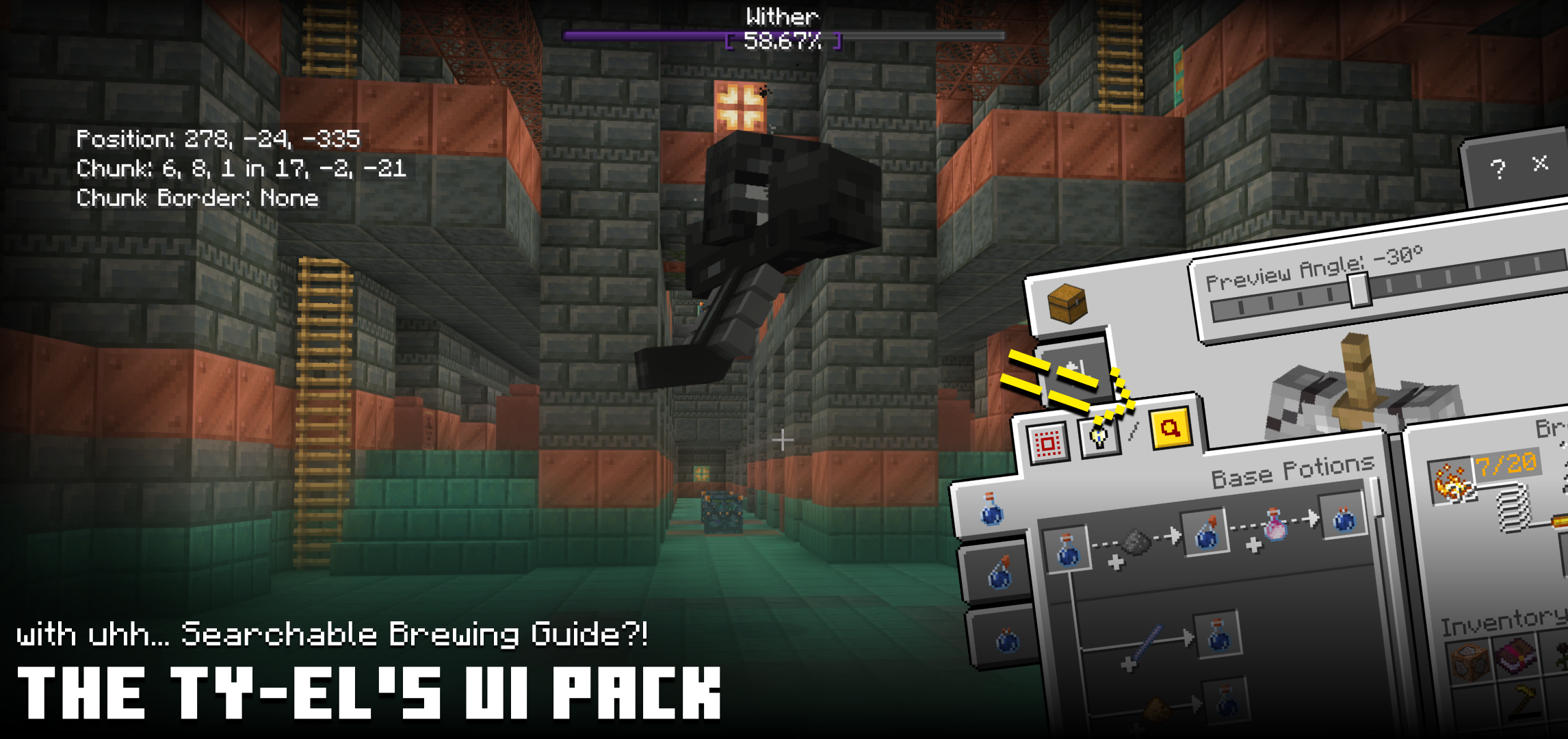
- HUD Screen: Displays chunk coordinates and borders, precise XP needed for next level, item durability, total similar items in inventory, and free inventory slots. Utility artifact renderers for compass, lodestone compass (up to 3 with tracking IDs), clock, and recovery compass are shown when present in inventory.
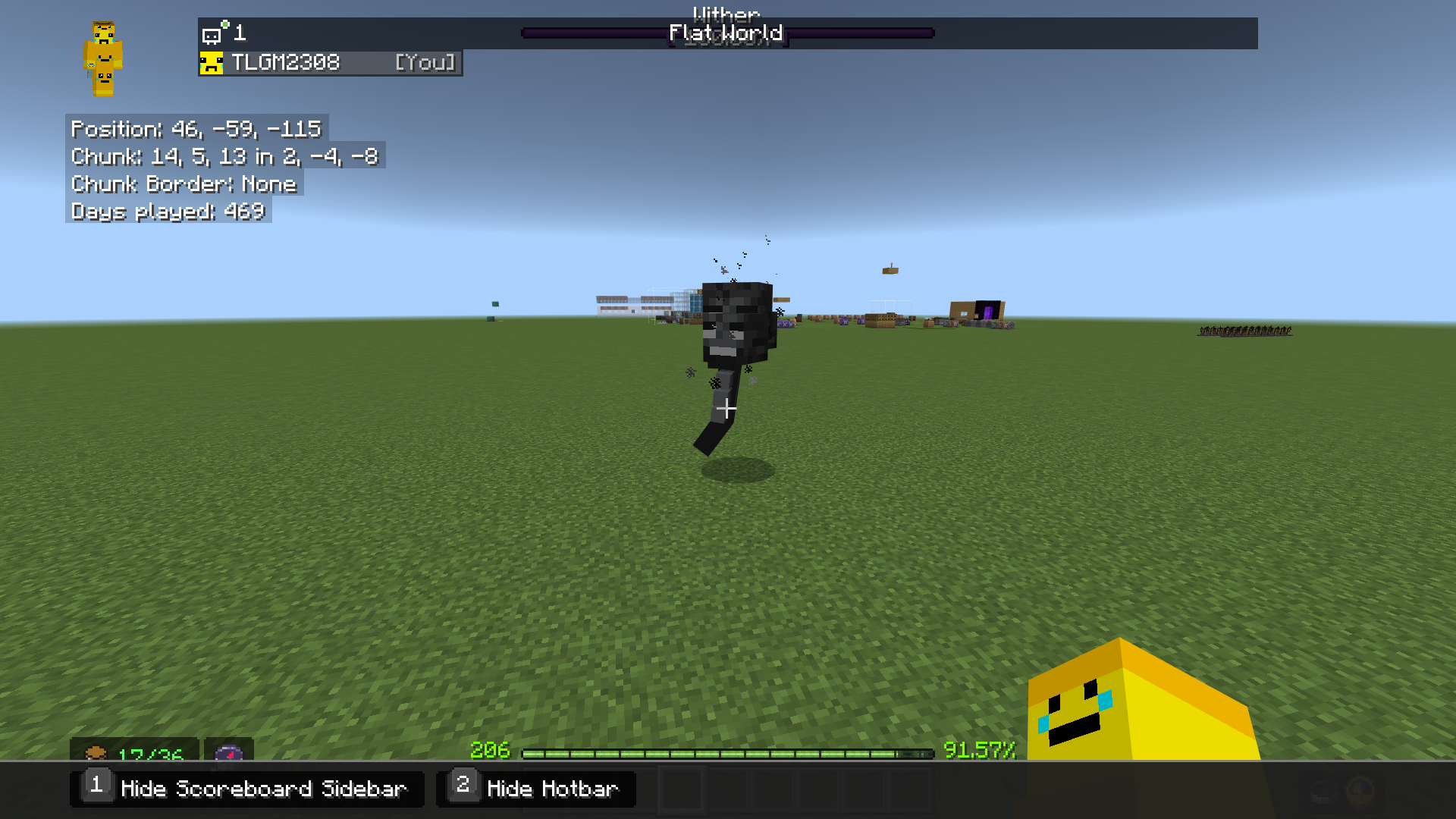
- HUD Tab Menu: Toggle HUD features via TAB + number keys (keyboard/mouse) or through an on-screen button (touch). Player lists and scoreboard scores accessible here.
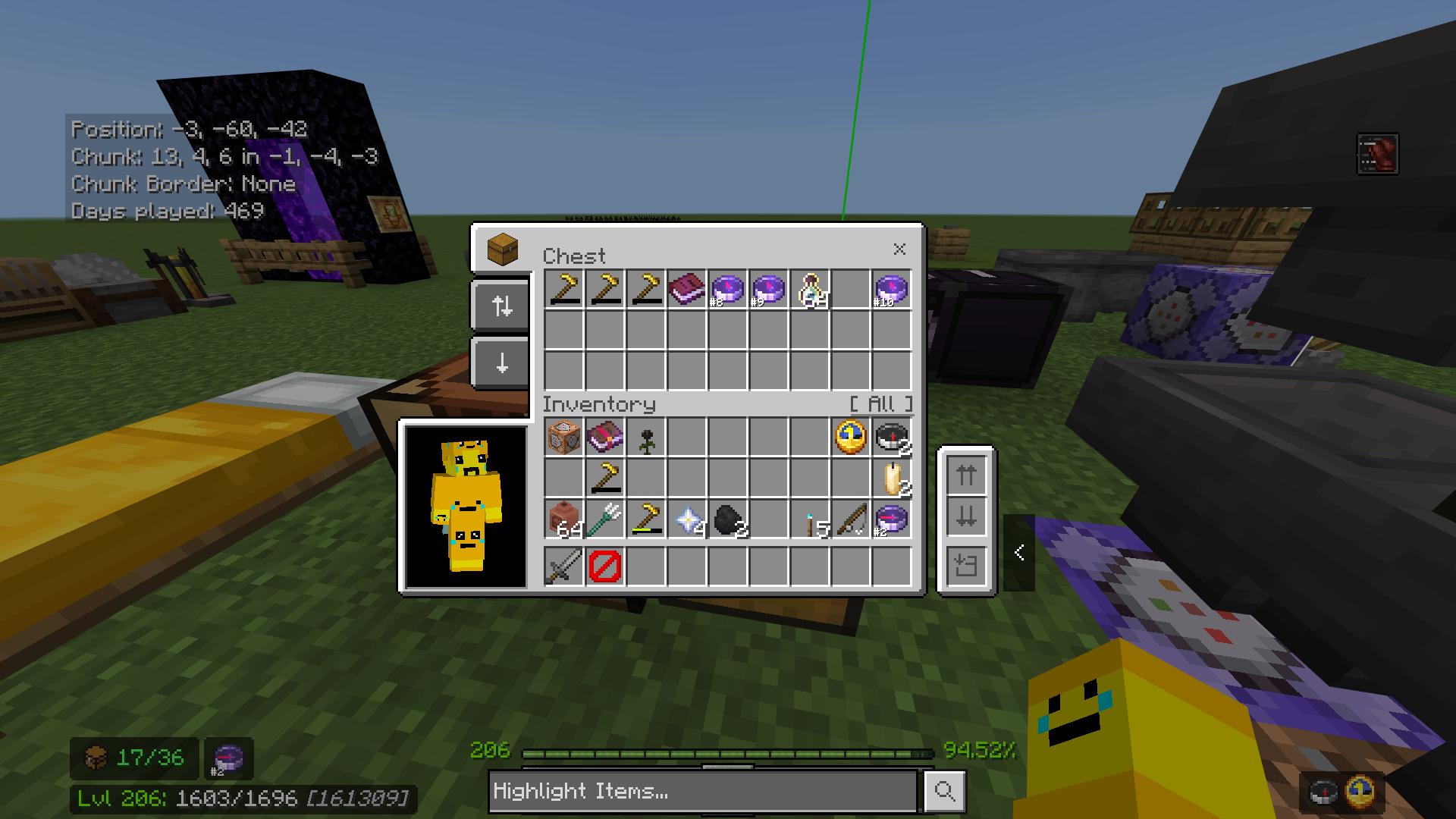
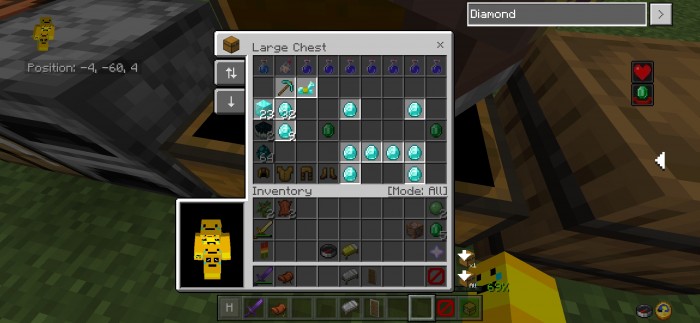
- Inventory and Container Screens: Includes a Container Mode Switcher for quick move, drop, or destroy operations, ideal for touch users. Added a “Container Toolbox” with bulk quick move, clear hotbar/inventory, drop one/all, and destroy one/all options (some limited to creative mode). Item search highlights matching names (case-sensitive). Quick Craft button expedites crafting processes with detailed item counts. Creative mode now supports quick move toggling and faster crafting. Live Paper Doll rendering in chests and furnace interfaces shows equipped armor clearly.
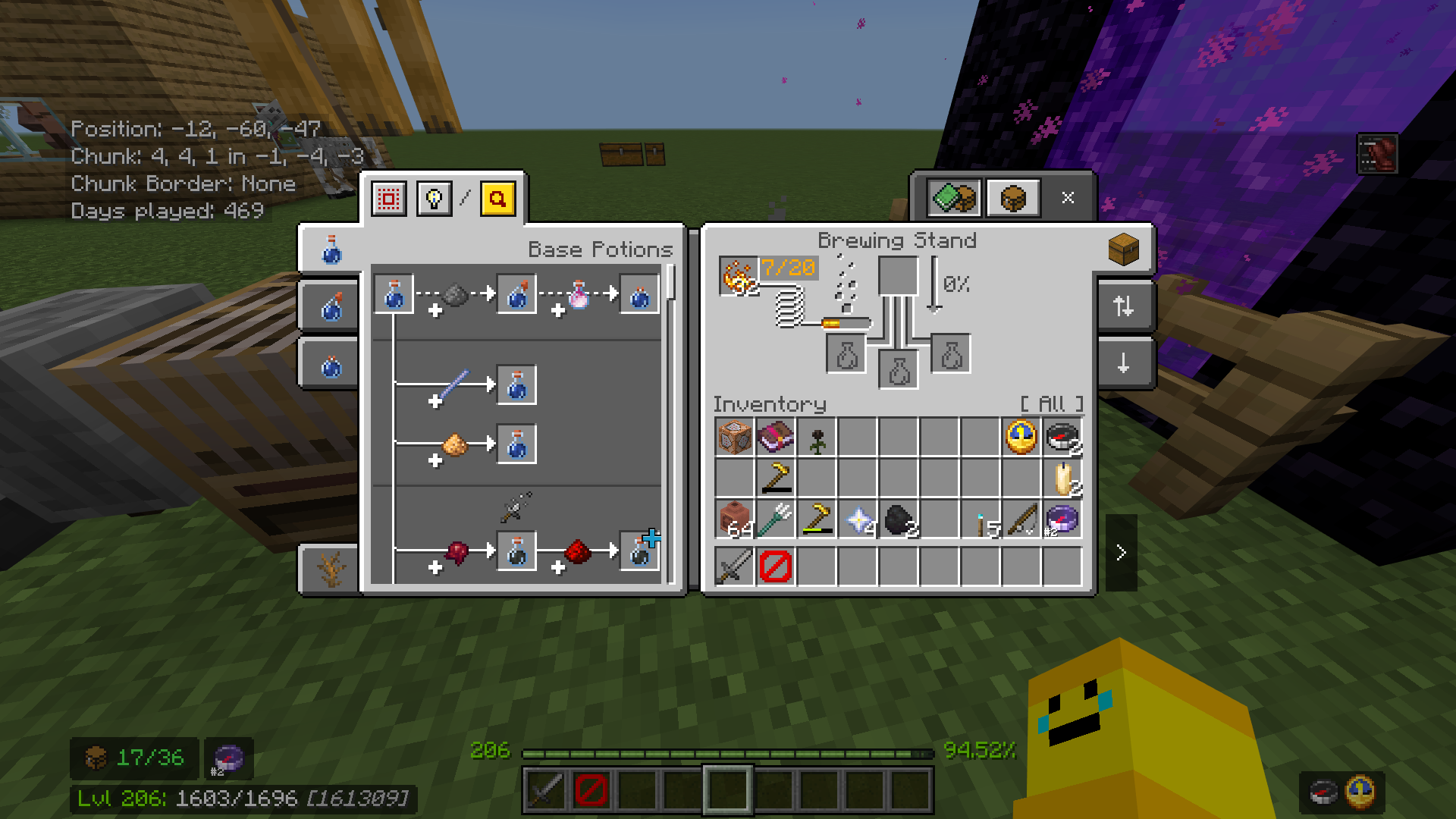
- Brewing Guide UI: Integrated into the Brewing Stand screen to display potion recipes, support chemistry potions (with Education Edition enabled), and includes a fallback item renderer.
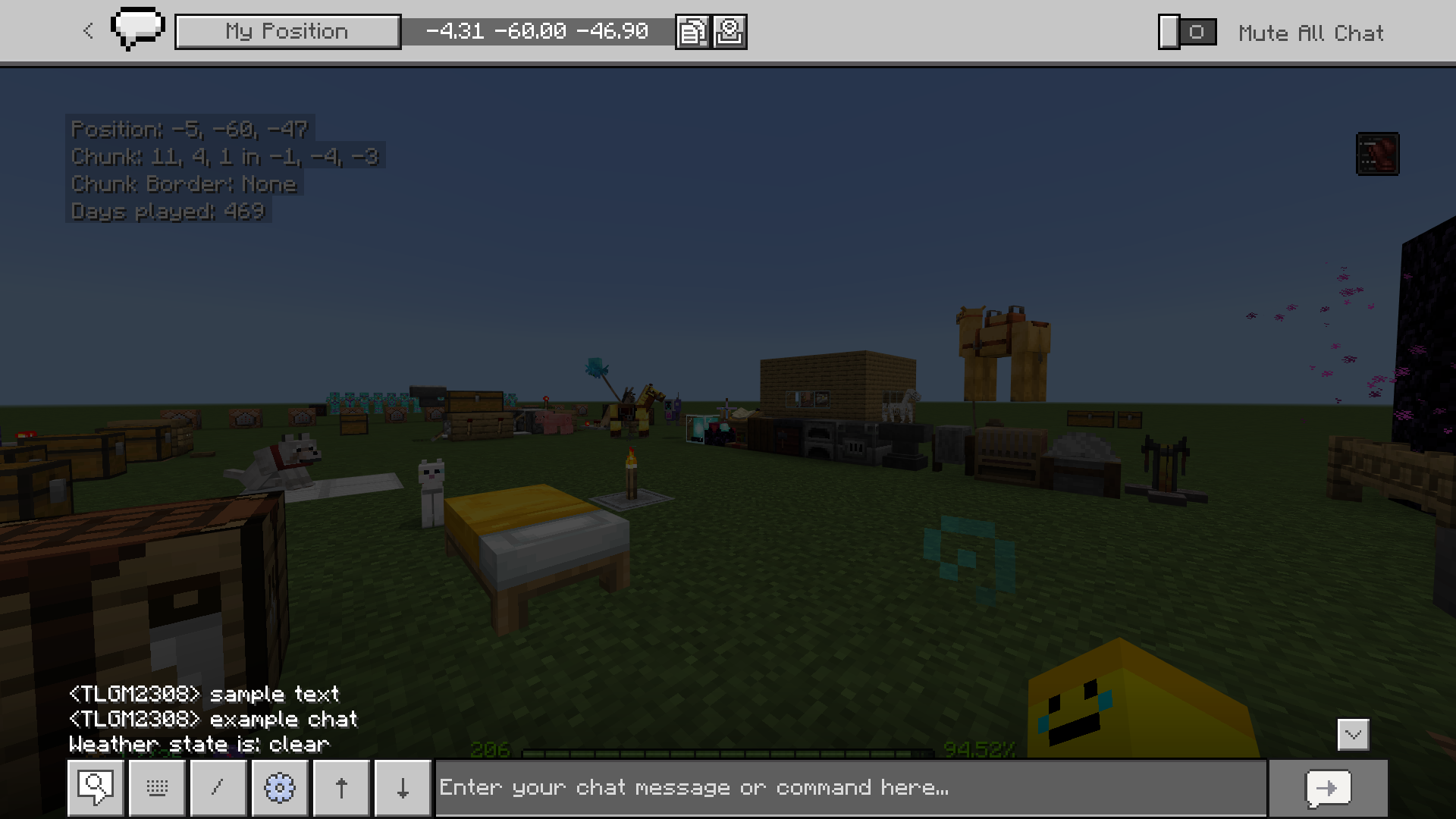
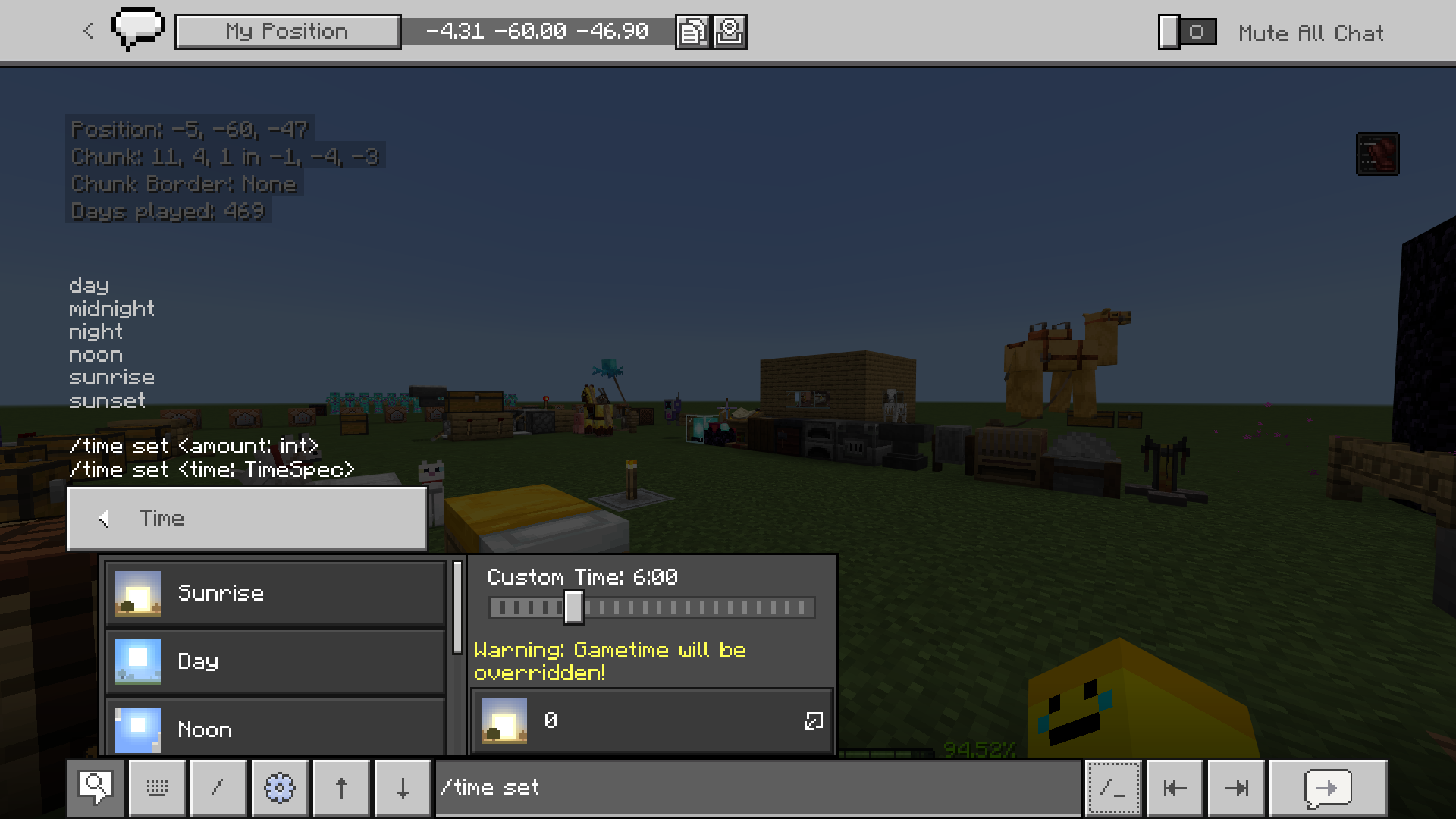
- Chat Screen: Added buttons for navigating chat history, chat visibility toggle, jump-to-bottom shortcut, and faster autocomplete for commands and mentions. Chat caret mode enables selecting and copying messages (Ultra Mode only). Host options include custom “/time set” command adjustments.
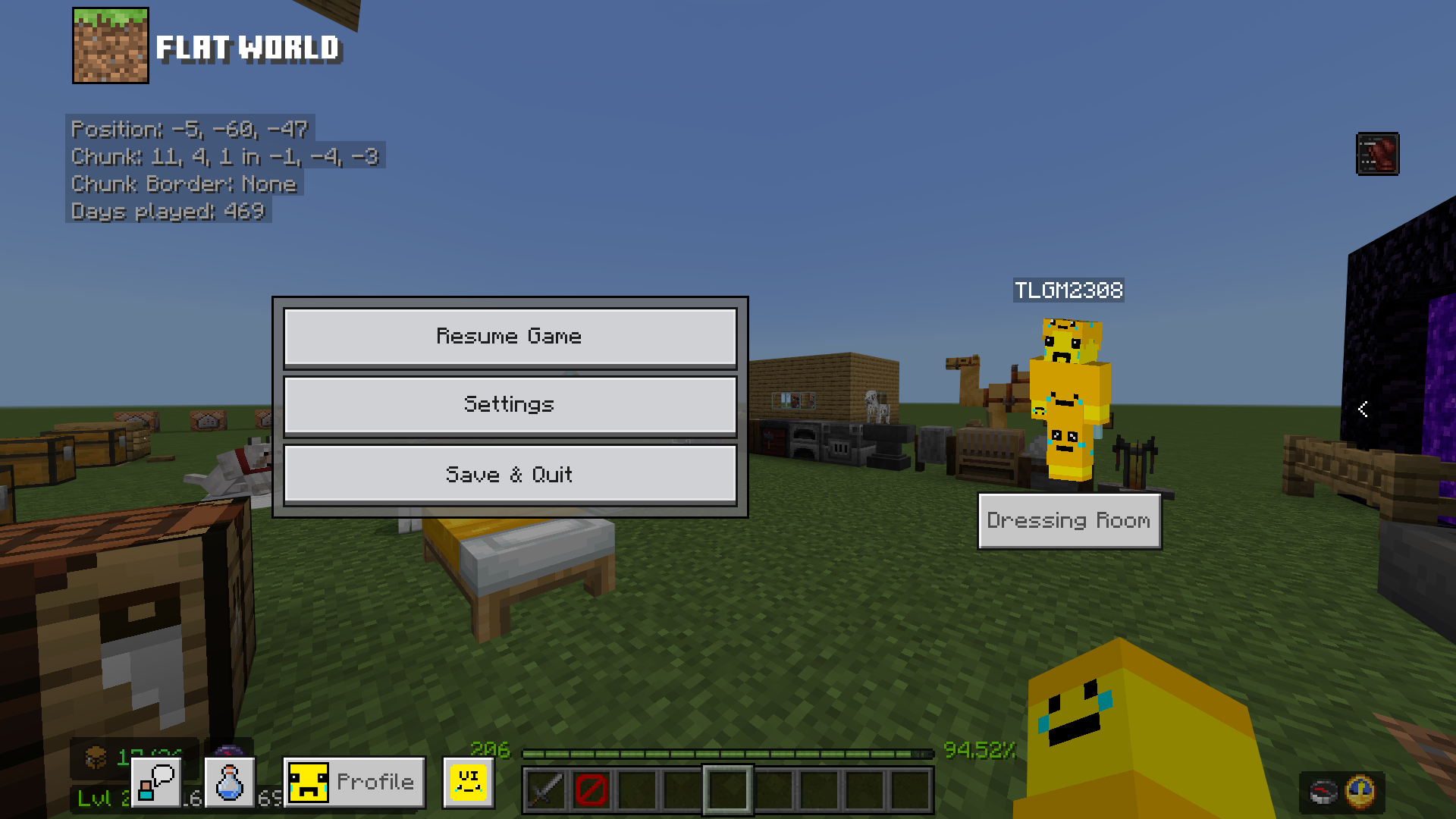
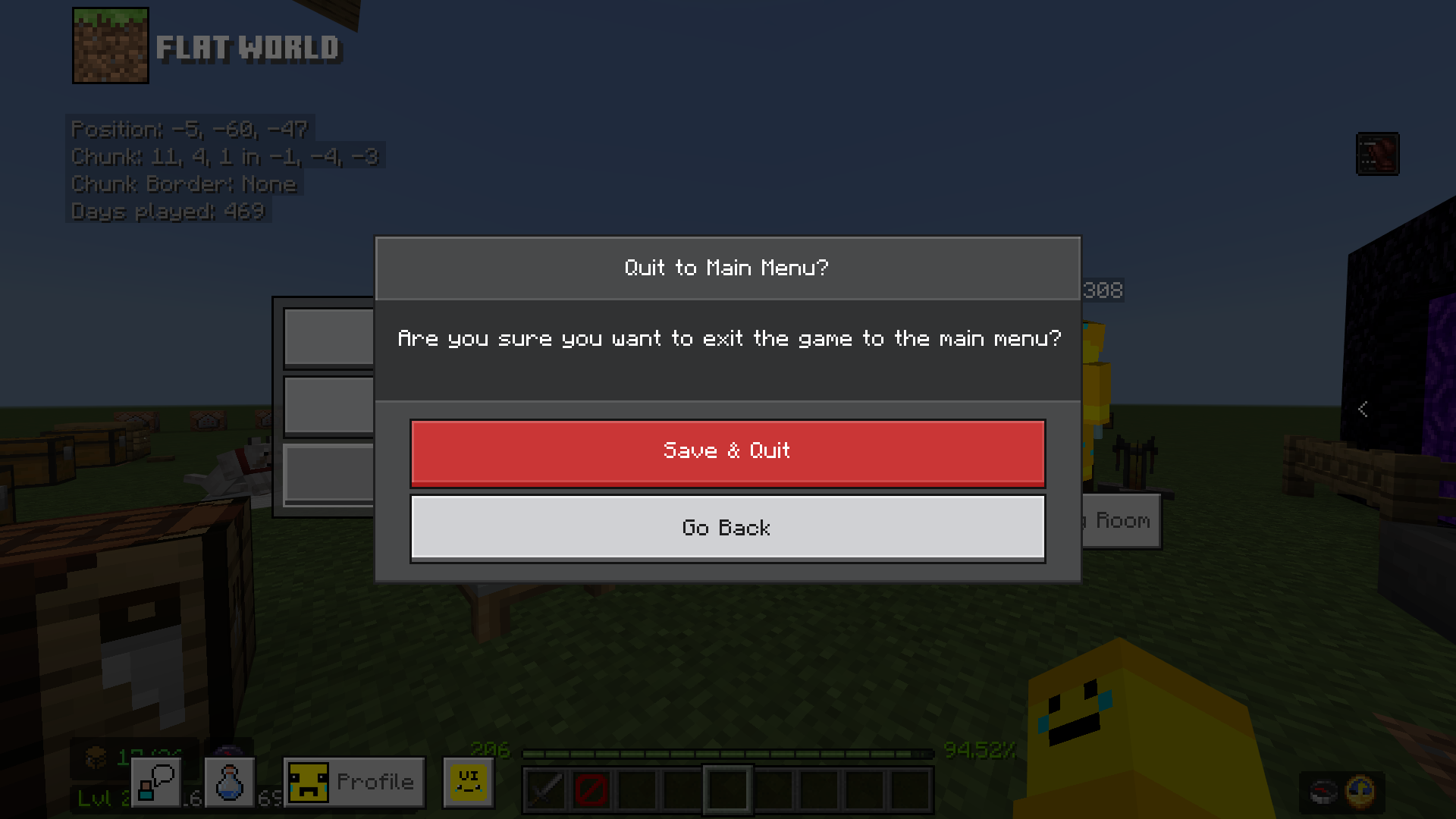
- Pause Screen: Improved animations, world name display, server info panel for selected servers, updated permission icons, dynamic “Disconnect” label when on servers, and quit confirmation popup to prevent accidental exits.
Additional Features
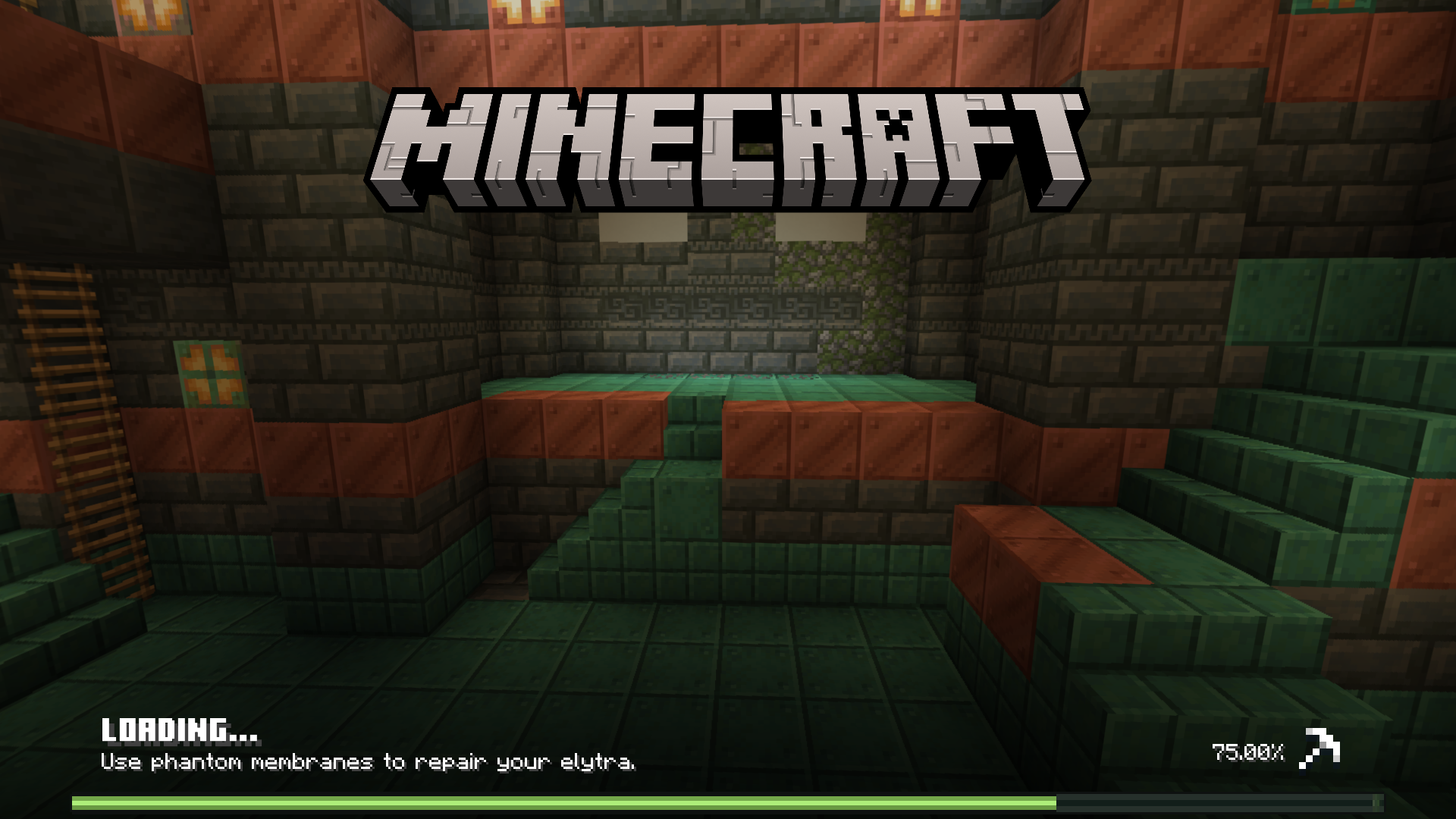
- Redesigned World Loading Screen for a cleaner interface.
- Confirm Purchase dialogs added to Marketplace and Persona screens to prevent accidental spending.
- New UI clicking sounds inspired by Ore UI.
- Trade All button for faster bulk trading.
- Visual indicator for “Take Custom Amount of Items” when holding item slots.
- Java Edition parity improvements: rename items up to 50 characters, in-game language switching, and reintroduced VSync toggle.
- Improved screen safe area adjustment with edge-based controls instead of corners.
- Command Block screen shows delay in seconds with formatted time display.
- Skin Type Switcher in Dressing Room for imported skins without re-importing.
- Compatibility mode for select packs.
- Server-exclusive features:
- “The Hive” XP calculator accessible via TAB + 3 or touch controls.
- “CubeCraft Games” server-wide XP progress viewer in lobby, using vanilla XP in Skyblock mode.
- Enhanced UI animations and miscellaneous fixes.
Subpack Options
This pack includes four subpacks to tailor performance and features:
- Default: Full feature set with customizable variables.
- Default Vanilla: Restores original popup dialogs and play screen design.
- Performance: Removes some resource-intensive features like Container Mode Switcher and durability viewer, keeping essential quick move and mainhand indicator.
- Ultra Mode: Adds durability labels on item hover and Chat Caret Mode, at the cost of higher performance demands.
Notes
For best results, avoid enabling this pack alongside other UI-modifying packs. If you experience any bugs or have feedback, consider reaching out through the pack’s official communication channels.
Terms of Use
Ty-el UI v1.2.5a [Main]
[1.57 MB]

