Durability Viewer
22.02.2026
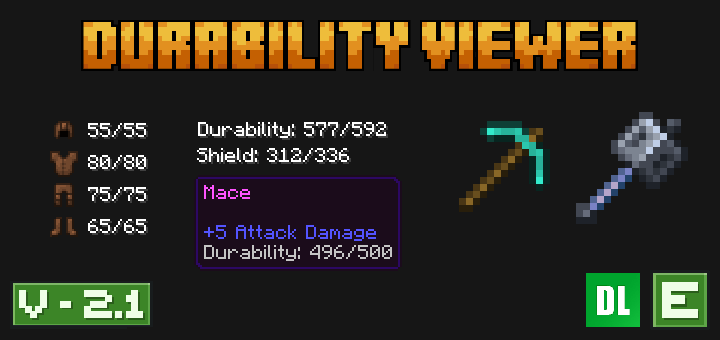
Durability Viewer is a resource pack designed to display the durability of tools directly on the hotbar and inventory screens in Minecraft Bedrock Edition. When combined with its optional behavior pack, it also shows the durability status of armor and shields on the HUD, enhancing gameplay awareness without intrusive interfaces.
Installation / How to use
Install the resource pack to enable durability display for tools in both the hotbar and inventory. To view armor and shield durability on the HUD (typically at the bottom-left corner), add the accompanying behavior pack. Adjust onscreen element positions or visibility by modifying the _global_variables.json file located inside the /ui/ folder of the resource pack.
Requirements / Compatibility
- The resource pack functions independently for tool durability.
- The behavior pack is only necessary if you want armor and shield durability indicators.
- Ensure to use the correct subpack: the default version does not require the behavior pack, while the version with armor and shield durability does.
Key features
- Durability bars for tools shown on hotbar and inventory screens.
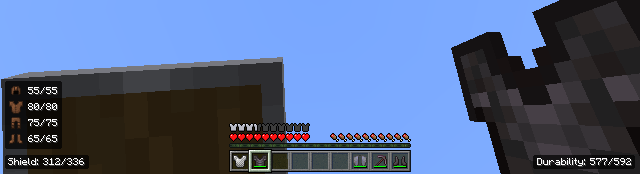
- Armor and shield durability displayed on the HUD when behavior pack is active.
- Durability bar includes a blinking animation when durability falls below 20%.
- Customizable display positions and visibility via configuration files.
Notes / Troubleshooting
- If you encounter a black and purple texture at the bottom-left HUD area, switch to the correct subpack or ensure the behavior pack is installed.
- The durability display on inventory and hotbar works without the behavior pack; only armor and shield durability require it.
- Currently, no known issues have been reported.
Visual Examples
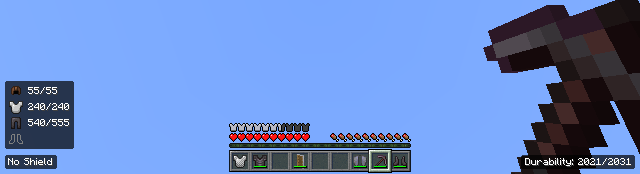
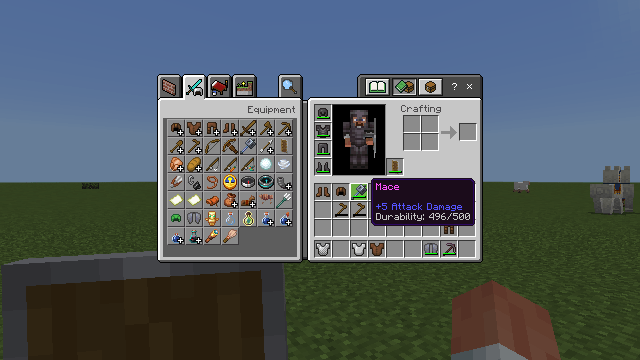
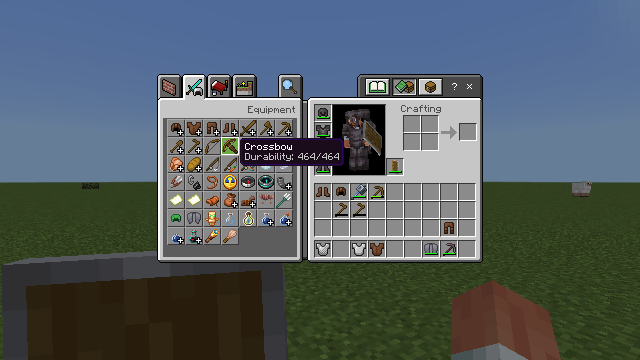
Durability bars shown on the hotbar and inventory screens:
With behavior pack active, armor and shield durability appear on the HUD:
Durability displayed when hovering over tools in the inventory screen: