Better Inventory Overhauled
21.02.2026
Better Inventory Overhauled enhances your Minecraft inventory management with improved item organization and streamlined transfers between inventory and chests. This texture pack introduces multiple modes for quick looting and item handling, making inventory tasks faster and more intuitive. Whether you want to tidy up or move items efficiently, this pack offers useful shortcuts and layouts to simplify the process.
Installation / How to Use
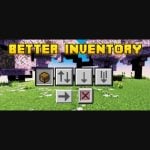
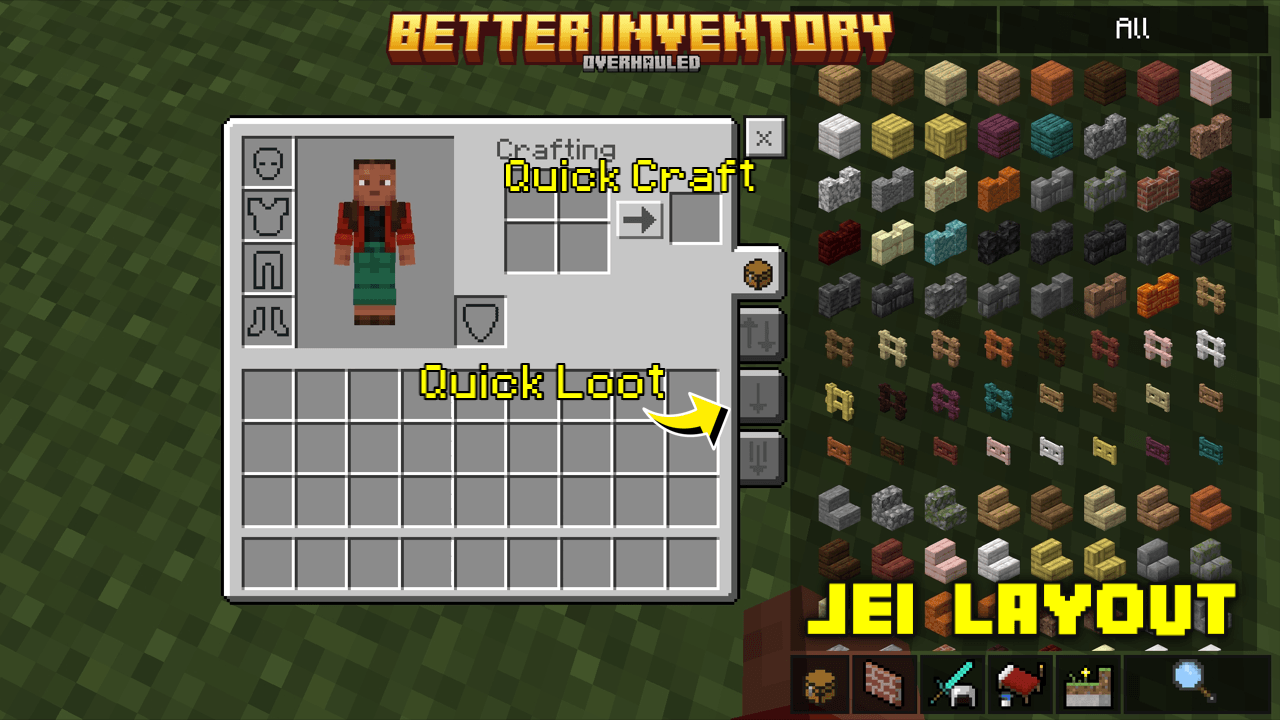
Install the texture pack through your Minecraft Bedrock edition resource packs menu. Once activated, you can switch between inventory modes using the icons displayed in your inventory interface:
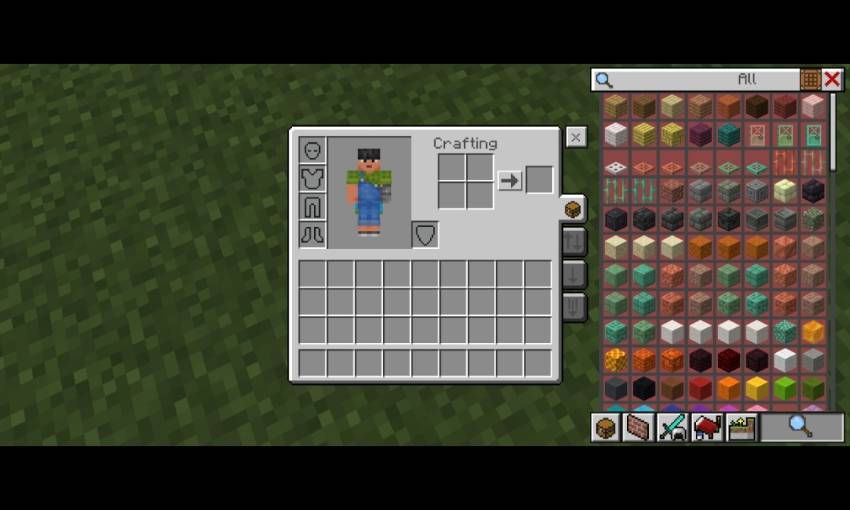
- Default Mode: Represented by a chest icon, this is the classic inventory layout.
- Quick Loot Mode: Identified by up and down arrows; facilitates rapid item transfers.
- Drop One Mode: An arrow pointing down; allows dropping a single item quickly.
- Drop All Mode: Multiple downward arrows; drops all items of the selected stack.
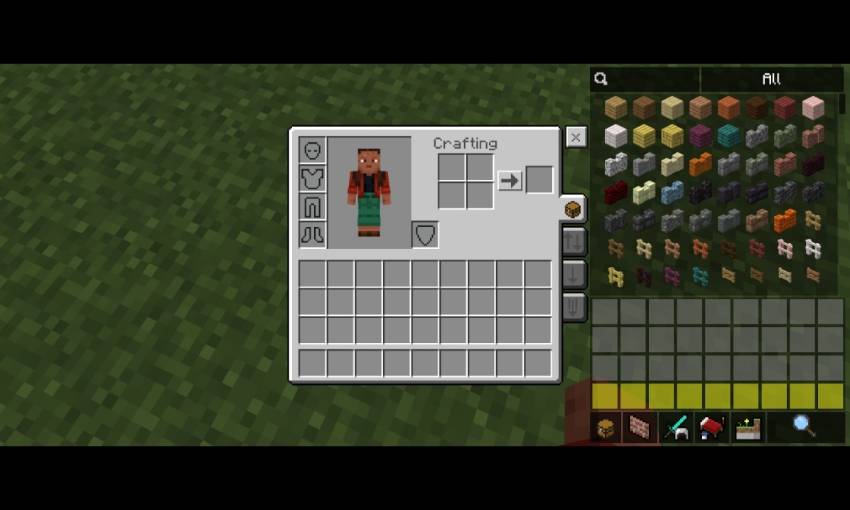
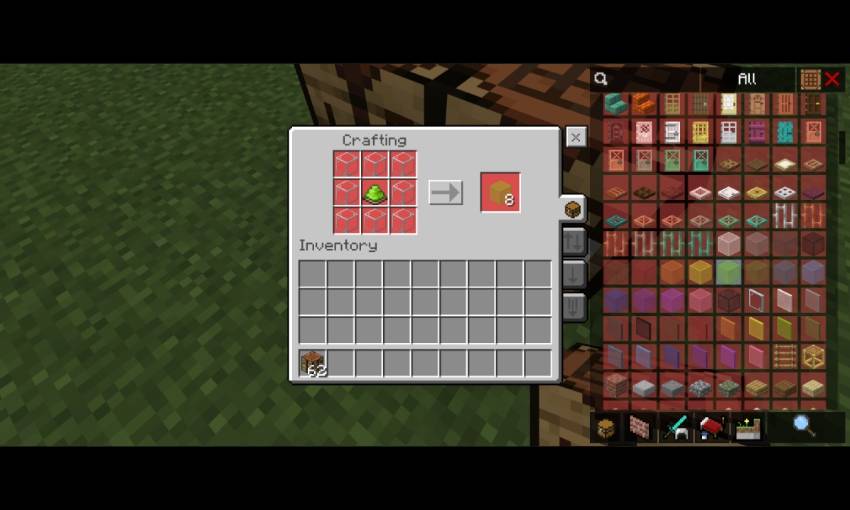
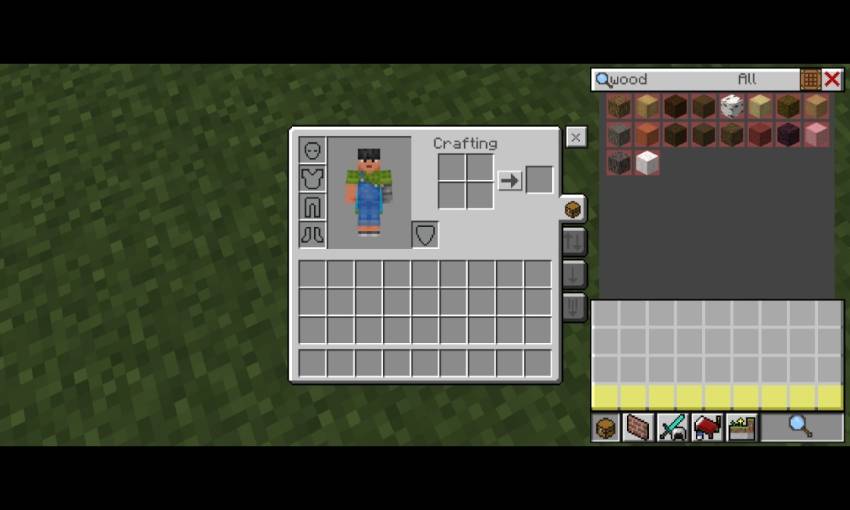
Additional features include inventory shortcuts where gray highlights the player inventory and yellow highlights the hotbar. Quick crafting also works both in your inventory and at crafting tables for faster item creation.
Requirements / Compatibility
This pack is designed for Minecraft Bedrock Edition and works best with versions that support custom resource packs. It is compatible with standard gameplay and does not require additional mods or plugins.
Key Features
- Multiple inventory modes for efficient item management: default, quick loot, drop one, and drop all.
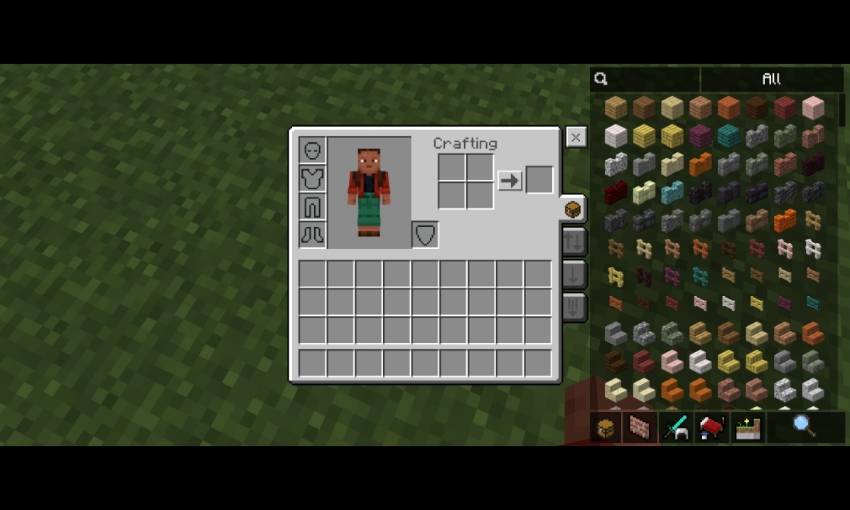
- Optimized layouts inspired by JEI (Just Enough Items), with options for transparent or standard views.
- Inventory navigation buttons for easy switching between inventory and hotbar sections.
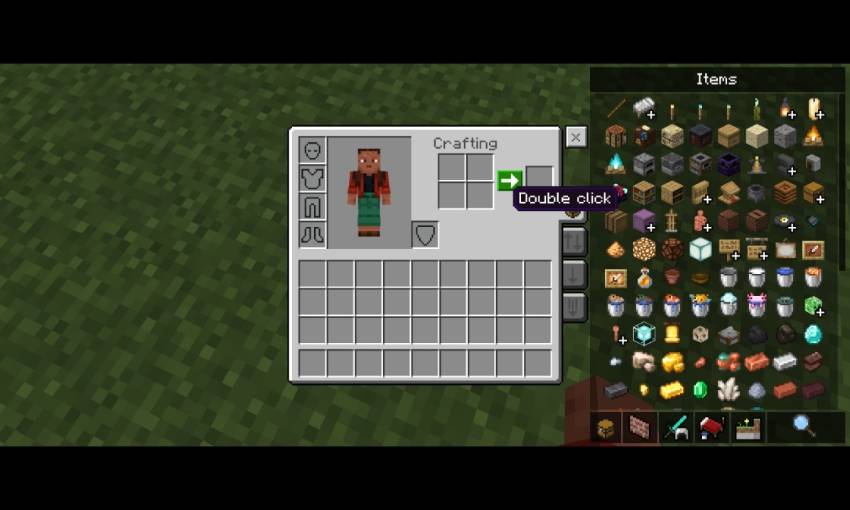
- Quick crafting functionality accessible both in the inventory and at crafting tables.
- Customizable settings through the
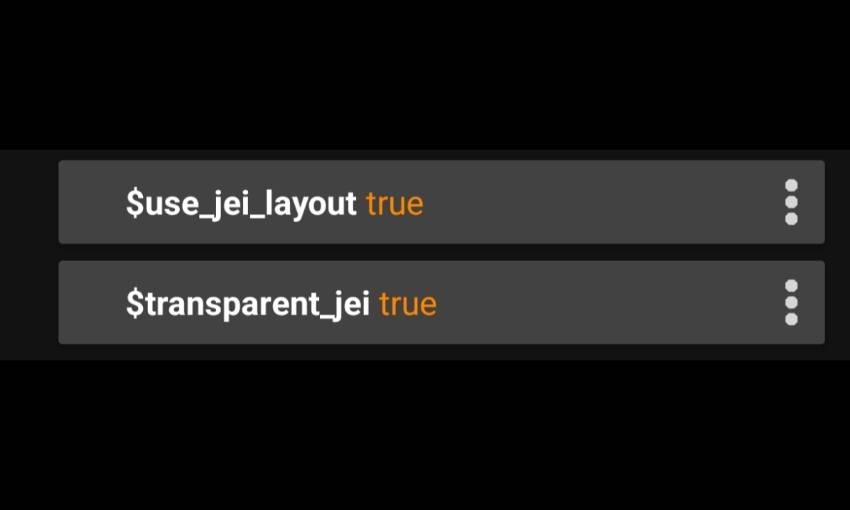
_global_variables.jsonfile, allowing users to enable or disable the JEI layout and toggle transparency.
Configurations
Modify the _global_variables.json file to adjust layout preferences:
$use_jei_layout = trueenables the JEI-inspired layout; set tofalseto revert to the default Minecraft inventory style.$transparent_jei = trueactivates the transparent JEI layout variant; set tofalsefor the solid version.
Notes / Troubleshooting
If you encounter any issues with inventory display or functionality, verify that the texture pack is correctly installed and enabled in your resource packs menu. Adjusting the configuration settings can help resolve layout preferences or visibility problems.
- Default mode (chest icon)
- Quick loot mode (up and down arrow icon)
- Drop one mode (arrow down icon)
- Drop all mode (multi arrow down icon)
- JEI layout
- Inventory shortcut colors: grey for player inventory, yellow for hotbar
- Quick craft feature (works in crafting table)
- Crafting table interface
- Transparent JEI variant
Better Inventory Overhauled v1.3.mcpack
[48.59 KB]
 5.00/5