
Turbo Commands
28.02.2026
Turbo Commands introduces a powerful new item that grants quick access to a customizable command menu in Minecraft Bedrock Edition. This addon lets you save, execute, modify, and manage commands effortlessly, streamlining gameplay especially in multiplayer environments. It integrates seamlessly with other addons, enhancing your command control without conflicts.
Installation
- Download both the Behavior Pack (BP) and Resource Pack (RP).
- Import these packs into your Minecraft world.
- Enable the Beta APIs experiment in your world settings to allow the addon to function.
- Use a stable Minecraft version (release, not beta or preview) to ensure compatibility.
How to Use
Upon entering your world with the addon installed, you won’t initially have access to the Turbo Commands menu. To activate it, enter the following command in chat:
/function sirob_turbocommands
This grants you the “Turbo Commands” item in your inventory.

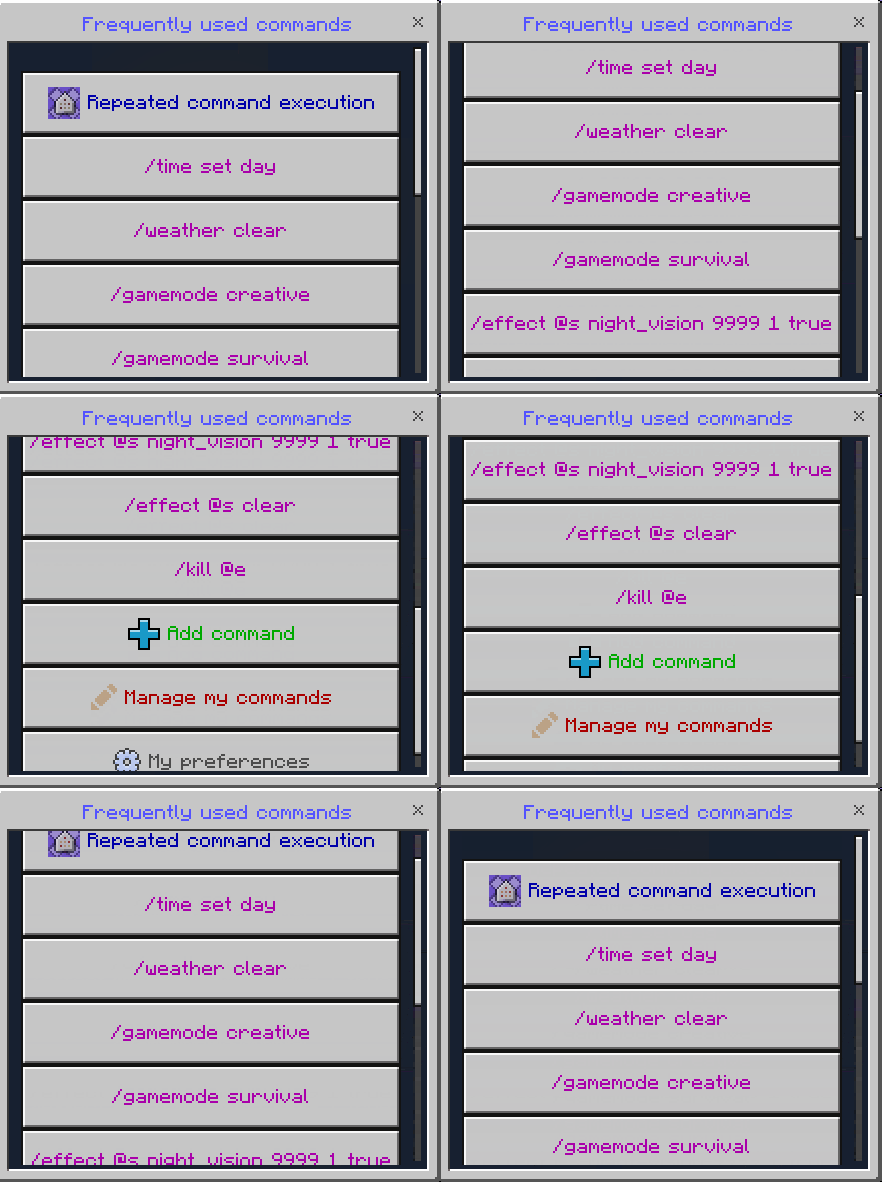
Use (tap or right-click) this item to open the Turbo Commands menu, where you can view and execute preloaded commands or manage your own.
Key Features
- Repeated Command Execution: Trigger any command multiple times with adjustable delay between runs.
- Full Customization: Customize button colors, command sorting order, display of command output in chat, and more.
- Multiplayer Support: Only operators can access the menu, ensuring controlled command usage.
- Addon Compatibility: Works smoothly alongside all other addons without interference.
Adding a New Command
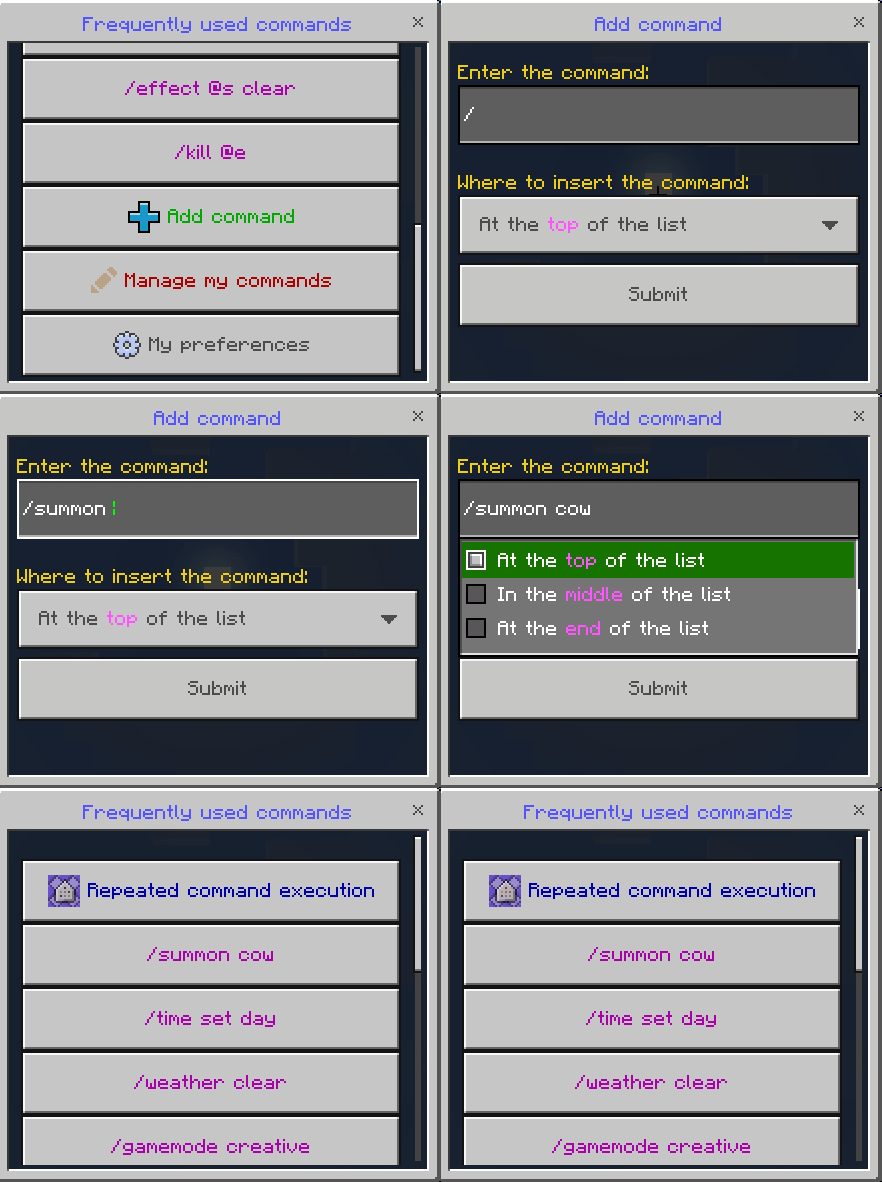
Inside the Turbo Commands menu, select the “Add command” button. Enter the desired command in the input field and choose the insertion position from the dropdown menu.
Using Repeated Command Execution
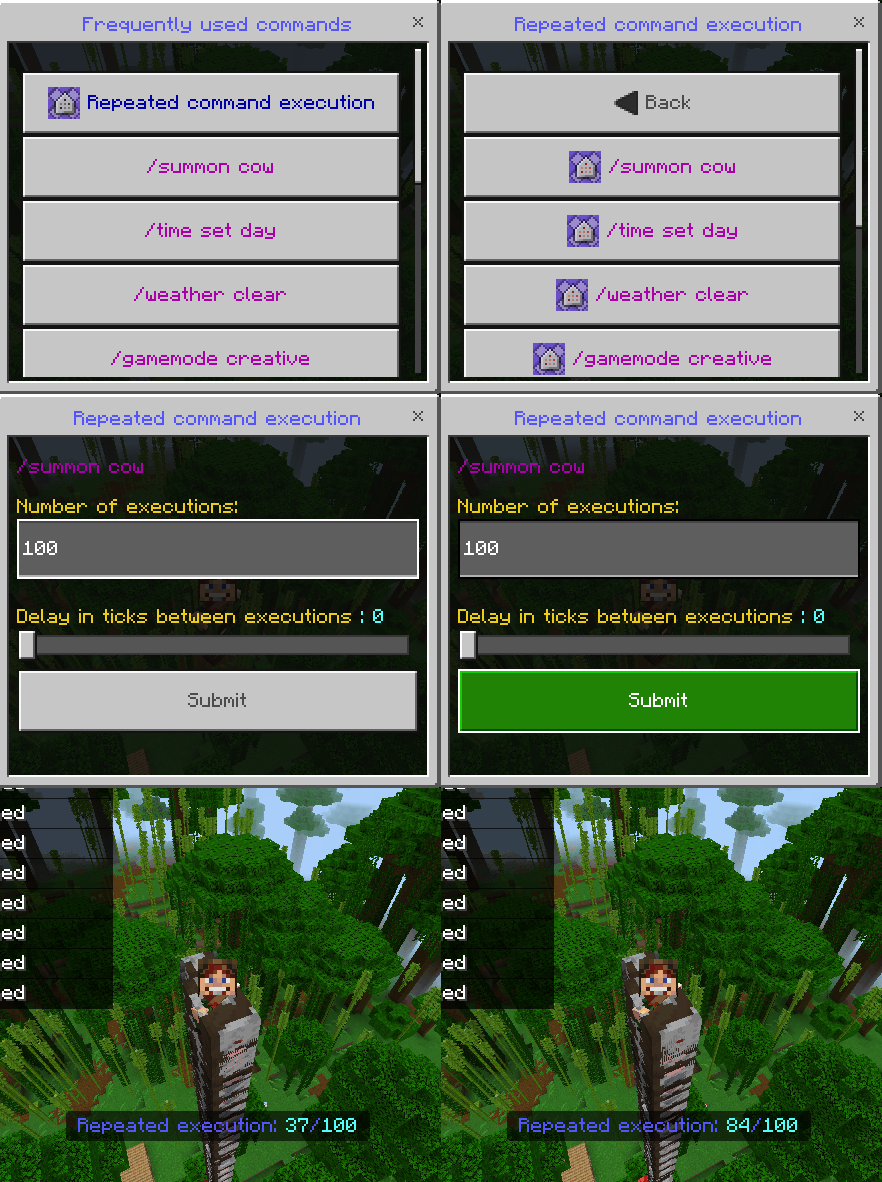
Tap the “Repeated command execution” button, pick the command to repeat, specify how many times it should run, and set the delay in ticks (20 ticks = 1 second).
Managing Existing Commands
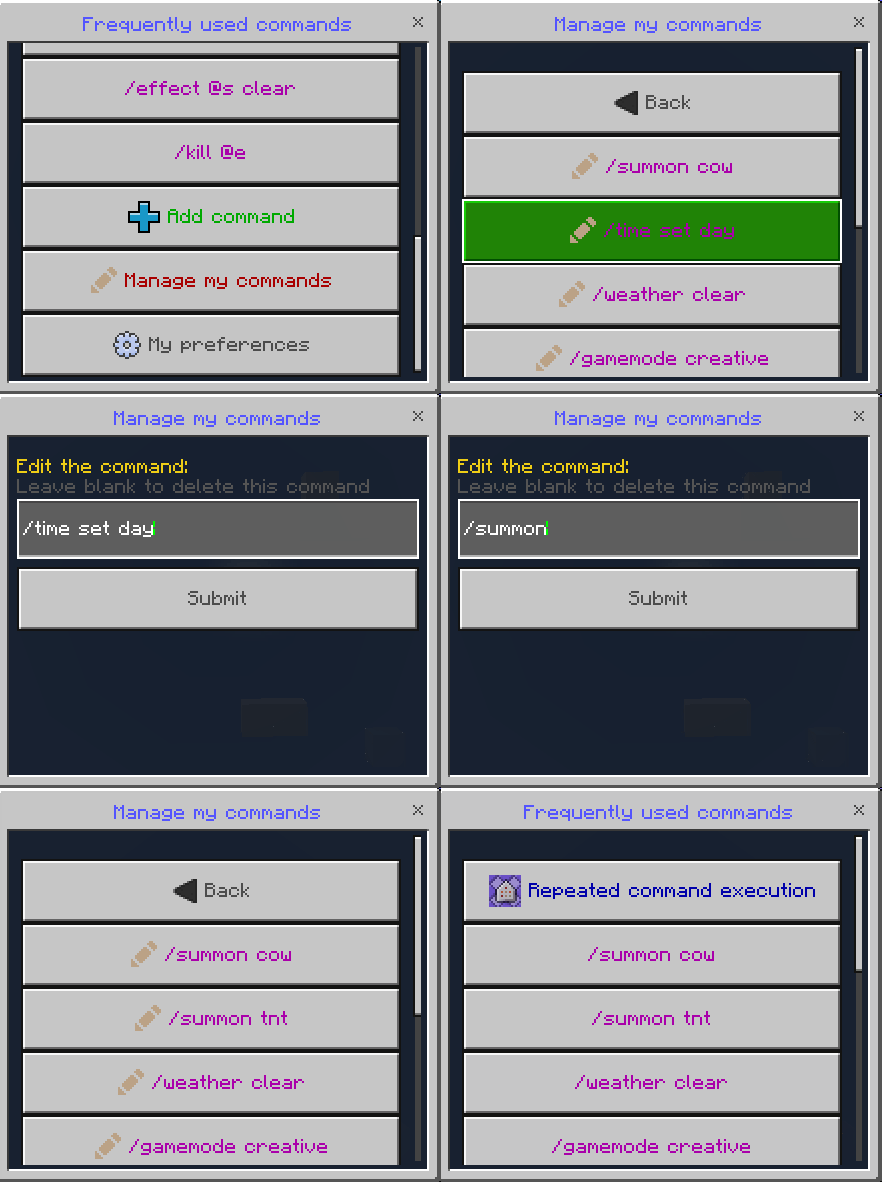
Press “Manage my commands” to select a command for editing or deletion. Modify the command in the text field or leave it blank to delete.
Customizing Preferences
Open “My preferences” in the main menu to personalize your experience. Options include toggling bold fonts for buttons, changing command sorting between frequency and recency, showing or hiding command prefixes and output, coloring failed commands, menu behavior after command execution, and button color customization.
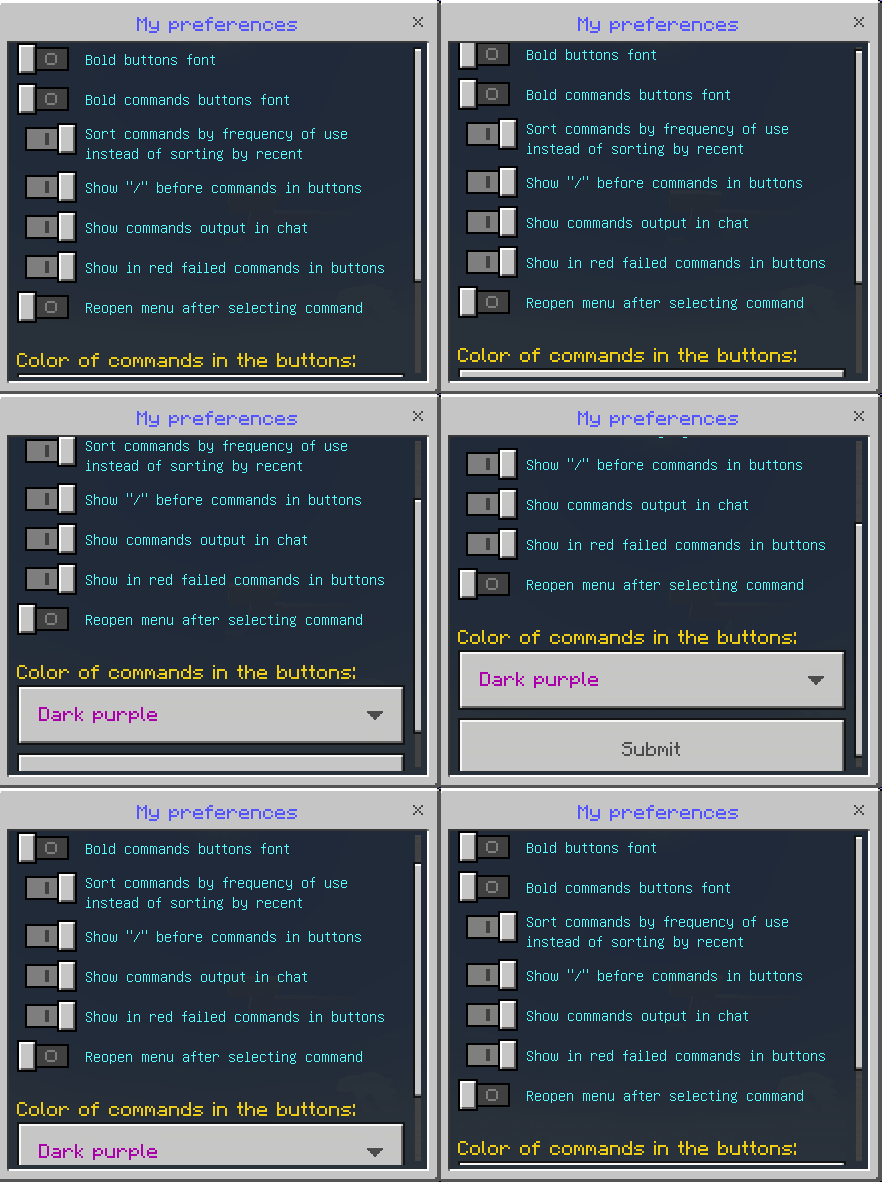
Note: Preferences are individual per player and do not affect the global addon settings.
Granting Access to Other Players
You can give Turbo Commands access to other players by running:
/execute as playername run function sirob_turbocommands
Running this command again will revoke their access.
Warning: Players with access can execute all Minecraft commands regardless of operator status.
Notes / Troubleshooting
Does this work on Realms? You must download your Realm world, enable Beta APIs, add the addon, then re-upload it. If problems persist, it may be a Realms-related limitation.
Lost the Turbo Commands item? Find it in the Creative inventory under the Construction tab.
Addon not working?
- Verify you are using a stable release version of Minecraft compatible with the addon.
- Ensure Beta APIs are enabled in your world settings. On servers, confirm the control panel supports enabling experiments.
- Check that only one version of the addon is active in both behavior and resource packs without duplicates.
Addon works locally but not on server? Double-check all steps above. Some hosts require toggling experiments off and on again, and not all servers support script execution.
[RP] [26.0+] TurboCommands (v1.1.24).mcpack
[9.99 KB]

