Pickup & Carry! for Minecraft PE
19.02.2026
0
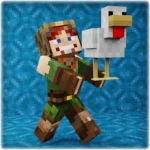




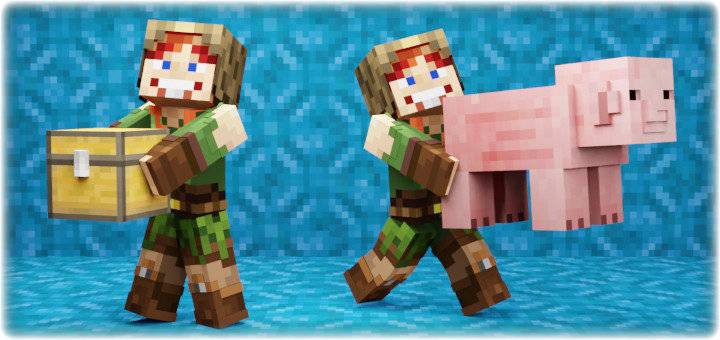
Pickup & Carry! This addon lets you pick up and carry players, mobs, or blocks containing items, moving them wherever you want. It works with all entities, including those from other addons, and adds immersive first-person body visuals while carrying. Experience seamless multiplayer support, customizable settings, and realistic interactions like launching carried entities or opening chests mid-carry.
Installation
- Download both the Behavior Pack (BP) and Resource Pack (RP).
- Import both packs into your Minecraft world.
- Activate the Beta APIs experimental feature in your world settings.
- This addon requires a stable (release) Minecraft version; it does not support beta or preview releases.
- Note: This addon uses the
player.jsonfile and may conflict with other addons that modify the same.
How to Use
Picking up a Mob or Player
- Ensure both your main and offhand are empty.
- Approach the mob or player closely and look directly at them.
- While sneaking, press jump to pick them up.
Picking up a Block Containing Items
- Play in Survival mode.
- Make sure your hands are empty.
- Stand close to the block (do not stand on it).
- Start sneaking and jumping while simultaneously breaking the block you want to pick up.
Any block that stores items (chests, dispensers, furnaces, etc.) can be carried if there is at least half a block of free space above it. If the block is at head height, this space is not required.
Additional Controls
- To stop carrying, either sneak and jump again, pick up any item in hand, or swing your arm.
- Launch the carried entity by sneaking, moving forward, and jumping simultaneously.
Key Features
- First-person body rendering: See your body and arms from first-person view while carrying.
- Carry blocks with items: Open and transfer items in carried blocks; others can also access or break them while carried.
- Breakable carried blocks: Blocks have 10 damage stages with cracking textures and break if dropped from height, scattering items.
- Collision detection: Prevents pushing carried mobs into blocks.
- Carried player UI: The player being carried can view the carrier’s health.
- Automatic drop conditions: Dropping occurs when falling over 3 blocks or entering water while carrying mobs or players.
- Multiplayer ready: Compatible with Realms, Bedrock Dedicated Server, and supports many players simultaneously.
- Fully customizable settings: Toggle carrying of mobs, players, or blocks; adjust slowness and launch power; enable or disable without reloading.
- No interference with vanilla animations: Works alongside spyglass, maps, crossbow charging, and more.
- Reliable and well-tested: Each version undergoes thorough testing to minimize bugs.
Compatibility and Requirements
- Requires stable Minecraft Bedrock Edition with Beta APIs enabled.
- Not compatible with other addons that modify
player.json. - Supports all entities, including those from other addons.
Notes and Troubleshooting
Common Issues
- If the addon does not work on realms, download the world, enable Beta APIs, add the addon, and re-upload. Persistent issues may be realm bugs.
- Ensure only one version of the addon is active in behavior and resource packs to avoid conflicts.
- On servers, verify that Beta APIs are enabled and supported by your host.
Useful Commands

Open the configuration menu with: /function pickupcarry_config
Configurable Options Include:
- Enable or disable the addon without reloading the world.
- Toggle carrying mobs, players, or blocks individually.
- Enable collision checks to prevent clipping carried entities into blocks.
- Enable pushback when releasing carried players or mobs to launch them.
- Toggle first-person carrying animations.
- Adjust the slowness effect level while carrying.
- Set the launch force for released entities.







Screenshots & Video
[RP] [26.0+] PlayerPickup (v3.1.9).mcpack
Download
[443.36 KB]

0 Comments
