Holograms on dropped items! for Minecraft PE
19.02.2026
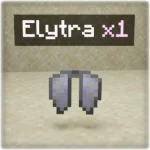
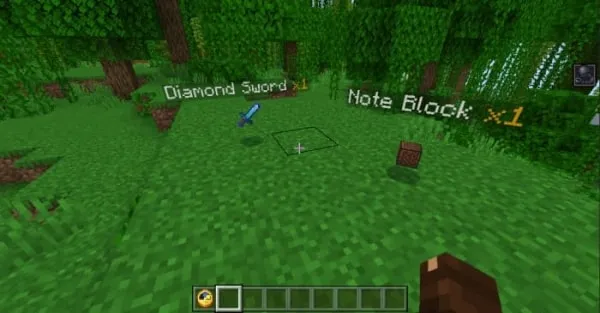
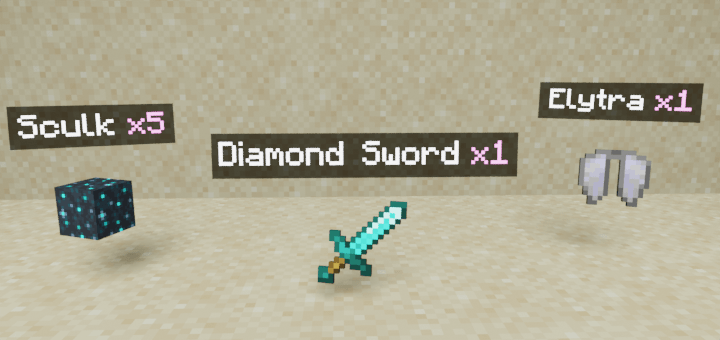
Holograms on Dropped Items! Enhance your Minecraft experience by displaying floating text holograms above dropped items showing their names and quantities. This addon works seamlessly with other addons and allows you to identify items from a distance without relying on their textures.
Key Features
- Raycasting Visibility: Holograms appear only on items visible to the player, preventing display through blocks or foliage.
- Dual Display Modes: Choose to show holograms on the nearest items within a radius or only on items your crosshair targets.
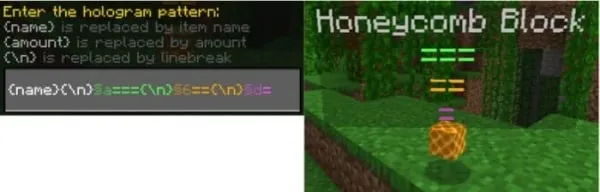
- Customizable Text Patterns: Modify colors, add prefixes or suffixes, insert custom text, and create multi-line holograms.
- Detailed Configuration: Adjust max display distance, limit the number of holograms shown, change font size, and other settings for optimal performance.
- Multiplayer Compatible: Works in multiplayer environments and alongside other addons without requiring player.json.
- Multi-language Support: Comes translated into several languages, with the option to add your own.
Installation
- Download both the Behavior Pack (BP) and Resource Pack (RP) and add them to your Minecraft world.
- Activate the “Beta APIs” experiment in world settings to enable addon functionality.
- Ensure you are running a stable release version of Minecraft (not beta or preview) for compatibility.
How to Use
Simply apply the addon to your world and enter it; the holograms will activate immediately for any newly dropped items. Note that items dropped before the addon was applied will not display holograms.
Additional Details

Raycasting Behavior: Holograms only appear on items with a clear line of sight. Items behind obstacles or in tall grass won’t display holograms until visible.

Multiplayer Support: All players can see the holograms simultaneously without interference.
Addon Configuration

Enter the command /function itemsHolograms_config in your chat to open the settings menu where you can:
- Enable or disable the addon without exiting the world.
- Toggle smaller font size for holograms.
- Turn raycasting on or off to control hologram visibility through obstacles.
- Select display mode: show holograms on nearest items or only on items targeted by the crosshair.
Nearest Mode Settings:
- Limit the number of nearby items with holograms (default 10; 0 for unlimited).
- Set maximum distance to display holograms (default 12, max recommended 50).

Crosshair Mode Settings:
- Option to show holograms for a few seconds after item drop even without aiming.

Customizing Hologram Text Patterns
Use /function itemsHolograms_config and scroll to the bottom of the menu to modify the hologram text pattern. Customize colors, add your own text, and create multi-line formats to suit your preferences.
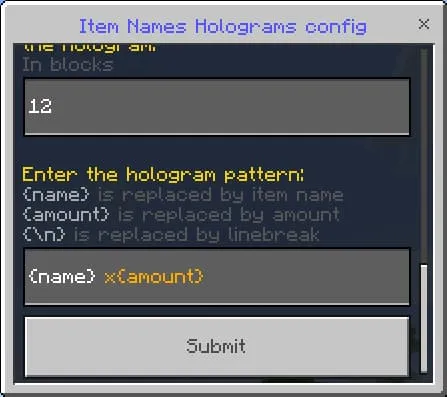
Explore numerous unique pattern combinations to personalize your holograms.

Notes and Troubleshooting
- Realms Compatibility: To use this addon on realms, download your world, enable the required experiments, add the addon, and then re-upload it. If issues persist, it may be a realms-specific limitation.
- Multiplayer Visibility Bug: In crosshair mode, holograms may appear visible to all players, which is a known bug that cannot currently be fixed.
- If the addon isn’t working:
- Verify you are on a stable release version of Minecraft.
- Ensure all required experiments are enabled in world and server settings.
- Confirm only one version of the addon is active in both Behavior and Resource Packs; duplicates will cause conflicts.
- Server Issues: If the addon works locally but not on a server, double-check experiment activation and server compatibility with script-enabled addons.
Requirements / Compatibility
- Activate the “Beta APIs” experimental features.
- Compatible only with stable Minecraft versions (no beta or preview).
- Works alongside other addons without conflicts.




[RP] [26.0+] FloatingItemsNames (v1.2.22).mcpack
[114.5 KB]

