
The Best Resource for Minecraft Pocket Edition on Android

MCPELIFE.COM / Texture Packs / Miscellaneous / Simple Health Bar
Simple Health Bar

Simple Health Bar

UPDATED: 11.06.2026

0
By Bareneil | Texture Packs

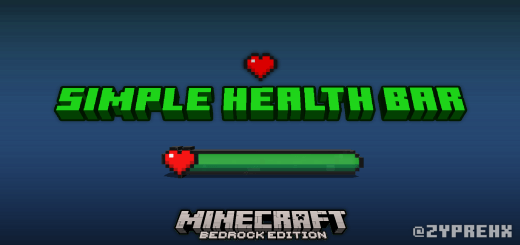
Simple Health Bar | HP Bar enhances your Minecraft experience by adding visible health bars to mobs, focusing on vanilla gameplay. This resource pack works seamlessly with the base game and can be customized to fit other resource packs if desired. It provides clear, real-time health indicators, making combat and mob monitoring more intuitive.

Installation / How to Use

To install the Simple Health Bar resource pack, download the pack file and place it in your Minecraft resource packs folder. Activate it from the in-game settings menu under Resource Packs. No experimental gameplay features are needed; just enable the pack and enjoy the health bars appearing above mobs automatically.

Requirements / Compatibility

This pack is designed for vanilla Minecraft and is compatible with all standard mobs in the game. It does not require any mods or experimental features, ensuring easy integration. While tailored for vanilla, it can be adjusted to work alongside other resource packs with some customization.

Key Features

  • Three distinct health bar styles:
    • Classic Style 1: The health bar color shifts smoothly from green at full health to deep red as health decreases, providing a clear visual health gradient.
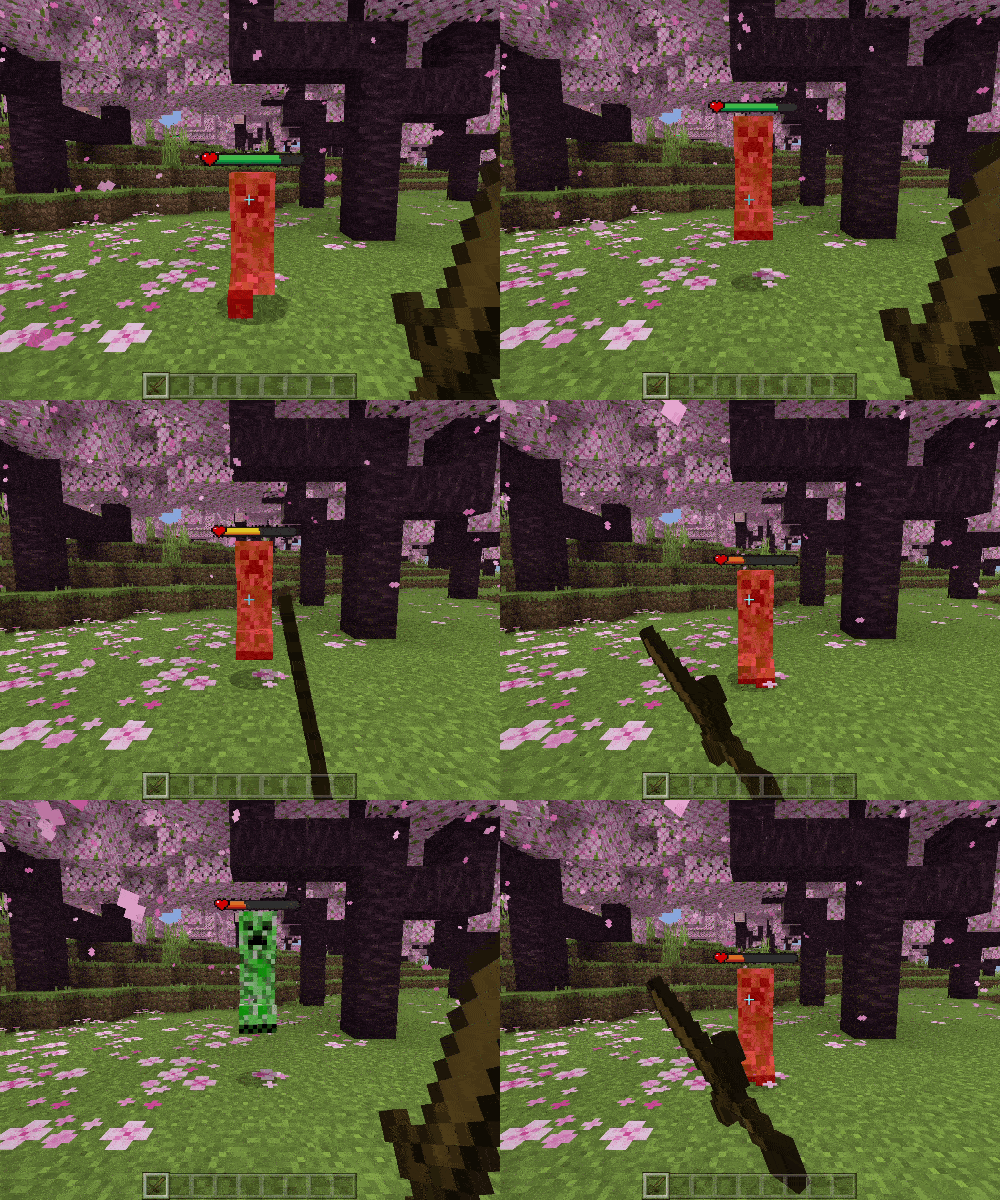
      Classic Style 1 health bar example

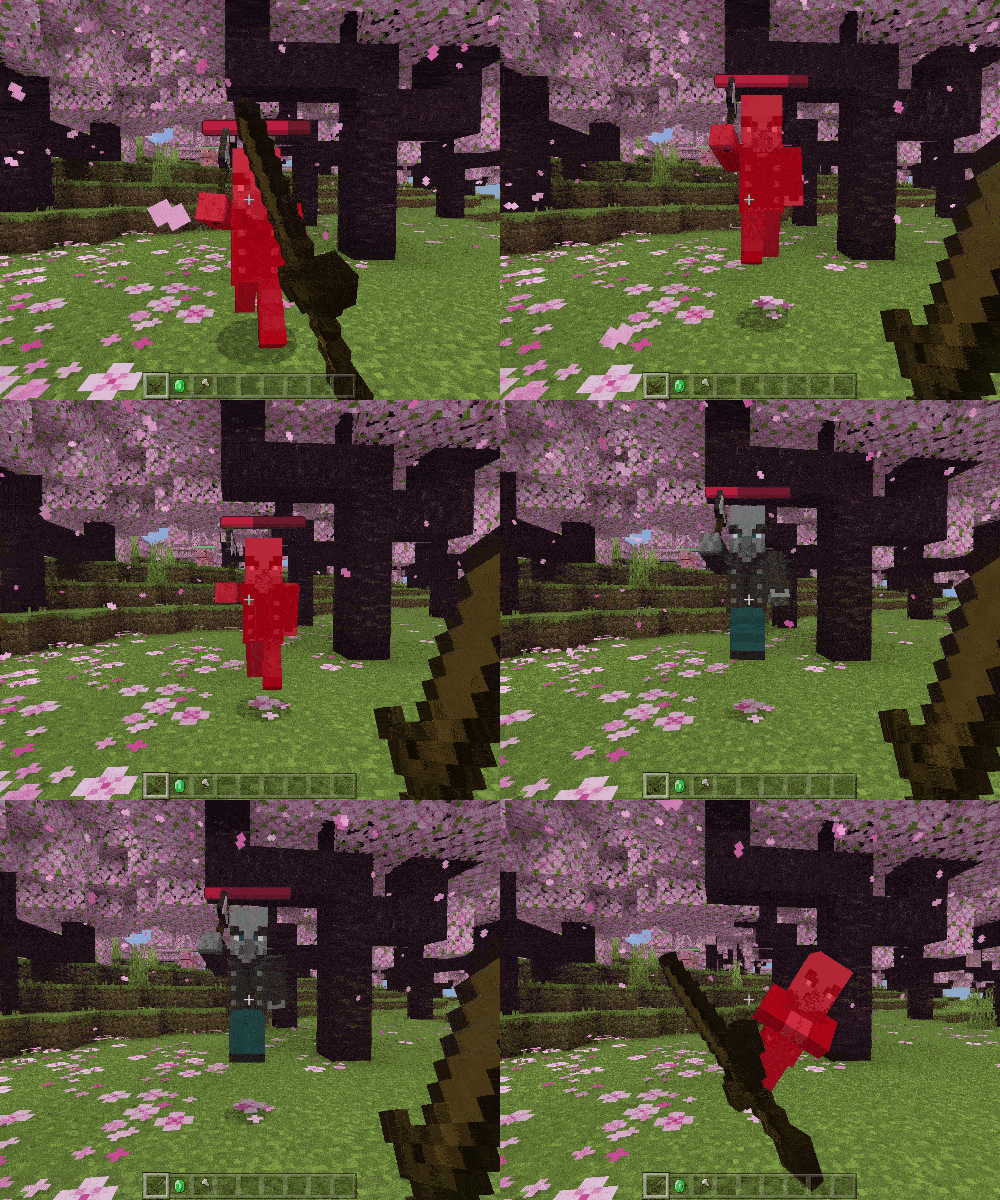
    • Style 2: Differentiates mobs by behavior: passive and neutral mobs have green health bars, while hostile and dangerous mobs display red health bars.
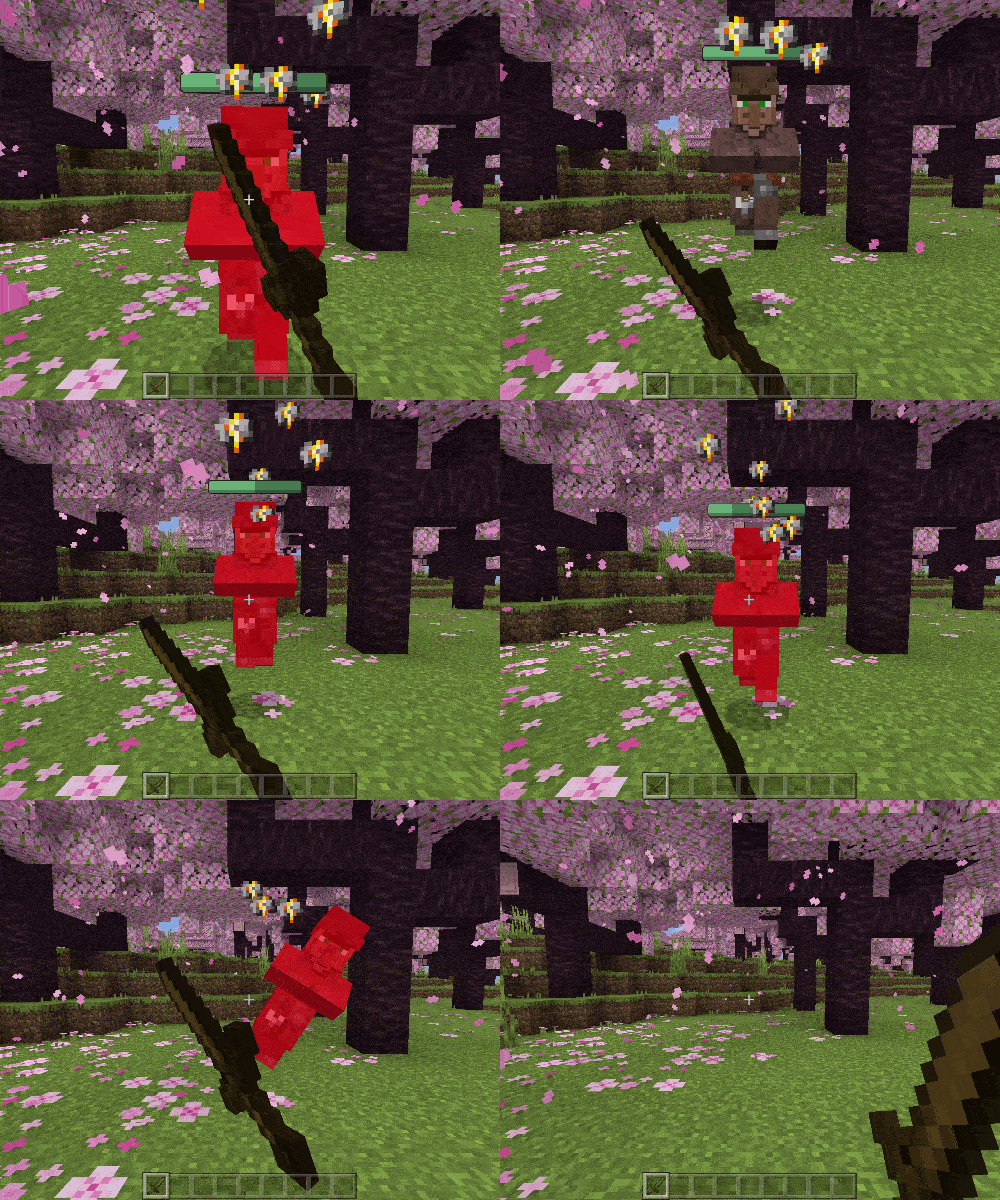
      Passive mob health bar example

      Hostile mob health bar example

    • Text Style %: Shows the exact percentage of health remaining for each vanilla mob in real time, offering precise health information.
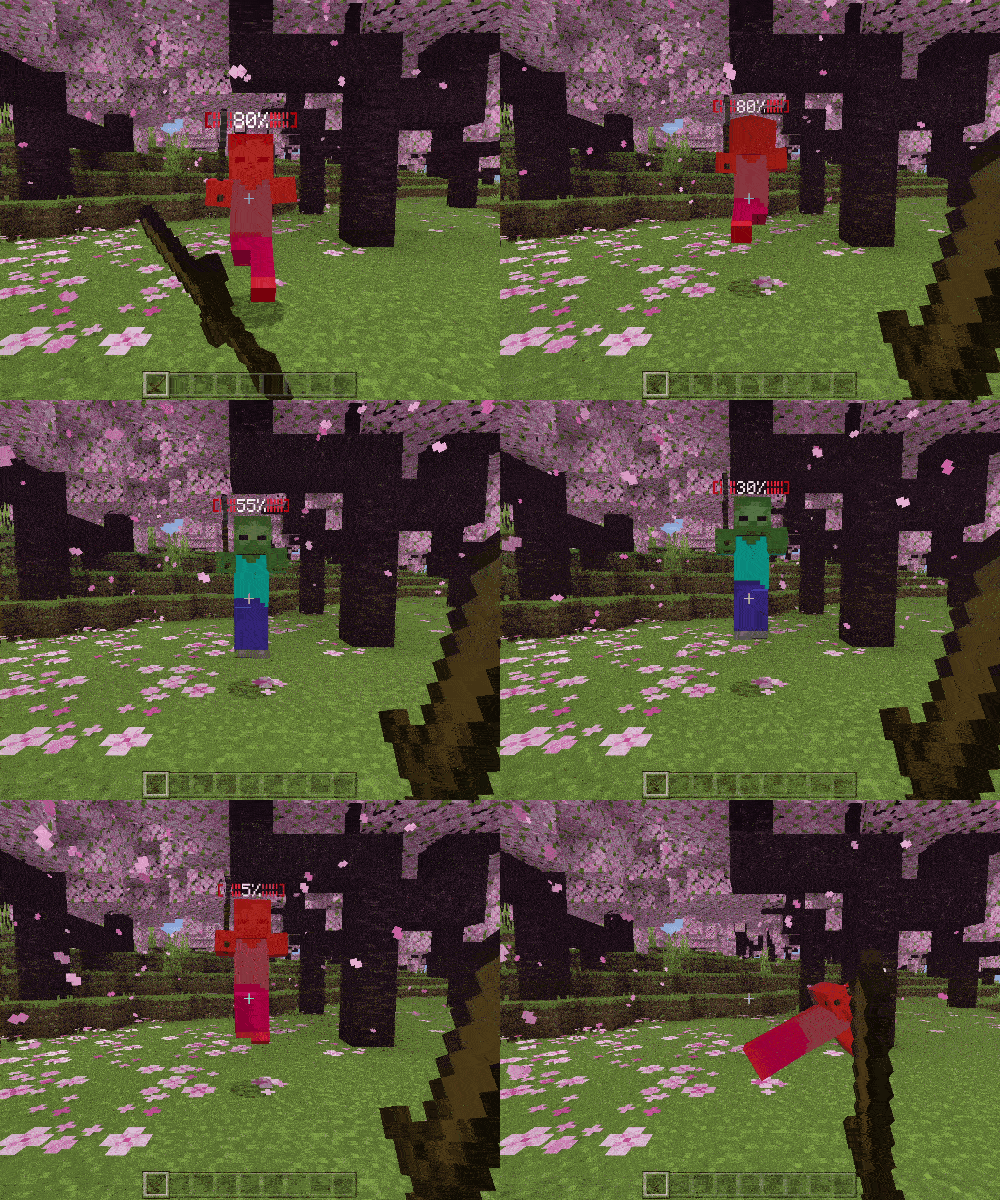
      Text percentage health display

Notes / Troubleshooting

No experimental features or additional setup is required to use this pack. If you experience any issues with health bars not displaying, ensure the resource pack is active and prioritized in the resource pack list. Compatibility with other resource packs may require adjustments to avoid conflicts.
Screenshots & Video
Simple Health Bar — screenshot 1
Download Simple Health Bar

SimpleHPBar(TextStyle) (Uncompressed).zip.mcpack

Supported versions
1.21.101 1.21.100 1.21.94 1.21.93 1.21.92 1.21.90 1.21.82 1.21.81 1.21.80 1.21.73 1.21.72 1.21.71 1.21.70 1.21.61 1.21.60 1.21.51 1.21.50 1.21.44 1.21.43 1.21.41 1.21.40 1.21.30 1.21.21 1.21.20 1.21.2 1.21
Download

[471.2 KB]

SimpleHPBar(TwoStyle) (Uncompressed).zip.mcpack

Supported versions
1.21 1.20
Download

[961.78 KB]

SimpleHPBar(Classic) (Uncompressed).zip.mcpack

Supported versions
1.21 1.20
Download

[504.18 KB]

SimpleHPBar(3 in 1) (Uncompressed).zip.mcpack

Supported versions
1.21 1.20
Download

[1.9 MB]

SimpleHPBar(TextStyle).zip.mcpack

Supported versions
1.21.94 1.21.93 1.21.90 1.21.82 1.21.81 1.21.80 1.21.73 1.21.72 1.21.71 1.21.70 1.21.61 1.21.60 1.21.51 1.21.50 1.21.44 1.21.43 1.21.41 1.21.40 1.21.30 1.21.21 1.21.20 1.21.2 1.21
Download

[128.52 KB]

SimpleHPBar(TwoStyle).zip.mcpack

Supported versions
1.21.94 1.21.93 1.21.90 1.21.82 1.21.81 1.21.80 1.21.73 1.21.72 1.21.71 1.21.70 1.21.61 1.21.60 1.21.51 1.21.50 1.21.44 1.21.43 1.21.41 1.21.40 1.21.30 1.21.21 1.21.20 1.21.2 1.21
Download

[148.91 KB]

SimpleHPBar(Classic).zip.mcpack

Supported versions
1.21.94 1.21.93 1.21.90 1.21.82 1.21.81 1.21.80 1.21.73 1.21.72 1.21.71 1.21.70 1.21.61 1.21.60 1.21.51 1.21.50 1.21.44 1.21.43 1.21.41 1.21.40 1.21.30 1.21.21 1.21.20 1.21.2 1.21
Download

[137.07 KB]

SimpleHPBar(3 in 1).zip.mcpack

Supported versions
1.21.94 1.21.93 1.21.90 1.21.82 1.21.81 1.21.80 1.21.73 1.21.72 1.21.71 1.21.70 1.21.61 1.21.60 1.21.51 1.21.50 1.21.44 1.21.43 1.21.41 1.21.40 1.21.30 1.21.21 1.21.20 1.21.2 1.21
Download

[425.45 KB]

0 Comments
Inline Feedbacks
View all comments
MCPELIFE APP
MCPELIFE APP Our official app