
JAWA – Just Another WAILA Add-On
12.06.2026
JAWA – Just Another WAILA Add-On enhances your Minecraft Bedrock experience by displaying detailed information about blocks, entities, and containers directly on your HUD. Instantly identify block types, view entity stats, and preview container inventories without opening menus or switching screens. This addon streamlines gameplay by removing guesswork and providing customizable overlays for quick insights.
Installation / How to Use
Install the JAWA addon into your Minecraft Bedrock Edition resource and behavior packs. Once activated, simply point your crosshair at a block, entity, or container to see relevant information displayed on your HUD. Use the configuration commands or in-game settings panel to customize the overlay appearance, position, and which details are shown.
Requirements / Compatibility
JAWA requires Minecraft Bedrock Edition and works best with the latest game version to ensure full compatibility. It integrates seamlessly with existing worlds and servers. Server administrators can configure default settings and restrict changes to maintain consistent player experiences.
Key Features
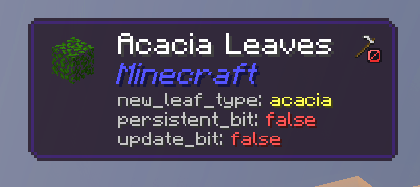
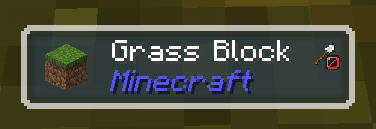
- Block Identification: Displays block name, namespace ID, block states, and tags in real time.
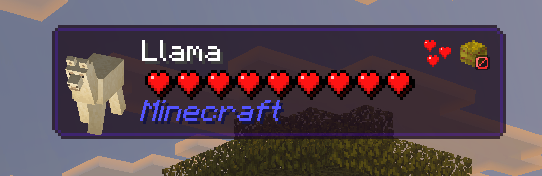
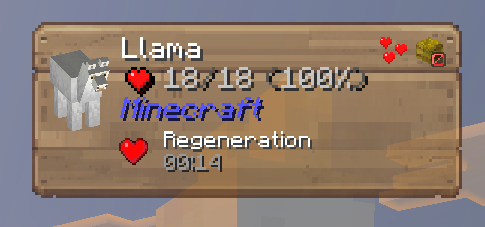
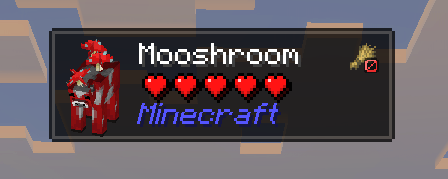
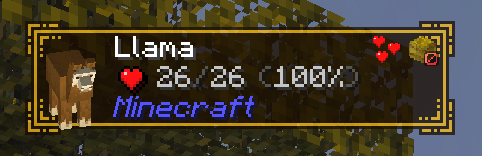
- Entity Information: Shows health bars, armor levels, active status effects with durations, and breeding-related details such as tame status and required items.
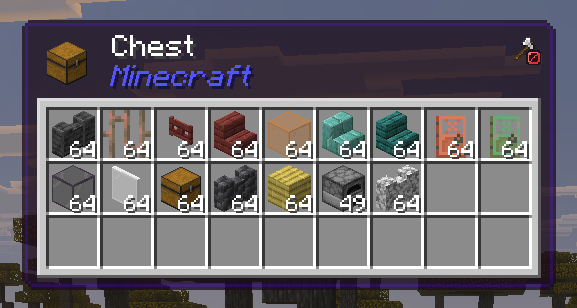
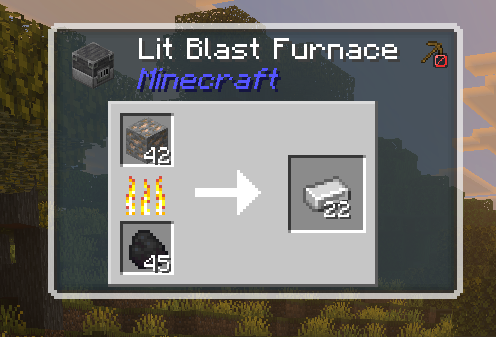
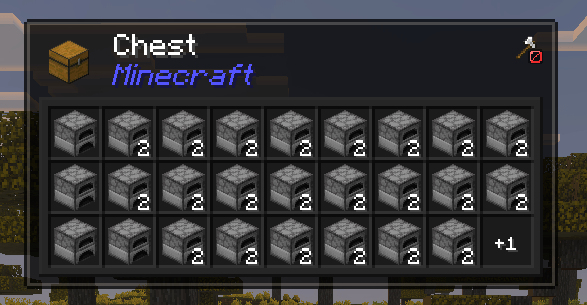
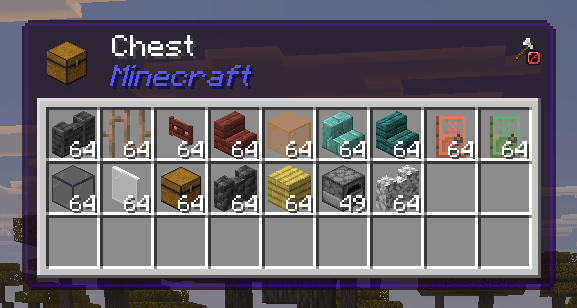
- Container Previews: View contents of chests, furnaces, hoppers, brewing stands, droppers, and saddlebags without opening them. Supports full inventory display for 27-slot containers.
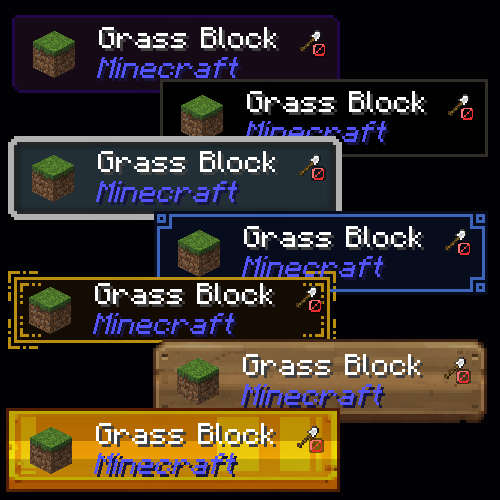
- Highly Customizable HUD: Choose from numerous frame styles, including classic tooltips and decorative designs. Adjust opacity, positioning (including separate sneak-mode positions), and toggle individual data elements.
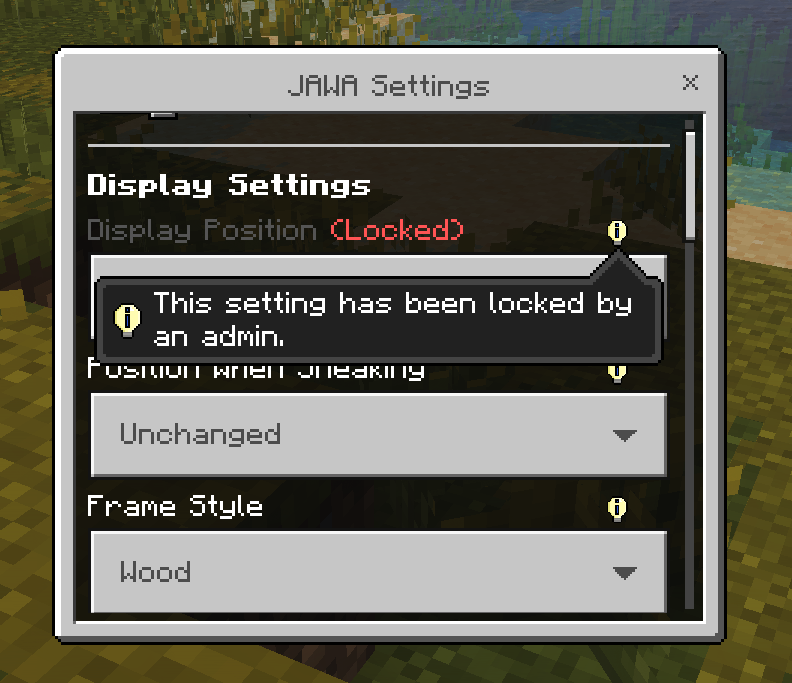
- Server Control: Admins can set default configurations for new players and lock certain settings to prevent misuse.
- Dark Mode: Option to switch container overlays to a dark theme for better visibility and aesthetics.
Screenshots
Block Information Display
Details such as block name, namespace, tags, and states shown on HUD.
Entity Information Display
Shows entity name, health bar, and status tags.
Chest Inventory Preview
Full contents of a chest displayed without opening it.
Furnace Slot Preview
Displays input, fuel, and output slots of a furnace.
Numeric Health and Status Effects
Entity HUD showing exact health values and active effects.
Configuration Interface
Settings panel allowing players and admins to adjust or lock preferences.
Available Frame Styles
Various HUD frame designs to suit different player tastes.

JAWA - Just Another WAILA Add-on v1.0.2
[139.46 KB]

