
Multiplayer Waypoint System!
UPDATED: 11.08.2026
Multiplayer Waypoint System! This addon allows players to create and manage up to 999 waypoints each for instant teleportation across any dimension. It supports an unlimited number of online players and features a public waypoint sharing system with favorites, moderation tools, and customizable settings. Teleportation includes smooth camera effects enhancing the user experience.
Installation
- Download both the Behavior Pack (BP) and Resource Pack (RP).
- Add both packs to your Minecraft world.
- Activate the “Beta APIs” experiment in the world settings.
- Make sure to use only stable Minecraft versions (no beta or preview releases).
How to Use
Upon entering the world, you will receive a “Waypoint Menu” item in your inventory. Use this item by tapping on a block or right-clicking to open the waypoint interface.
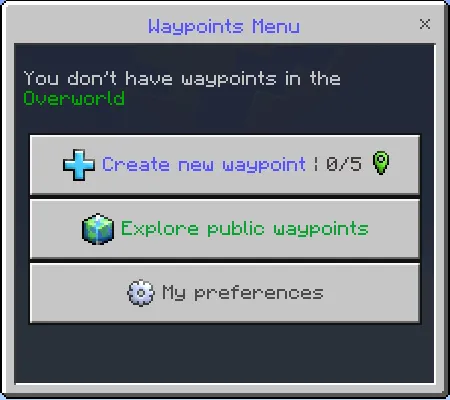
Initially, you won’t have any waypoints. To create one:
- Ensure you are in the dimension where you want the waypoint (the button shows the current dimension and waypoint count, e.g., 0/5).
- Click “Create new waypoint”.
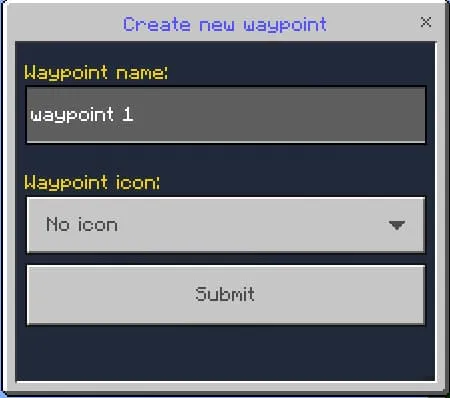
- Enter a name for your waypoint or leave the default name (supports up to 100 characters with color codes).
- Select an icon representing your waypoint.
- Click “Submit” to start creating the waypoint. You must remain still during the countdown to complete creation.
- If you move during the countdown, creation is canceled and you’ll need to restart.

Particles will appear during the countdown, visible to other players.

After creation, open the menu again to see options like “Teleport to waypoint” and “Manage my waypoints.”
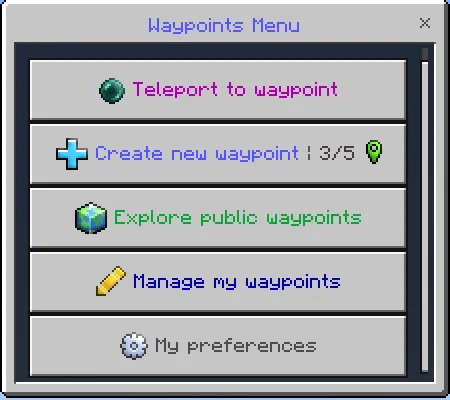
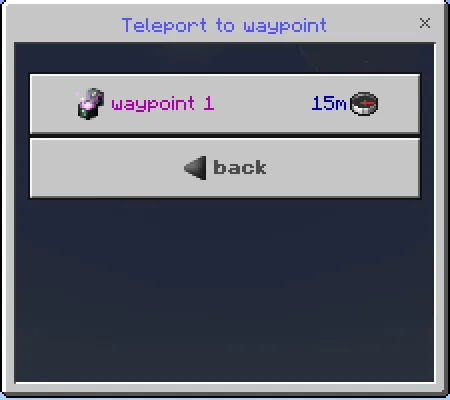
To teleport:
- Select “Teleport to waypoint” to view your waypoints list with distance and direction indicators.
- Choose the waypoint to teleport to; a countdown starts before teleportation.

Teleportation features camera animations and particles. Third-person view is supported.

For distances over 150 blocks, a distinct teleport animation plays.

Camera effects and particles can be toggled off in the settings.
Managing Waypoints
Access “Manage my waypoints” to rename, update coordinates, or delete waypoints.
Select the waypoint you wish to modify.
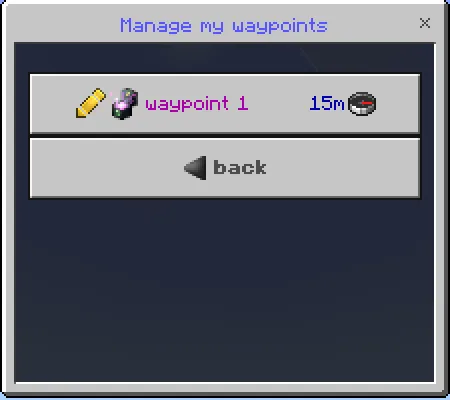

Options include:
- Rename & change icon.
- Update coordinates to your current location (requires countdown).
- Delete the waypoint.
Coordinates and dimension are visible near the waypoint icon.
Publishing Waypoints
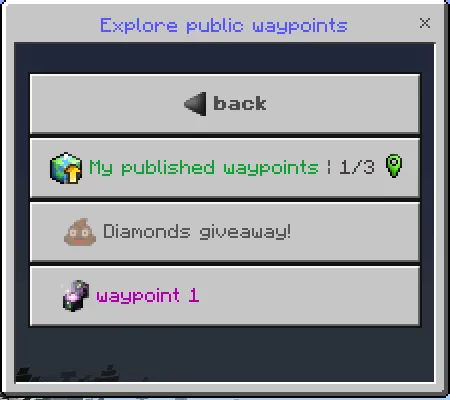
Open “Explore public waypoints” to access public waypoint features.
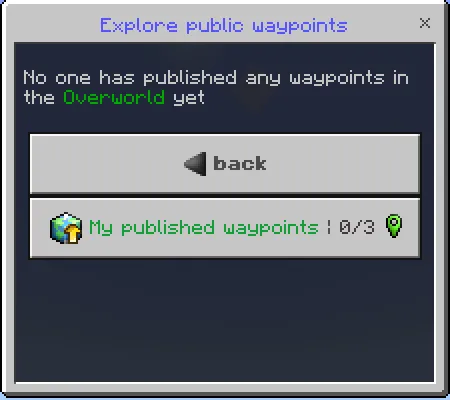
To publish a waypoint:
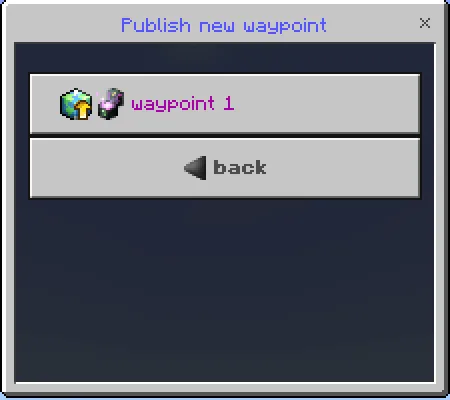
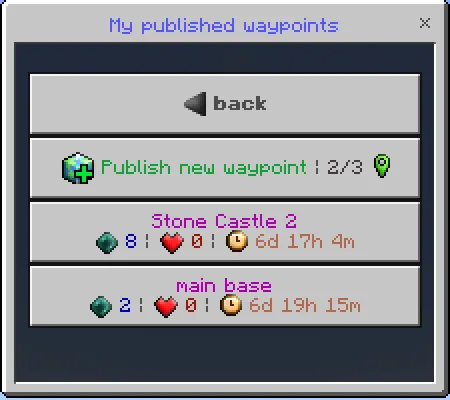
- Click “My published waypoints” then “Publish new waypoint”.
- Select a waypoint from your list.
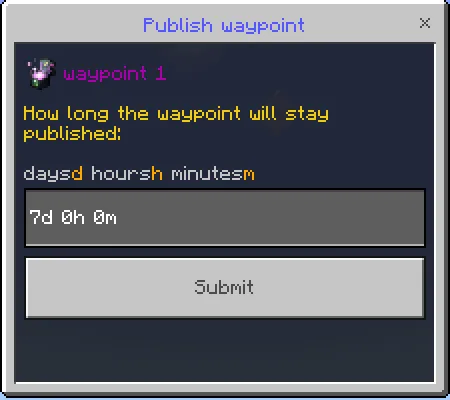
- Set the publish duration (default is the max allowed for the dimension).
- Click “Submit” to publish.
- Go to “Explore public waypoints” > “My published waypoints”.
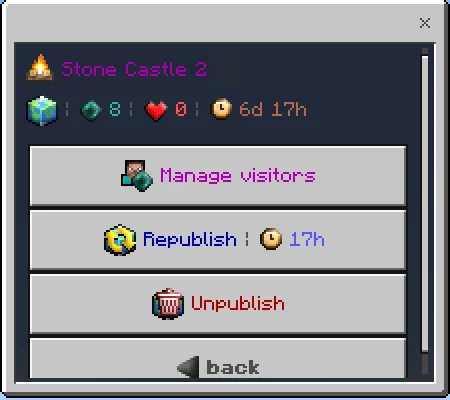
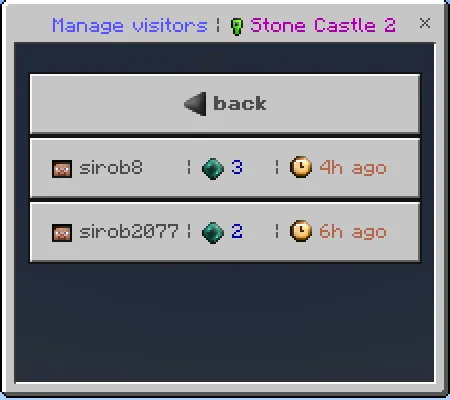
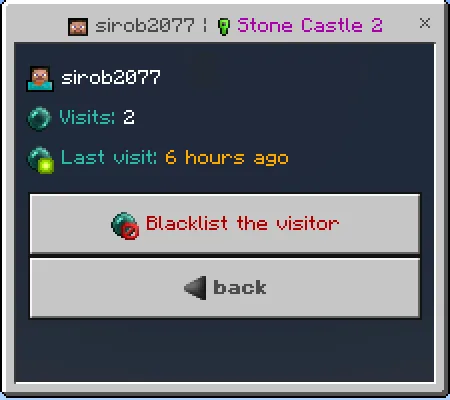
- Select the waypoint, then click “Manage visitors” to see visit history.
- Select a visitor and choose to add them to your blacklist.
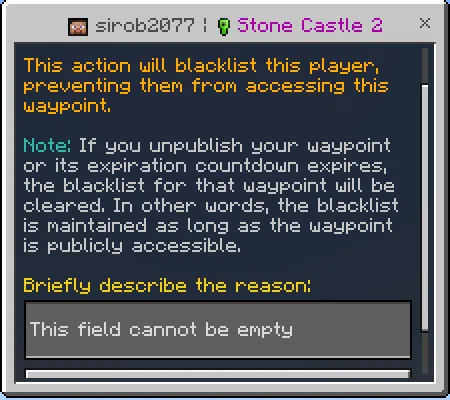
- Provide a brief reason for blacklisting; the player will see this message if they attempt to visit.
- Submit to enforce the blacklist.
- Open “Explore public waypoints” and select the waypoint.
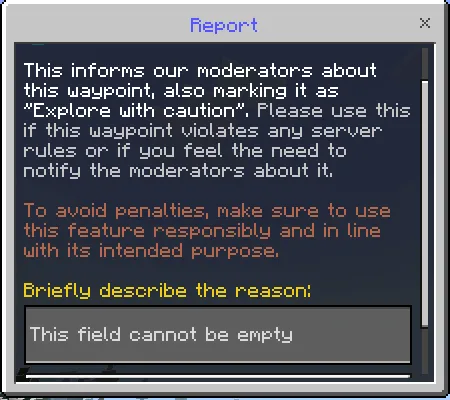
- Click the “Report” button.
- Describe the reason briefly and submit the report.
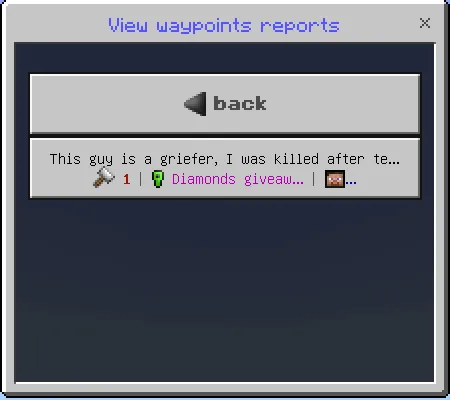

- Open “View waypoints reports” to see all reports.
- Select a report to view details about the waypoint, owner, and accumulated reports.
- Options include visiting the waypoint, deleting reports, or punishing the owner (e.g., unpublishing or deleting the waypoint).


- In the control panel, select “Manage featured waypoints”.
- Click “New featured waypoint” and fill in details such as name, icon, coordinates, and dimension.
- Featured waypoints appear prominently for all players.

- Change UI language.
- Disable sounds.
- Modify text fonts and other visual options.
- The system enforces players to stay still and connected during teleportation or waypoint creation to prevent abuse in PvP or other gameplay.
- All configurations can be customized per dimension, including waypoint limits, cooldown times, and effect toggles.
- Supports extensive localization for multiple languages.
- Designed for high performance, capable of handling many players and waypoints simultaneously.
- Fully compatible with most addons without requiring external player data files.
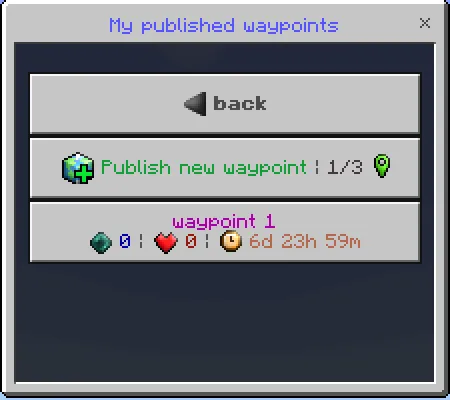
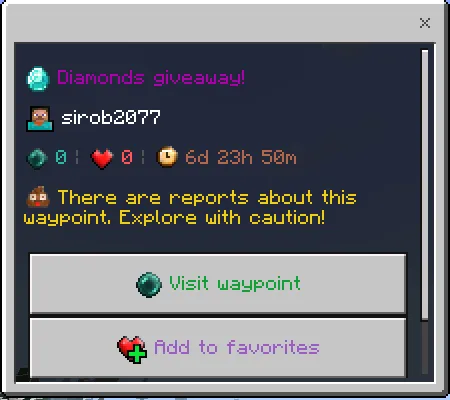
Published waypoints display visit count, favorites, and expiry time.
Exploring Public Waypoints
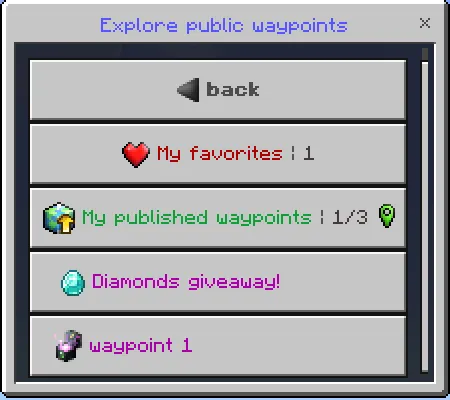
Use “Explore public waypoints” to browse available shared waypoints in the current dimension.
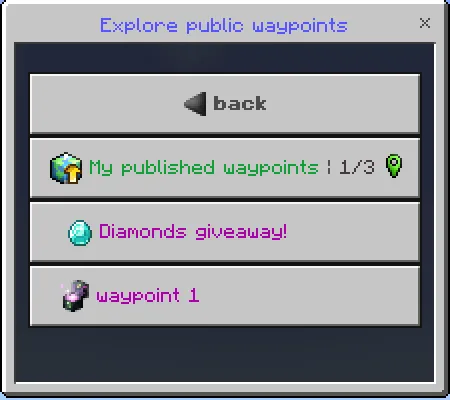
Click a waypoint to view details such as owner name and statistics.

You can visit the waypoint or add it to your favorites for easy access later.
When favorites exist, a “My favorites” button appears for quick access.
Blacklist Visitors from Your Published Waypoints
To prevent specific players from visiting your published waypoints:
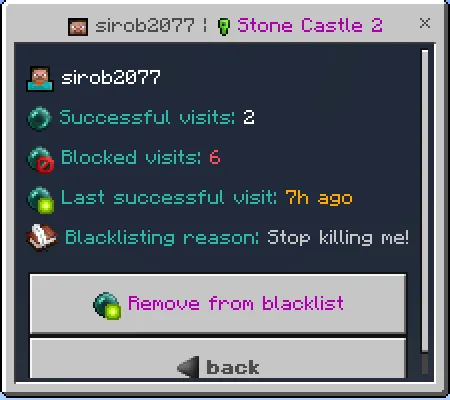
You will see counts of blocked visits for blacklisted players.
Reporting Suspicious Waypoints
If you encounter a questionable published waypoint:
Admins will receive the report and the waypoint will show a warning label and icon.
Admin Controls for Waypoints
Admins can view and manage waypoint reports via the control panel:
These tools help maintain a fair and clean waypoint system.
Creating Featured Waypoints
Admins can highlight important locations by creating featured waypoints:
Customizing Player Preferences
Players can adjust personal settings to tailor their experience:
Additional Notes
[RP] [26.40+] MultiplayerWaypoints (v2.3.26).mcpack
[240.9 KB]

 1.00/5
Comments are loaded on demand to improve page speed on mobile devices.
Show comments (0)