Simple Auto Totem
20.03.2026
Simple Auto Totem enhances gameplay by automatically equipping a new Totem of Undying when the player uses one, eliminating the need to manually switch to another totem. This addon streamlines survival, ensuring you’re protected without interruption. It is lightweight, easy to use, and compatible with multiplayer and other addons.
Installation / How to Use
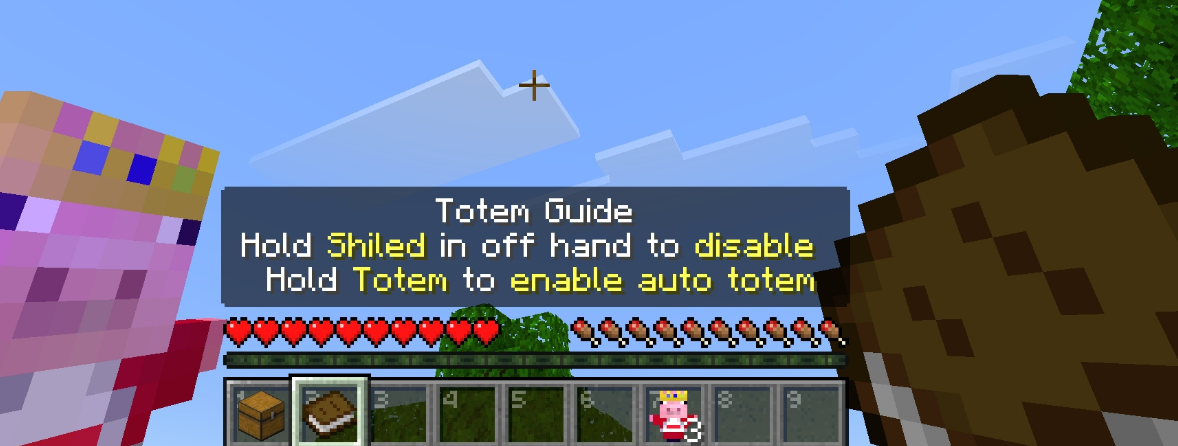
Install the addon as you would any other Minecraft Bedrock addon. Once active, the addon will automatically detect when you use a Totem of Undying and instantly replace it with another from your inventory to your off-hand slot. To toggle the auto-equip feature off, simply hold a shield in your off-hand; holding a shield disables the automatic switching.
Requirements / Compatibility
This addon works seamlessly in both singleplayer and multiplayer environments. It is compatible with other addons and does not cause lag or performance issues. No additional mods or resources are required.
Key Features
- Automatic Totem Replacement – Instantly swaps a new Totem of Undying into your off-hand when the previous one is consumed.
- Toggle On/Off – Holding a shield in the off-hand disables the auto-equip feature for flexibility.
- Lightweight and Efficient – Runs smoothly without impacting game performance.
- Multiplayer Friendly – Fully functional in multiplayer sessions.
- Addon Compatible – Works alongside other addons without conflict.
Notes
This addon does not provide infinite Totems of Undying; it only automates switching to another totem from your inventory. Be sure to carry extra totems to benefit from the feature.
Toggle example:
Auto-Equip ON Auto-Equip OFF
Holding a shield disables the auto-equip function.
SATotem3.2.mcpack
[17.79 KB]

