
Quick Craft
26.03.2026
0
Quick Craft 2.0 is a Minecraft PE addon that streamlines the building and removal of structures, making construction faster and simpler. It offers a wide variety of prebuilt designs including farms, houses, castles, and more, allowing players to expand their world effortlessly.
Installation
Download the addon file to your device. Using a file manager app like ZArchiver, locate the downloaded file and tap it. Then tap the arrow button to open Minecraft, which will automatically import the addon into your game.
How to Use
- Open the chat and enter the command
/give @p structure_blockto receive a structure block. - Type
/function list1to display a list of available structures. You can also uselist2,list3,list4, orlist5to see additional selections. - Review the displayed structure names and their coordinates. If the coordinate is
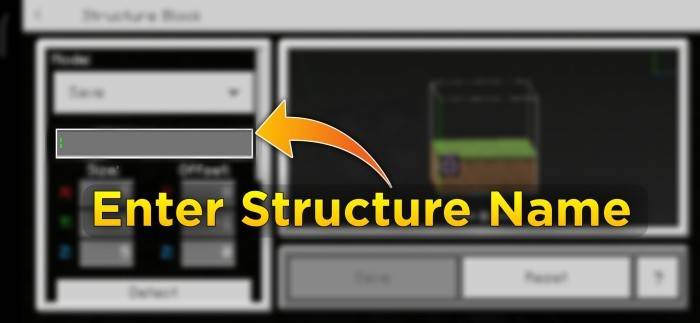
2, place two temporary blocks on the ground and then put the structure block on top. If the coordinate is-2, dig two blocks down before placing the structure block. - Enter the exact structure name into the structure block’s interface.
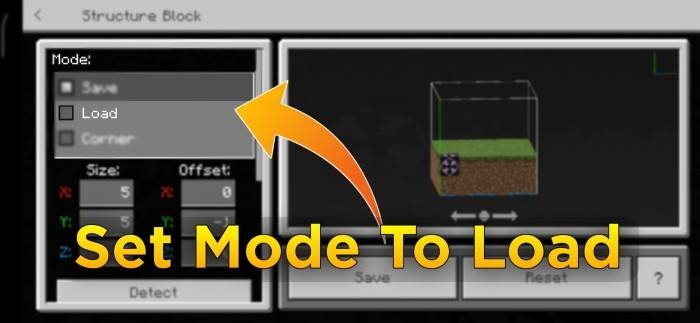
- Set the structure block’s mode to Load.
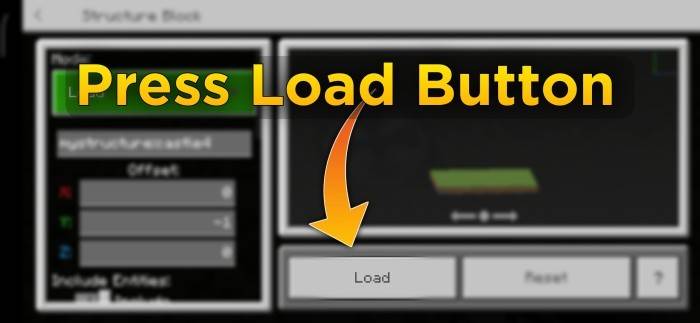
- Click the Load button to generate the structure in your world.
Key Features
- Contains 257 ready-made structures including castles, farms, underground and modern houses, villages, vehicles, and fantasy-themed builds.
- Unique ability to remove placed structures, a feature not commonly found in similar addons.
- Simple commands to browse and select from a diverse structure library.
Requirements / Compatibility
This addon is designed for Minecraft Pocket Edition (Bedrock Edition) and requires access to commands and structure blocks to function correctly.
Screenshots & Video

Download Quick Craft
Quick Craft v2.4 [BP]
Supported versions
1.21.100 1.21.94 1.21.93 1.21.92 1.21.90 1.21.82 1.21.81 1.21.80 1.21.73 1.21.72 1.21.71 1.21.70 1.21.61 1.21.60 1.21.51 1.21.50 1.21.44 1.21.43 1.21.41 1.21.40 1.21.30 1.21.21 1.21.20 1.21.2 1.21 1.20.80 1.20.70 1.20.60 1.20.50 1.20.40 1.20.1 1.20
Download
[1.45 MB]

0 Comments
