Java Aspects
17.03.2026
Java Aspects is an extensive resource pack designed to bring the authentic look and feel of Minecraft Java Edition to the Bedrock Edition. It updates water colors, particle effects, sounds, mob animations, and numerous visual elements to closely match Java Edition’s style. This pack provides players with a more refined and immersive experience by aligning Bedrock’s visuals with Java’s aesthetics.
Installation and Usage
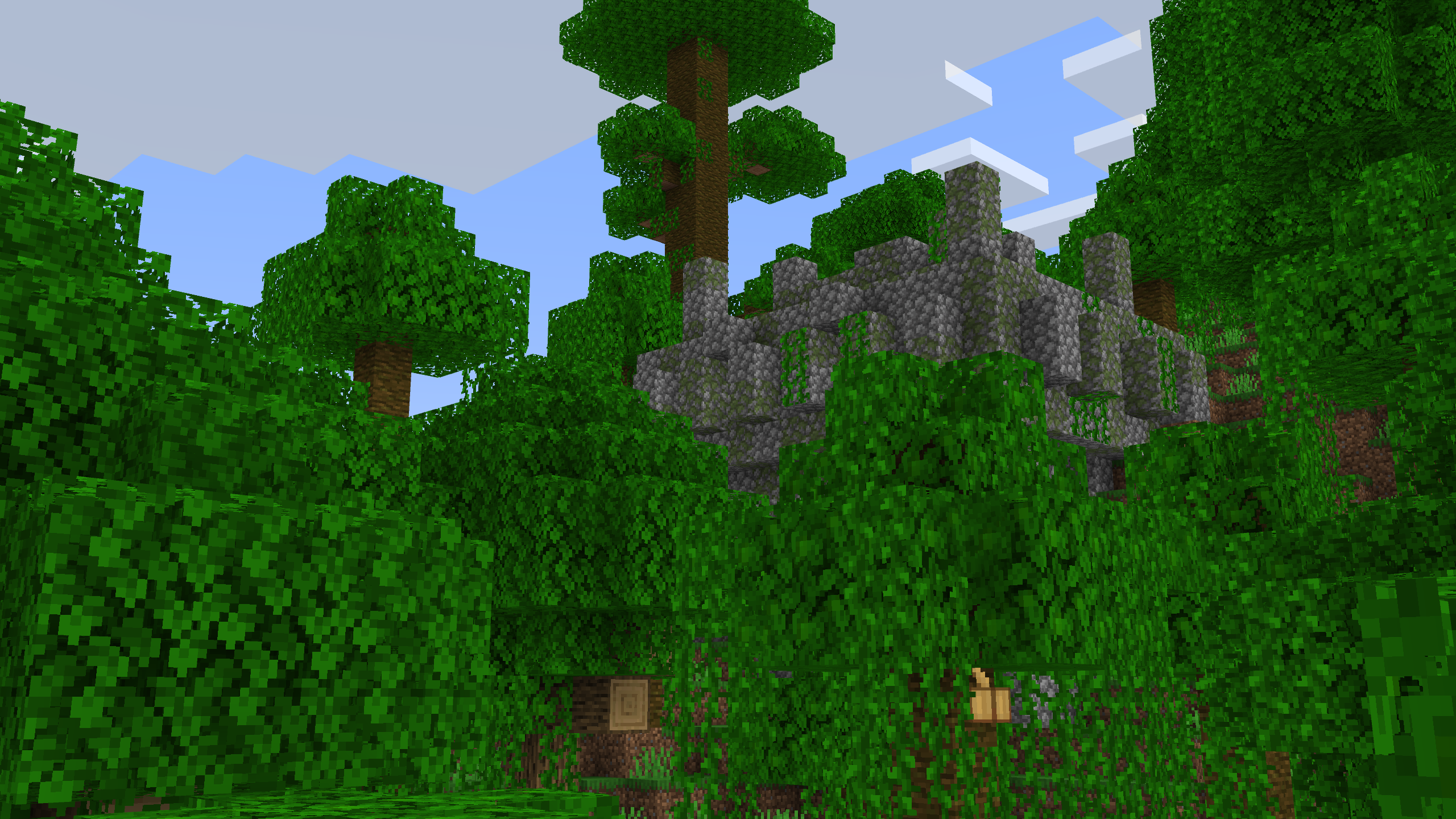
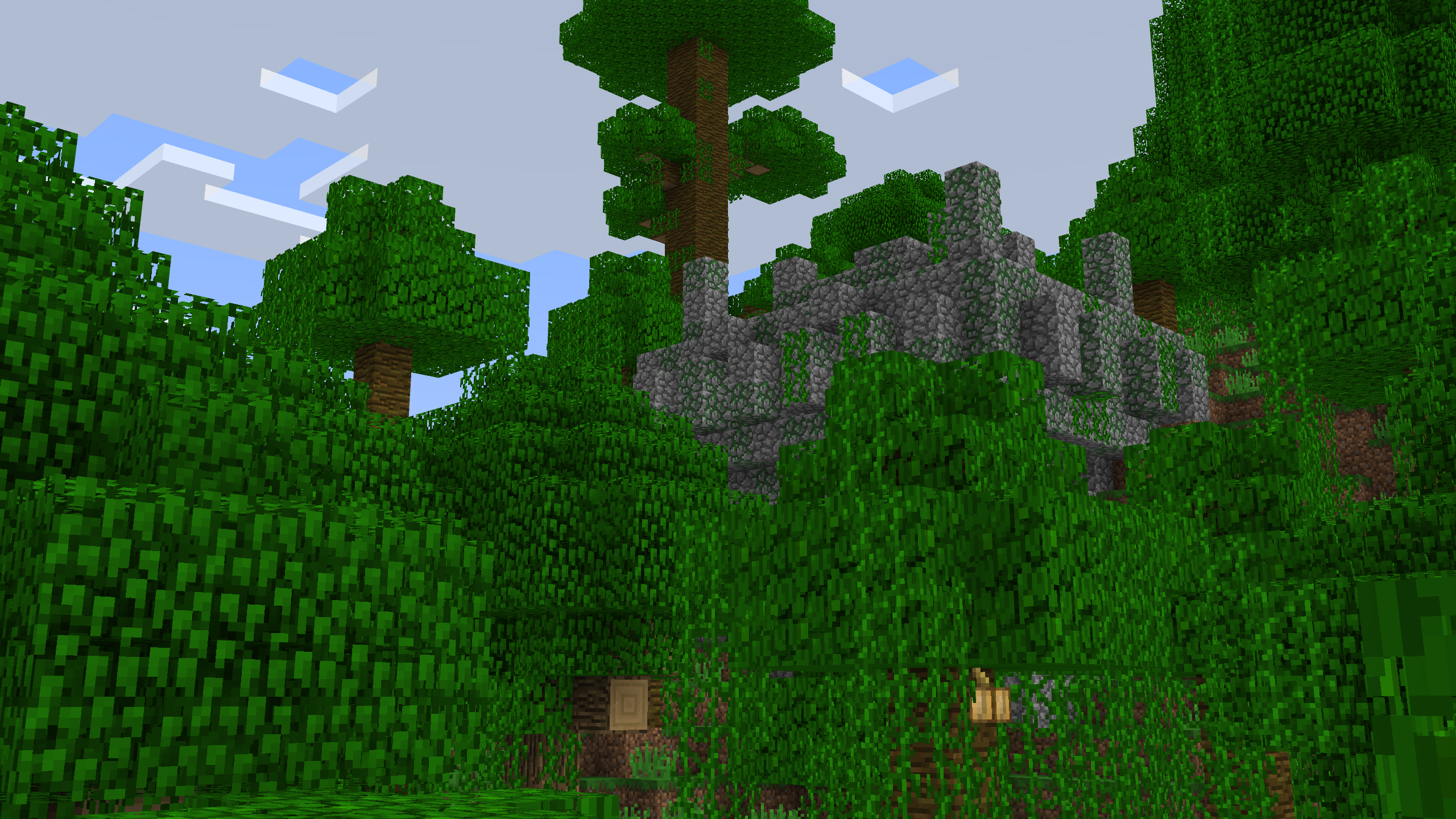
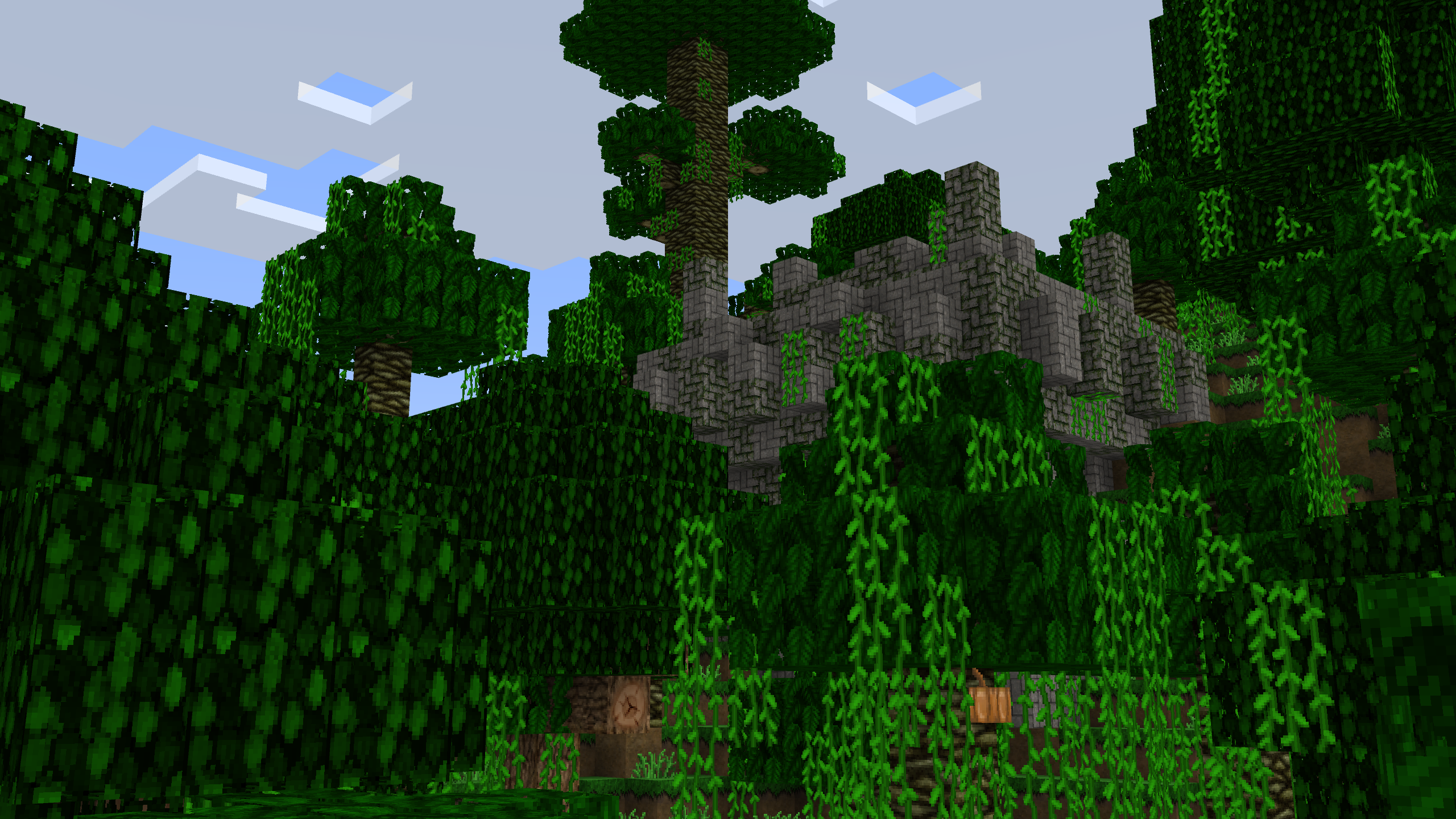
To use Java Aspects, download and apply the resource pack within Minecraft Bedrock Edition. The pack offers multiple texture options including Default Textures, Programmer Art, and Compatibility Mode. For Programmer Art, ensure you have the Minecraft Classic Texture Pack from the Marketplace applied beneath Java Aspects. Compatibility Mode allows other resource packs to override textures by placing them above Java Aspects in the resource pack order.
Below are images illustrating each texture option:
Compatibility and Requirements
Java Aspects is compatible with the latest versions of Minecraft Bedrock Edition. To achieve full functionality, ensure that other resource packs are correctly ordered, especially when using the Compatibility Mode. Note that the City Texture Pack is not included and must be downloaded separately if desired.
Key Features
Game Settings Recommendations
- Accessibility: Disable block and mob dithering; set action bar background opacity to 0%; chat background to 50%; text background opacity to 0%.
- Video: Enable fancy bubbles and outline selection; disable autosave icon.
Visual and Atmospheric Enhancements
- Overworld and biome-specific sky and fog colors matching Java Edition.
- Blue rain fog and deep underwater fog effects.
- Smaller snowflakes for weather effects.
Block Texture and Model Updates
- More transparent water and Java-style colors.
- Consistent textures for blocks like Blackstone slabs, Observer blocks, and Corals.
- Randomized rotation for concrete powder and texture variation for stone and deepslate blocks.
- Faster and smoother texture animations for lava, kelp, coral, and others.
Item Improvements
- Smoother first-person animations for bows, crossbows, tridents, and shields.
- Correct off-hand rendering and consistent held item positions in both first and third person.
- Updated textures for spawn eggs, maps, arrows, and technical items.
Entity Animations and Models
- Enhanced mob animations including smoother walking, sitting, and attacking for many creatures.
- Detailed player animations such as improved item handling, swimming, sneaking, and cape movement.
- Improved sound effects matching Java Edition for various mobs and player actions.
Interface and HUD Customizations
- Java-style hotbar with persistent visibility and full opacity edges.
- Detailed experience and boss bars with accurate colors and notching.
- Chat repositioned to bottom-left with disabled message censoring.
- Inventory screen with consistent slot icons, transparent tooltips, and updated creative tab icons.
- Java Edition style item rendering including 2D glass panes and 3D models for chests and beds.
Notes
This resource pack does not recreate certain Java Edition bugs, such as the green Villager hats from the Programmer Art textures. Some features require companion packs, for example, Christmas chest textures need the Christmas Chests pack. Ensure to follow the recommended game settings for the best visual experience.