
Item Info+
16.03.2026
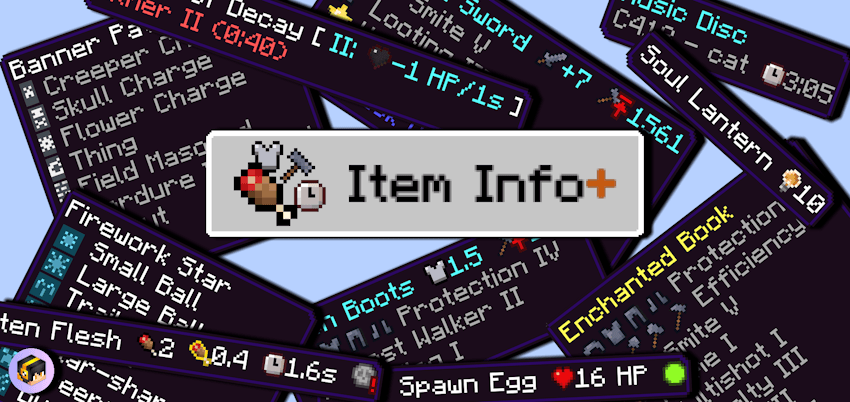
Item Info+ enhances your Minecraft Bedrock experience by displaying detailed stats directly on item names through clear, colorful icons. Instantly view information such as mob health, hostility, food hunger and saturation values, armor points, enchantments, potion effects, and much more. This pack improves gameplay clarity and convenience by making vital item details visible at a glance.
Installation / How to Use
Activate Item Info+ via the Global Resources menu in Minecraft Bedrock. After enabling the pack, click the gear icon beside the Deactivate button to customize which information appears on item names. There are four subpack modes to choose from, offering varying levels of detail. Restart Minecraft to apply any changes.
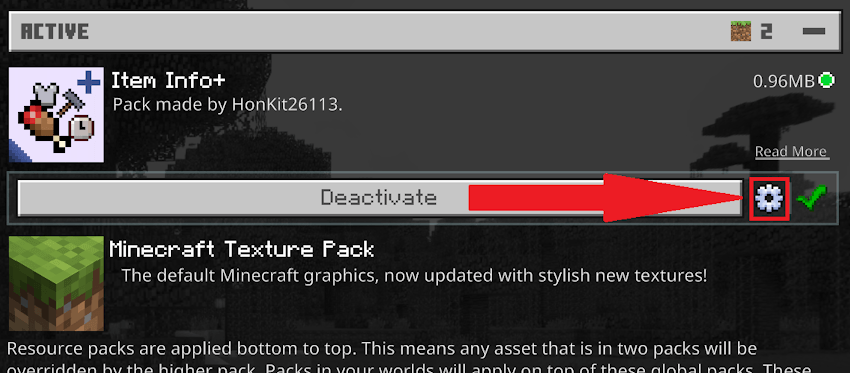
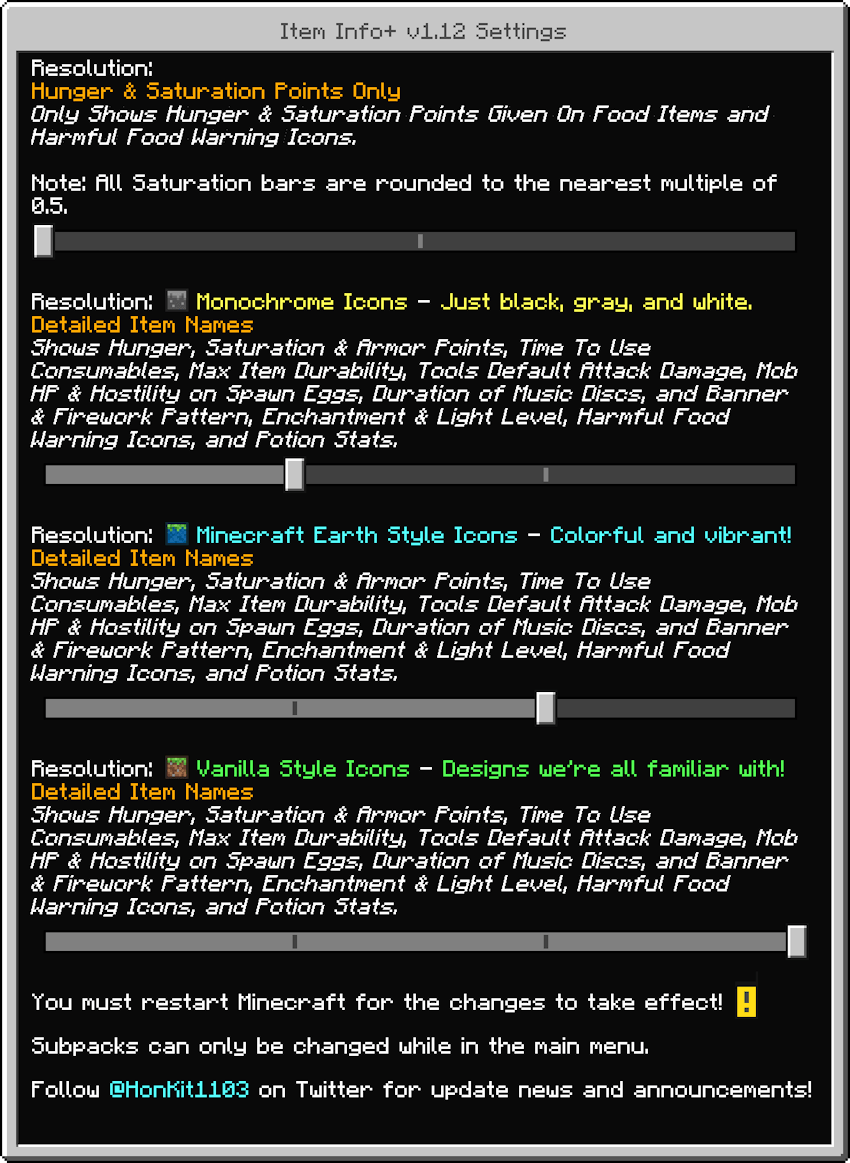
Within the settings, select your preferred mode and icon style. Options include simple hunger and saturation points, detailed item statistics, Minecraft Earth style icons, or monochrome icons for a cleaner look.
Requirements / Compatibility
- Compatible with Minecraft Bedrock Edition.
- Supports the “Beyond The Underground” add-on; ensure correct resource pack load order for proper functionality.
- Includes support for 30 languages, including all in-game languages plus Vietnamese.
Key Features
Mode 1: Hunger & Saturation Points Only
- Displays hunger and saturation values for food items.
- Shows a warning icon if the food is harmful.
- Saturation values are rounded to the nearest 0.5 due to design constraints.
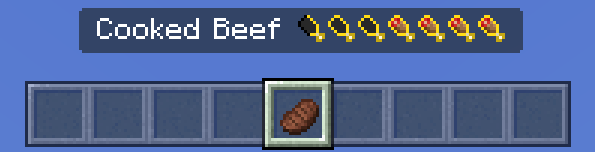
Example: Cooked Beef restores 8 hunger points and approximately 6.5 saturation bars.
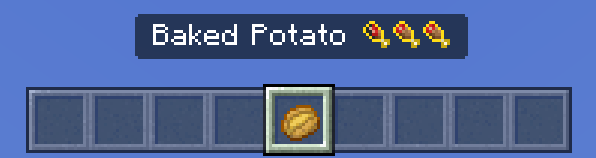
Example: Baked Potato restores 5 hunger points and 3 saturation bars.
Mode 2: Detailed Item Names
- Displays hunger, saturation, and armor points.
- Shows item usage time and warnings for harmful consumables.
- Includes max durability for tools and weapons.
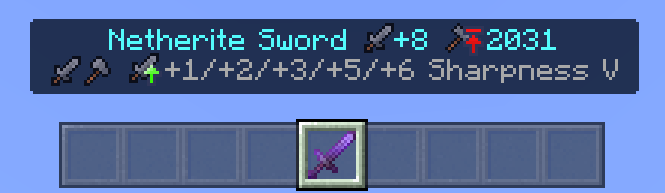
- Displays default attack damage for tools.
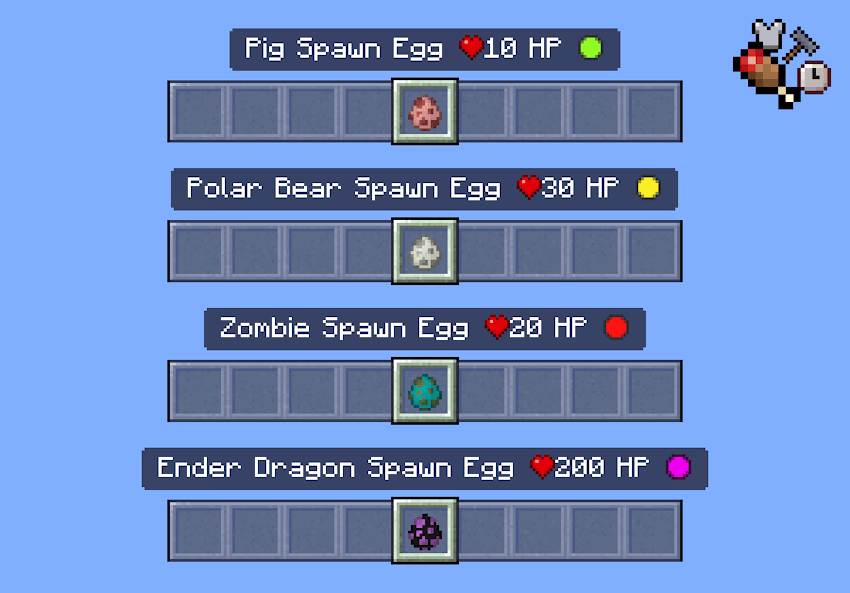
- Shows mob health and hostility on spawn eggs.
- Indicates music disc durations.
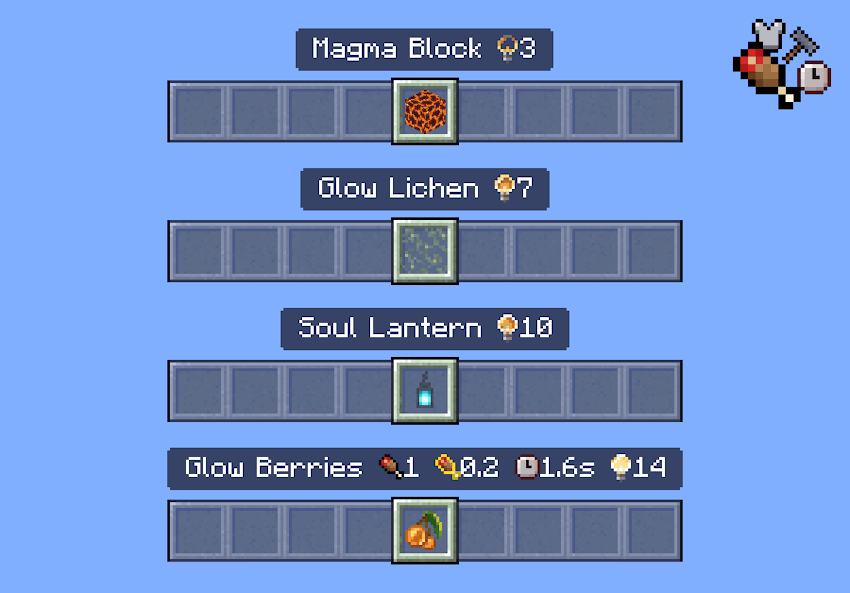
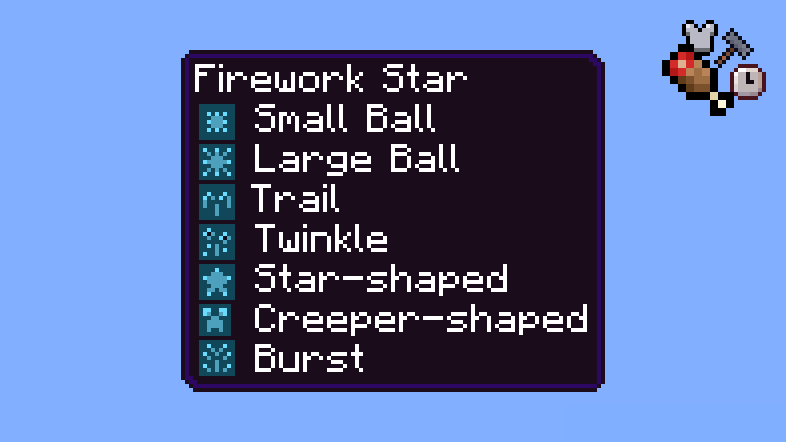
- Includes icons for banner patterns, firework effects, enchantments, and light levels.
- Displays potion and tipped arrow statistics.
- Shows fuel burn amounts for furnace items.
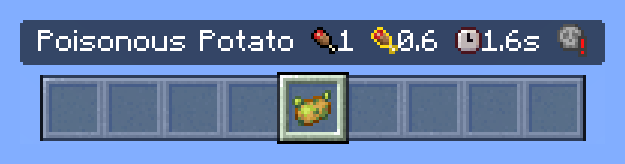
Example: Poisonous Potato shows hunger and saturation restored, usage time, and harmful effects warning.
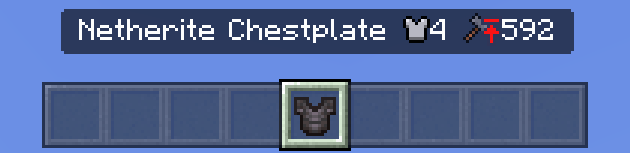
Example: Netherite Chestplate displays armor points and durability.
Spawn eggs reveal the mob’s health and hostility status.
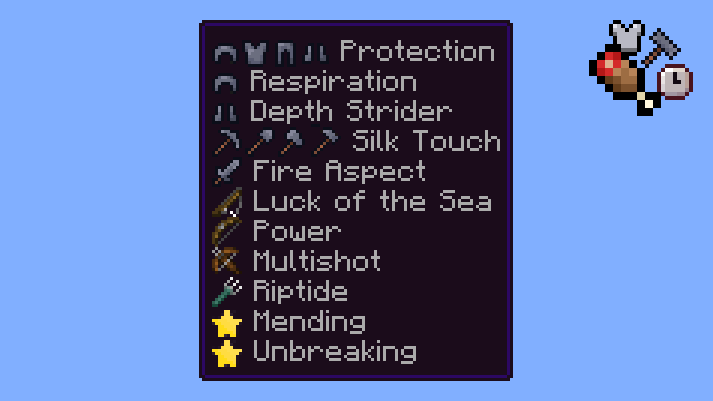
Enchantments include icons indicating applicable tools.
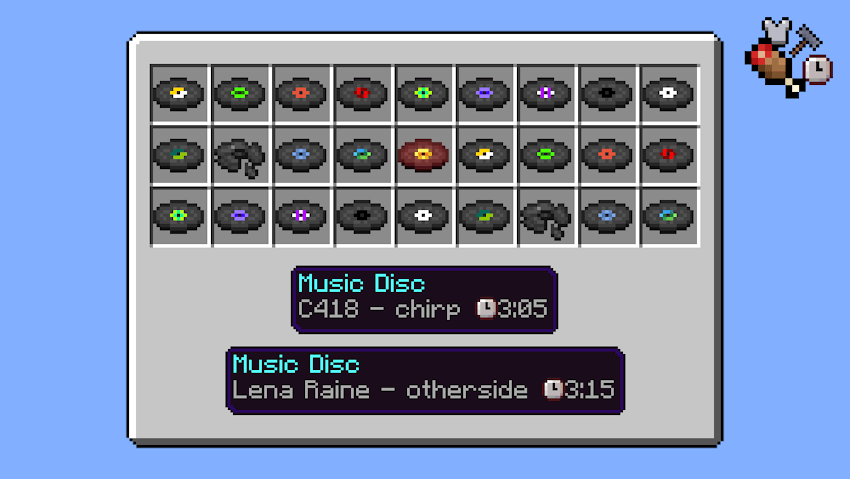
Light-emitting blocks show their light levels, and music discs display track durations.
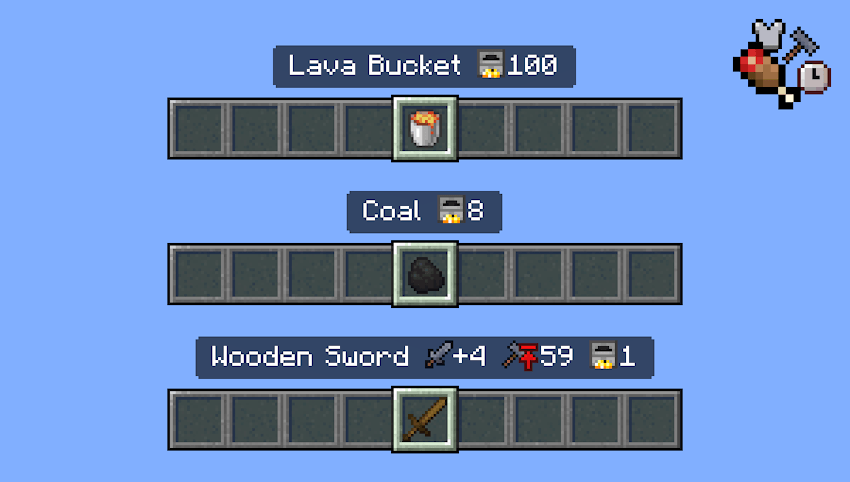
Firework rockets and stars, as well as banner patterns, have icons next to their names.
Potions and tipped arrows display relevant effect stats alongside their names.
Icon Styles
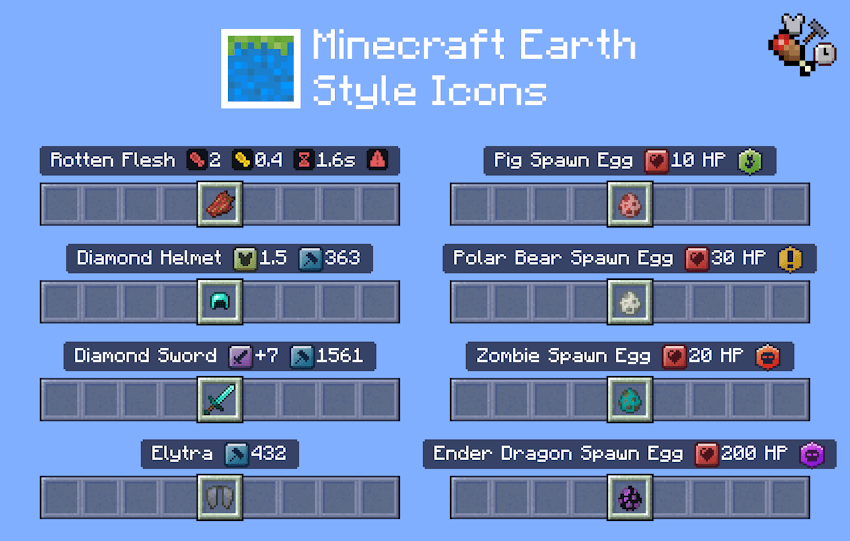
Minecraft Earth Style: A vibrant icon set inspired by Minecraft Earth, available only in Detailed Item Names mode.
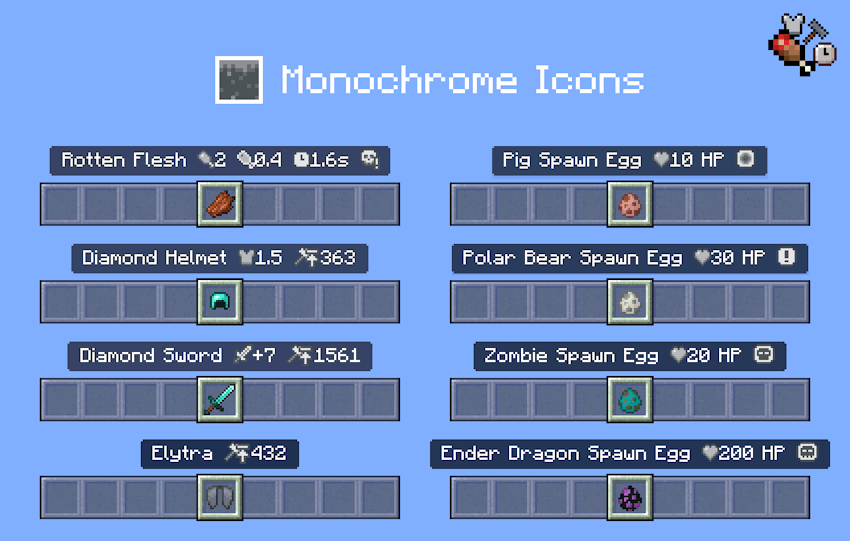
Monochrome Icons: A minimalist black, white, and gray icon set for a clean interface, also exclusive to Detailed Item Names mode.
Additional Features
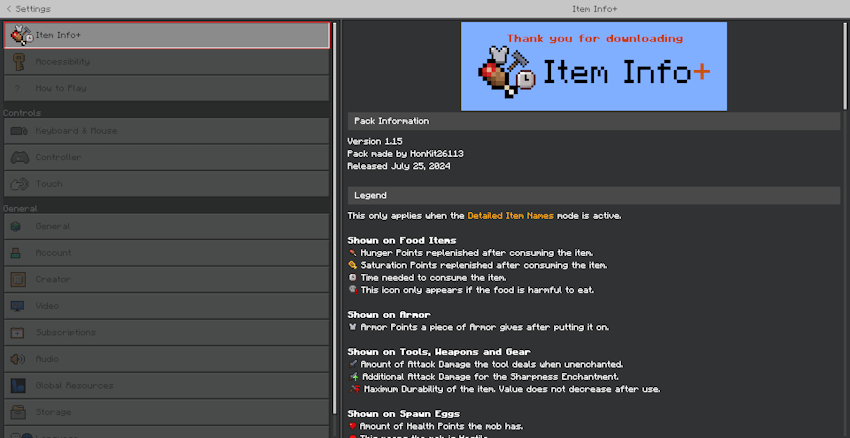
The pack includes a dedicated settings section explaining all icons and providing the latest changelog, allowing quick reference without leaving the game.
Notes
Some foods with very low saturation values may display 0 saturation bars due to rounding. For full details on Minecraft’s hunger and saturation mechanics, consult official game resources or wikis.
DLC
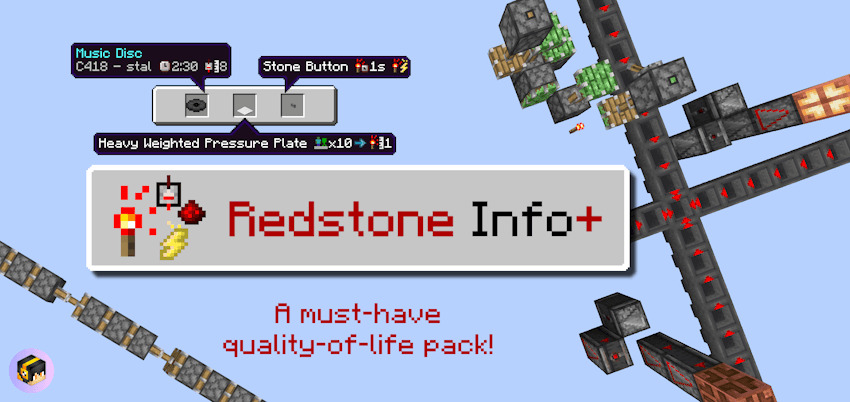
An additional DLC called Redstone Info+ is available to complement Item Info+. It enhances redstone building by adding new textures and informative icons for redstone components.
Terms of Use
Allowed:
- Personal modification of the pack.
- Use within private modpacks not shared publicly.
- Creation of videos or media featuring the pack, provided a link to this page is included.
Not Allowed:
- Redistributing the pack via alternative download links; always direct users to this page.
- Monetizing the pack downloads, which may lead to copyright issues.
Item Info+ v1.16.3.mcpack
[1.16 MB]

