Effortless Building
26.03.2026
Effortless Building is a Bedrock Edition addon that brings the convenience of multi-block placement from the popular Java mod to your world. With this tool, you can quickly create walls, floors, spheres, cylinders, and more by selecting a build mode and marking positions, streamlining your construction process while managing your inventory in survival mode.
Installation / How to Use
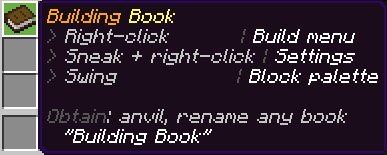
Equip the renamed vanilla book called the Building Book to access all features. Interact with it by:
- Right-click (on a block or in the air) to open the build mode menu.
- Sneak + Right-click to open your personal settings.
- Left-click / swing to open the block palette.
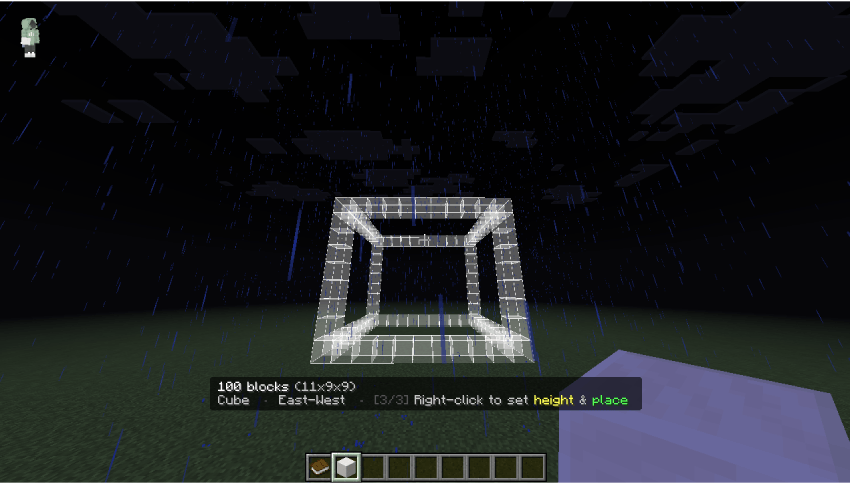
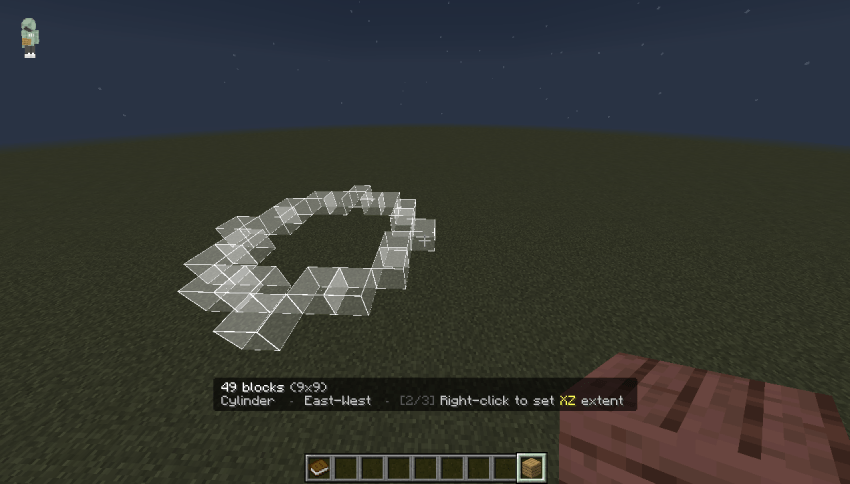
Once a build mode is chosen, place blocks by clicking two or three times, depending on the shape, to define the structure’s dimensions. The addon will consume blocks from your inventory to match the build size.
Requirements / Compatibility
This addon works in survival mode by using blocks from your inventory. It is compatible with Realms and multiplayer servers as long as the behavior pack is applied to the world. It does not alter vanilla blocks or entities, reducing the chance of conflicts with other addons.
Key Features
- Multiple Build Modes: Includes Line, Wall, Floor, Cube, Diagonal Line, Diagonal Wall, Slope Floor, Circle, Cylinder, Sphere, and Air Build.
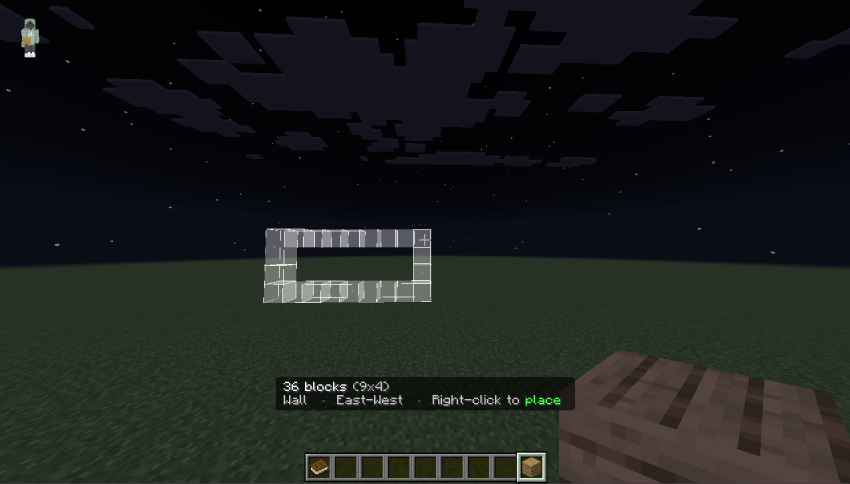
- Live Preview: A real-time visual guide using particles or outlines shows exactly what will be placed before confirming.
- Survival Inventory Support: Blocks are drawn only from what you carry, preventing overuse.
- Undo & Redo: Undo up to 20 build actions with simple commands.
- Flexible Block Palette: Build using your anchor block, hotbar items, or full inventory.
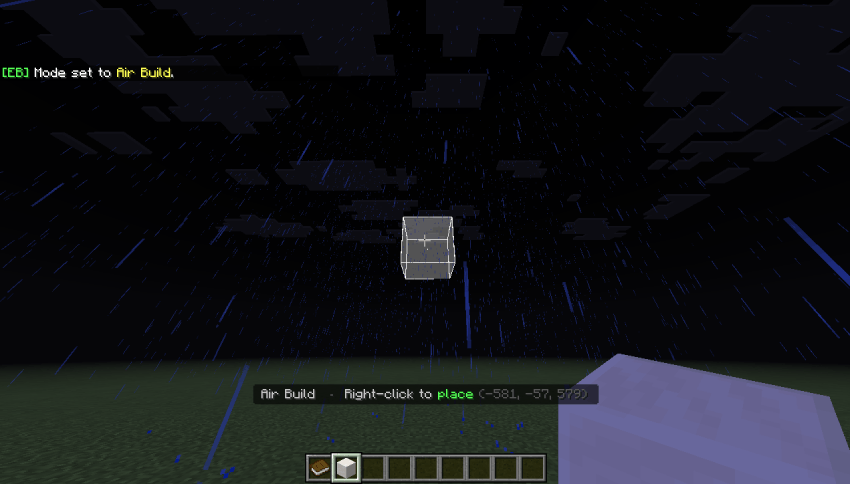
- Air Build Mode: Place blocks in mid-air without needing a surface by right-clicking with the block in hand.
- Personalized Settings: Configure max blocks per operation, preview style, and air build reach, saved individually per player.
- Admin Controls: Restrict addon usage to players with a specific tag for server or realm management.
Build Modes Explained
Single-step Mode
| Mode | Description |
|---|---|
| Air Build | Place the held block at the crosshair target in mid-air. |
Two-step Modes (Click 1 = anchor, Click 2 = endpoint)
| Mode | Description |
|---|---|
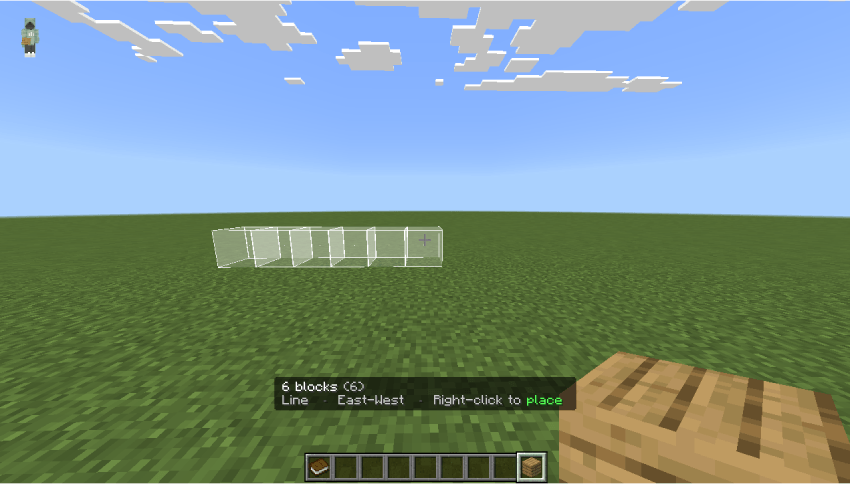
| Line | Straight line of blocks along the main axis. |
| Wall | Vertical flat plane between two points. |
| Floor | Horizontal flat plane between two points. |
| Diagonal Line | Diagonal, staircase-style line in any direction. |
| Diagonal Wall | Staircase wall aligned along the XZ diagonal. |
| Slope Floor | Sloped ramp surface connecting two points. |
| Circle | Filled or hollow circle on the horizontal plane. |
| Sphere | Filled or hollow sphere centered on the anchor point. |
Three-step Modes (Click 1 = center, Click 2 = XZ radius, Click 3 = height)
| Mode | Description |
|---|---|
| Cube | Solid or hollow box aligned to the axes. |
| Cylinder | Solid or hollow cylinder with uniform or separate X/Z radii. |
Settings
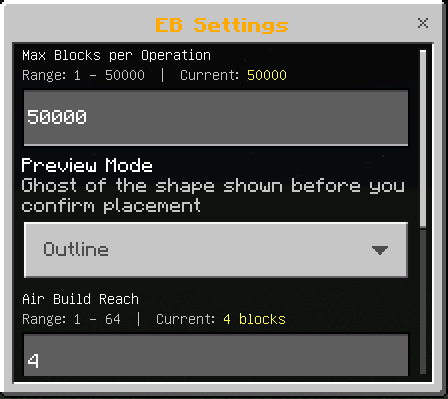
Access settings via Sneak + Right-click on the Building Book or by using the command /eb:settings. Configure these options:
| Setting | Default | Range |
|---|---|---|
| Max blocks per operation | 50,000 | 1 to 50,000 |
| Preview mode | Particles | Particles / Outline / Disabled |
| Air Build reach | 4 blocks | 1 to 64 blocks |
Admin / Server Controls
Players with the eb:admin tag or operators can enable tag restrictions to limit addon usage to tagged players only (default tag: admin). This is useful for controlling access on servers or realms.
Tip: For local or LAN worlds, add yourself the admin tag with /tag @s add eb:admin to unlock admin settings.
Commands
| Command | Description |
|---|---|
/eb:menu | Open the build mode menu. |
/eb:settings | Open the settings interface. |
/eb:undo | Undo the last building action. |
/eb:redo | Redo the last undone action. |
/eb:palette | Open the block palette. |
Frequently Asked Questions
Is this compatible with survival mode? Yes, the addon only places blocks present in your inventory.
Can I use this on Realms or multiplayer servers? Yes, provided the behavior pack is installed on the world.
Will it conflict with other addons? It is designed to work with only the renamed Building Book and does not modify blocks or entities, so conflicts are minimal.
What is the maximum number of blocks per build? You can place up to 50,000 blocks per operation, adjustable to maintain performance on various devices.

Effortless Building v1.5.mcaddon
[153.33 KB]

