
Dynamic Crosshair
17.03.2026
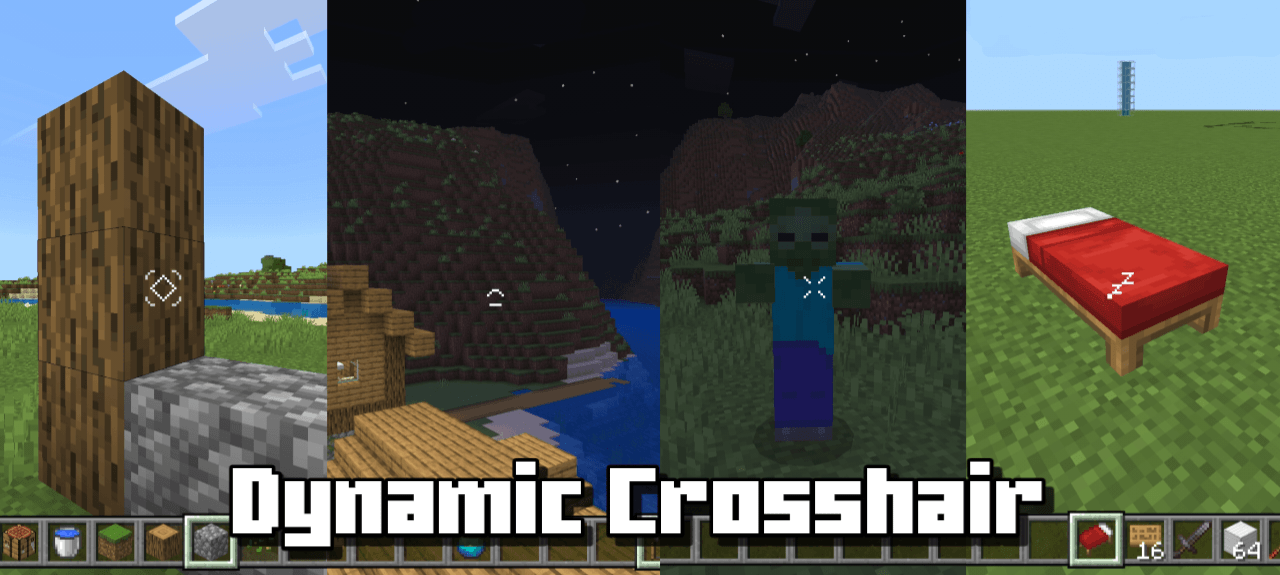
Dynamic Crosshair is a Minecraft Bedrock resource pack that adjusts your crosshair based on what you are looking at and the items you hold. It can hide the crosshair when not needed or change its appearance depending on the in-game context, providing a cleaner and more immersive experience.
Installation
Download the Dynamic Crosshair resource pack and import it into Minecraft Bedrock. Activate the pack in your world settings under Resource Packs to enable its features.
How to Use
Once activated, the crosshair will automatically change or disappear depending on your current context. For example, it will hide when you are not looking at any object and not holding an item. Different styles are applied based on what you target or hold.
Requirements / Compatibility
This pack is designed for Minecraft Bedrock Edition and is highly compatible with other resource packs, allowing you to use it alongside various texture packs without conflicts.
Key Features
- Automatically hides the crosshair when not aiming at anything and no item is held.
- Changes crosshair style dynamically based on what you are looking at.
- Supports multiple crosshair designs for different in-game situations.
- Works well with other resource packs without causing issues.
Dynamic Crosshair v1.0.3.mcpack (latest)
[54.83 KB]

