
Real Backpack
17.03.2026

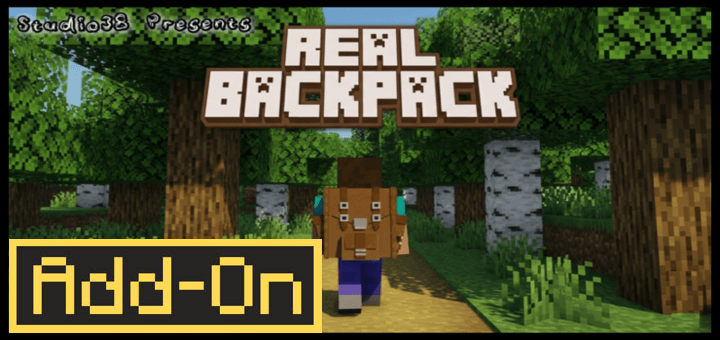
Real Backpack enhances your Minecraft Bedrock experience by adding expandable storage that integrates seamlessly with the vanilla game. This add-on provides additional inventory space through wearable backpacks, allowing you to carry more items without compromising gameplay balance. Crafted using a custom workbench, the backpacks offer a stylish and practical solution for adventurers and collectors alike.
Installation / How to Use



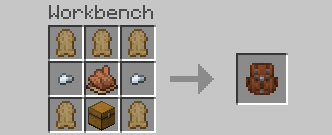
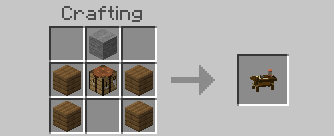
After installing the Real Backpack add-on, craft your first backpack using the custom workbench included in the pack. Once crafted, place the backpack on the ground to interact with it and store your items inside. To wear the backpack, sneak and interact with it, which will attach it to your character’s back. When you want to remove the backpack, simultaneously sneak and jump, then confirm the prompt to take it off. You can also store the backpack item in your inventory by punching it while it’s placed, and monitor storage details directly from your hotbar. Additionally, change the backpack’s color by combining it with dyes.

Place your crafted backpack on the ground to begin storing items.
Interact with the backpack to access its inventory space.
Sneak and interact to wear the backpack on your back.
Use sneak + jump to remove the backpack when worn.
Punch the backpack to store it in your inventory and view its status.
Customize your backpack’s color by applying different dyes.
Requirements / Compatibility
- This add-on is fully compatible with other add-ons and does not require any experimental gameplay toggles.
- It does not use the player.json file, ensuring smooth integration with existing worlds.
- All achievements remain accessible while using this add-on.
Key Features
- Provides 27 extra inventory slots per backpack, significantly expanding your carrying capacity.
- Backpacks can be worn on the player’s back or stored in the inventory for convenience.
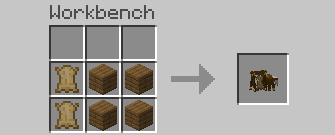
- Includes a custom crafting workbench capable of creating all new items added by the add-on as well as vanilla recipes.
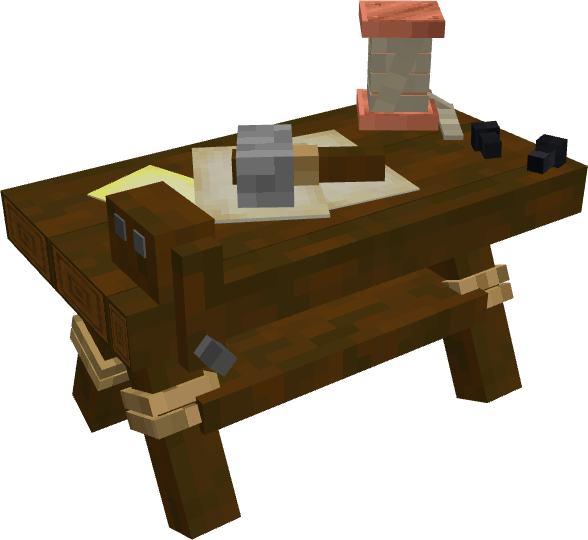
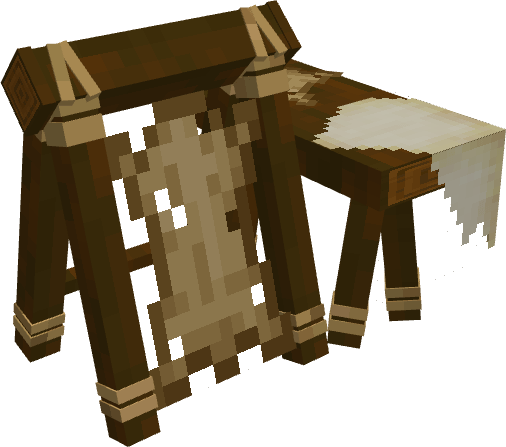
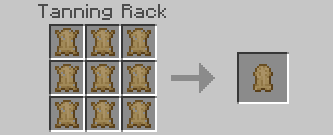
- Features a tanning rack workbench that converts animal hides into leather.
- Designed with a vanilla aesthetic inspired by the Hytale backpack.
Additional Information
The custom workbench serves as the core crafting station for this add-on, allowing you to craft backpacks and other new items while still supporting vanilla recipes. The tanning rack is a specialized crafting station that processes animal hides into leather, enhancing resource utilization.
Custom workbenches included for crafting backpacks and processing hides.
Enjoy expanded inventory management without disrupting the core Minecraft experience.
Real Backpack (V0.07) [BP].mcpack
[288.53 KB]

