
Novelty API
25.03.2026
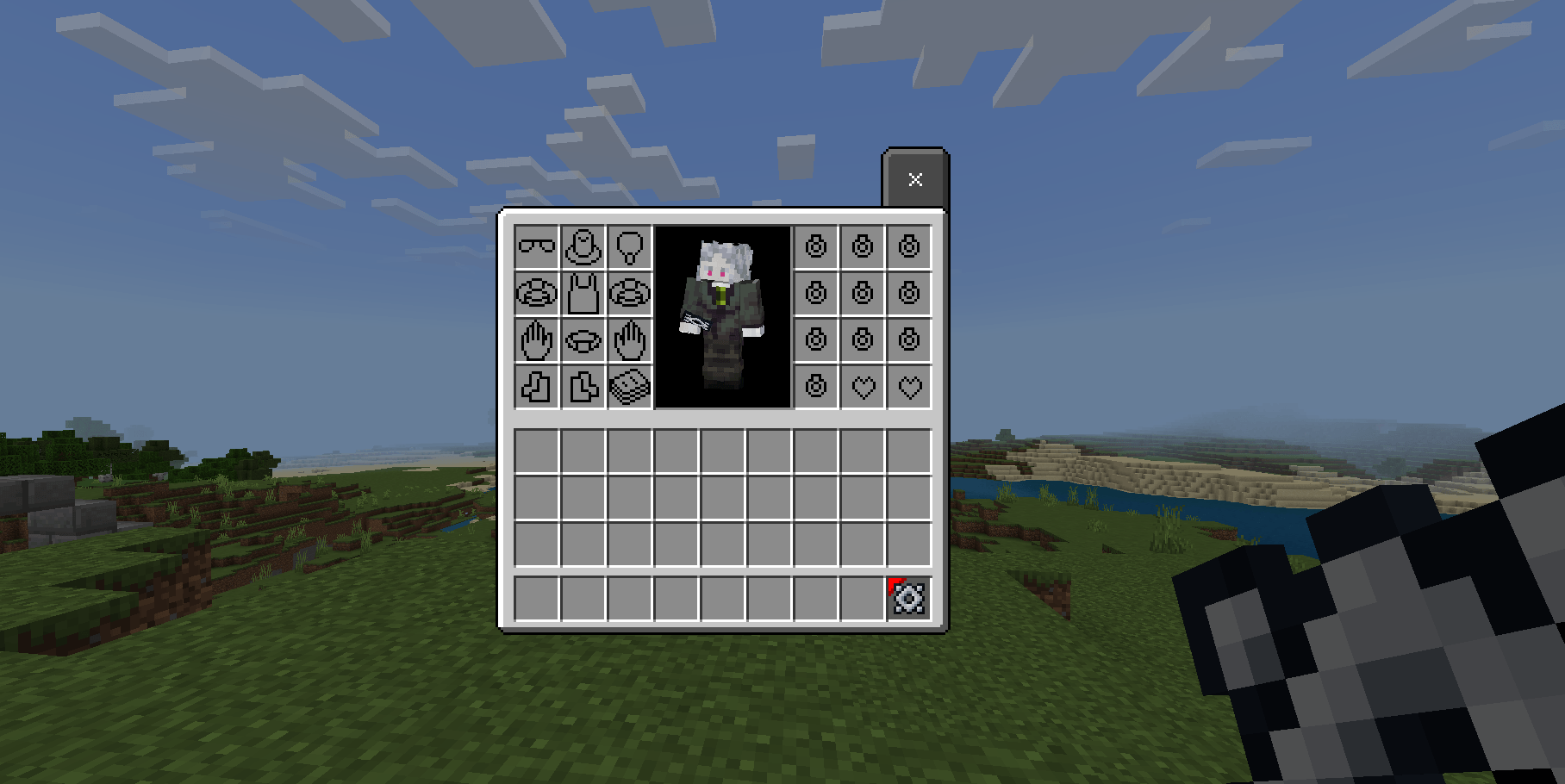
Novelty is a compact addon that expands the player’s equipment capabilities by adding 24 unique accessory slots. These slots include positions for hats, face items, necklaces, bracelets, hands, feet, belts, backs, spellbooks, charms, and trinkets. This addon provides the framework for accessory slots but does not include any actual accessory items, allowing other addons to utilize these slots for their own purposes.
Requirements / Compatibility
To integrate your custom items with the Novelty accessory slots, you have two methods: using custom tags or employing scripting with the provided library. Choose the approach that best fits your addon’s complexity and needs.
How to Use
Option 1: Custom Tags
Assign specific tags to your items to designate which accessory slot they belong to. Available tags include:
novelty:is_hat– allows equipping in the hat slotnovelty:is_belt– belt slotnovelty:is_face– face slotnovelty:is_hand– hand slotnovelty:is_bracelet– bracelet slotnovelty:is_trinket– trinket slotnovelty:is_back– back slotnovelty:is_neckless– necklace slotnovelty:is_foot– foot slotnovelty:is_spellbook– spellbook slotnovelty:is_charm– charm slot
When a player equips an item in an accessory slot, that player will have a tag formatted as novelty:<item_identifier>.
Example item JSON using a hat tag:
{ "format_version": "1.20.80", "minecraft:item": { "description": { "identifier": "example:item_hat", "menu_category": { "category": "equipment" } }, "components": { "minecraft:icon": "brush", "minecraft:tags": { "tags": [ "novelty:is_hat" ] }, "minecraft:max_stack_size": 1 } }
}
Example command to detect players wearing the hat item:
execute at @a[tag=novelty:example:item_hat] run effect @s levitationOption 2: Custom Library Scripting
For more advanced interactions, use the scripting library included in the addon’s behavior pack at scripts/lib/NoveltyManager.js. This library allows you to register vanilla or custom items to accessory slots and interact with them programmatically, such as checking dynamic properties, durability, or replacing items.
Key interface for accessory slots:
AccessoriesSlot = { Hat: "Hat", Belt: "Belt", Face: "Face", Hand: "Hand", Bracelet: "Bracelet", Trinket: "Trinket", Back: "Back", Neckless: "Neckless", Foot: "Foot", Spellbook: "Spellbook", Charm: "Charm"
}
Essential methods of NoveltyManager class:
registerAccessoriesItem(identifier, slot): Registers an item identifier to a slot.registerAccessoriesItemFromTag(tag, slot): Registers items by tag to a slot.getAccessories(player, slot, index = -1): Retrieves ItemStack(s) from a specific slot and index.getAccessoriesSlot(player, slot, index = -1): Retrieves ContainerSlot(s) from a slot.getAllAccessories(player): Returns all accessory items a player has equipped.getAllAccessoriesSlot(player): Returns all accessory container slots.setItem(player, slot, itemStack): Sets an item in a player’s accessory slot.
Example scripting usage:
import { NoveltyManager, AccessoriesSlot } from "./lib/NoveltyManager";
import { system, world } from "@minecraft/server"; NoveltyManager.registerAccessoriesItem("minecraft:apple", AccessoriesSlot.Face); system.runInterval(() => { for (const player of world.getPlayers()) { const faceItem = NoveltyManager.getAccessoriesSlot(player, AccessoriesSlot.Face); if (faceItem !== undefined && faceItem.typeId === "minecraft:apple") { player.runCommand("say using apple"); } }
}, 5);
Key Features
- Adds 24 new accessory slots to players for expanded equipment options.
- Supports a wide variety of accessory types such as hats, bracelets, belts, and charms.
- Flexible integration via simple custom tags or advanced scripting library.
- Scripting library enables dynamic interaction with accessory items.
Notes
For simpler implementations, using custom tags is recommended. If your addon requires more complex behavior or dynamic item interaction, the scripting library offers extensive control.
Novelty Resource v1.4.1
[10.67 KB]

