Enchantment Books X-Plus
2.04.2026
Enchantment Books X-Plus enhances Minecraft Bedrock Edition by extending enchantment levels far beyond the vanilla limits. This addon integrates seamlessly with other addons and does not require any experimental settings or cheats, making it ideal for RPG-style worlds, servers, and realms that want a richer enchantment experience.
Installation / How to Use
To get started, collect unenchanted leveled books found throughout the world. To convert these into enchanted versions, you must first craft an Activation Book. Hold the Activation Book in your hand along with the unenchanted books you want to upgrade in your inventory, ensuring you have one or two extra inventory slots free to allow the conversion process. After activation, the enchanted books can be applied to your gear using an anvil.
Important tips for usage:
- Do not activate stacked books; only one book per stack will be enchanted. Separate stacks before activating.
- Make sure you have enough free inventory space to avoid losing books during conversion.
- When holding an enchanted book, watch for the magical animation and consider switching to third-person view to see your character reading.
Requirements / Compatibility
This addon is designed to work with virtually all existing addons, boasting 99% compatibility. It does not require cheats, scripts, or experimental toggle settings. It supports modded items, including those from marketplace packs, by replicating vanilla enchantment codes with unique IDs and NBT tags.
Additionally, the enchantment books can be found naturally in all vanilla structures, such as villages, pillager outposts, mineshafts, end cities, mansions, and nether bastions, as well as in addons that use vanilla loot tables.
Key Features
- Extends all vanilla enchantments to higher levels than normally possible in Bedrock Edition.
- Fully compatible with modded weapons and tools.
- No need for cheats, scripts, or enabling experimental gameplay options.
- Activation system allows upgrading plain books into enchanted ones for use on equipment.
- Achievement-friendly, preserving the vanilla progression experience.
Some notable enchantment level caps include:
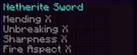
- Protection up to level 100
- Sharpness up to level 50
- Looting up to level 10
- Unbreaking up to level 20
- Efficiency and Fortune up to level 10
- Fire Aspect and Slow Falling up to level 10
- Unique enchantments like Lunge up to level 50
Admin Commands / Creative Mode Usage
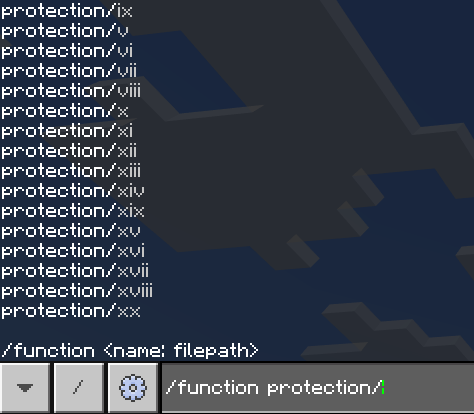
For creative mode or admin users wishing to quickly spawn enchanted books, hold any book and use the command /function ench to enchant all books in your inventory. Alternatively, specify an enchantment and level with commands like /function sharpness/vi to receive a Sharpness 6 book instantly.
This system enables high-level enchantments ideal for custom PvP battles or RPG scenarios, allowing players to wield powerful weapons and armor far beyond vanilla capabilities.
Additional Notes
The addon reintroduces Mending, but higher levels do not significantly enhance its effect. The focus is on expanding enchantment levels to support challenging gameplay and custom content, such as bosses with very high health pools.
This addon encourages players and modders to explore Minecraft’s RPG potential by enabling enchantments at levels that make large-scale battles and boss fights more engaging.
Images

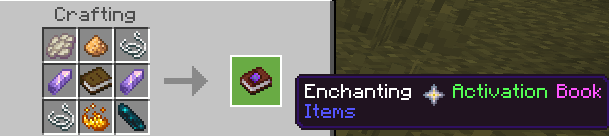
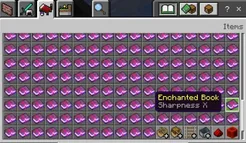
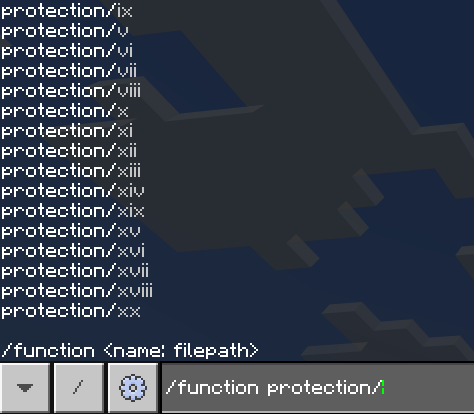
– Enchantment Books X-Plus Logo – List of Available Enchantments and Levels – Activation Book Usage Interface – Example of Creative Mode Book Spawning