Dynamic Health Bar
26.03.2026
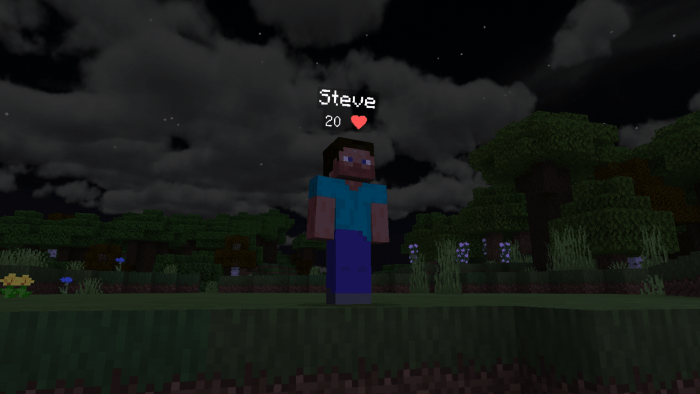
Dynamic Health Bar enhances your Minecraft experience by displaying heart icons beneath player and mob names, indicating their current health. This addon is compatible with various mobs, including those from other addons, providing a clear and dynamic health display during gameplay.
Installation / How to use
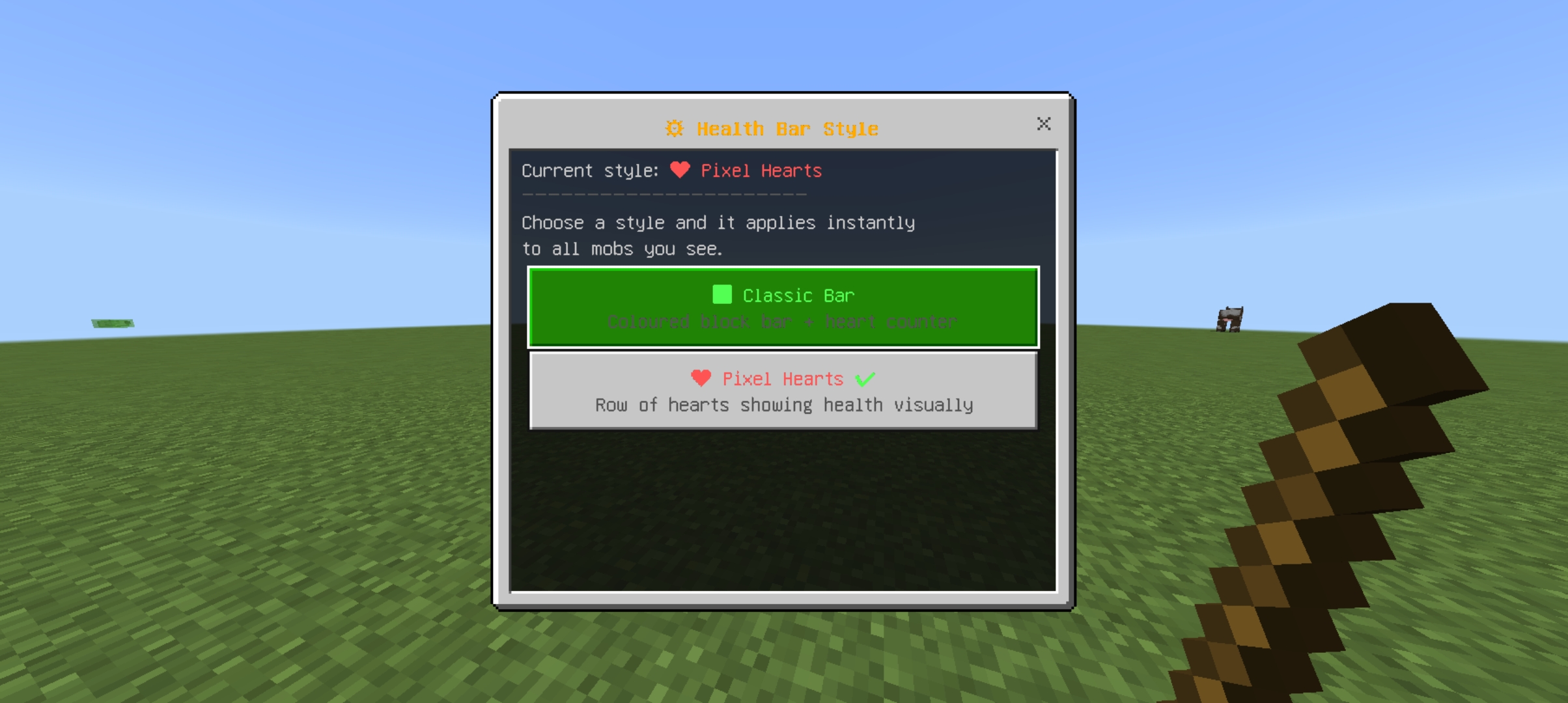
After installing the addon, you can view health bars by right-clicking with a stick to open the health bar user interface. This allows you to customize how health is displayed for players and mobs in your game.
Requirements / Compatibility
This addon does not require Experimental Gameplay to be enabled, making it easy to use with standard Minecraft Bedrock Edition. It works seamlessly with a wide range of mobs, including those added by other addons.
Key features
- Displays heart icons under player and mob names showing current health.
- Supports health display for both vanilla and additional mobs from other addons.
- Simple activation by right-clicking with a stick to open the health bar UI.
Visual Example
The health bar appears as a heart icon and numerical value beneath the entity’s name, making it easy to monitor health during combat or exploration.