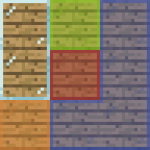
Connected Glass
28.02.2026
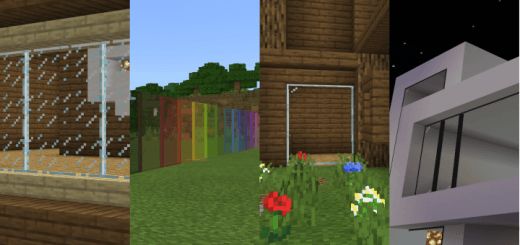
Connected Glass enhances Minecraft Bedrock Edition by introducing glass blocks that seamlessly connect with one another, offering a more polished and immersive building experience. This addon integrates smoothly with existing glass and glass pane items, enabling creative and survival players to craft and place connectable glass effortlessly.
Installation
To add Connected Glass to your Minecraft Bedrock Edition, import the addon pack into your game using the standard resource and behavior pack installation process. Ensure both packs are activated in your world settings to enable the connected glass features.
How to Use
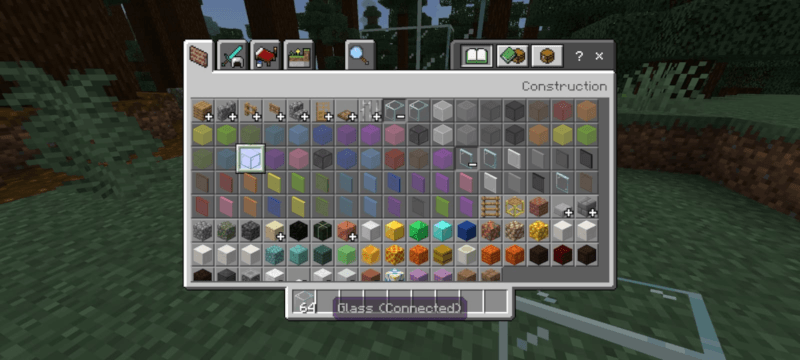
In Creative Mode, open your inventory and go to the Construction tab. Expand the glass and glass pane category to find the new connectable glass blocks, which function similarly to the vanilla variants but with enhanced connectivity.
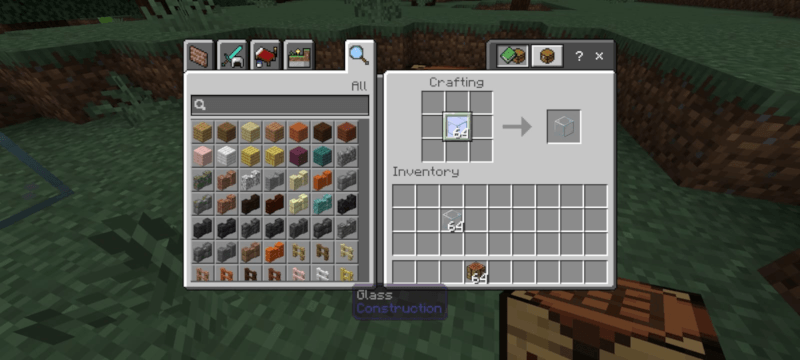
For Survival Mode players, crafting standard glass will automatically produce the connected glass versions instead, allowing you to build with them without changing your usual recipes.
Requirements / Compatibility
This addon is designed for Minecraft Bedrock Edition and works with the latest versions. It does not require any additional mods or external tools. Ensure no conflicting glass-related addons are active to avoid unexpected behavior.
Key Features
- Glass blocks and panes that visually connect when placed adjacent to each other.
- Compatible with existing glass crafting recipes for seamless integration.
- Improved aesthetics for builds that use large glass structures.
Notes
Modifying or redistributing this addon without permission is prohibited. For optimal performance, use the addon in worlds without other glass-altering packs.
Connected_glass v1.1.7.mcaddon
[1.78 MB]

