
Better Fps (Fps Boost)
2.04.2026
Better FPS (FPS Boost) is a lightweight resource pack designed to enhance Minecraft Bedrock Edition’s performance by increasing frame rates and reducing lag while maintaining the game’s original vanilla aesthetics. It offers smoother gameplay with minimal visual changes, ensuring a balanced experience between quality and efficiency.
Installation / How to Use
To apply the Better FPS pack, download the resource pack file and import it into Minecraft Bedrock Edition through the settings menu under “Global Resources.” Activate the pack in your world settings to experience improved performance. No additional configuration is required.
Requirements / Compatibility
This pack is compatible with the latest versions of Minecraft Bedrock Edition. It is designed to work alongside most other resource packs, but for best performance, avoid running multiple heavy packs simultaneously.
Key Features
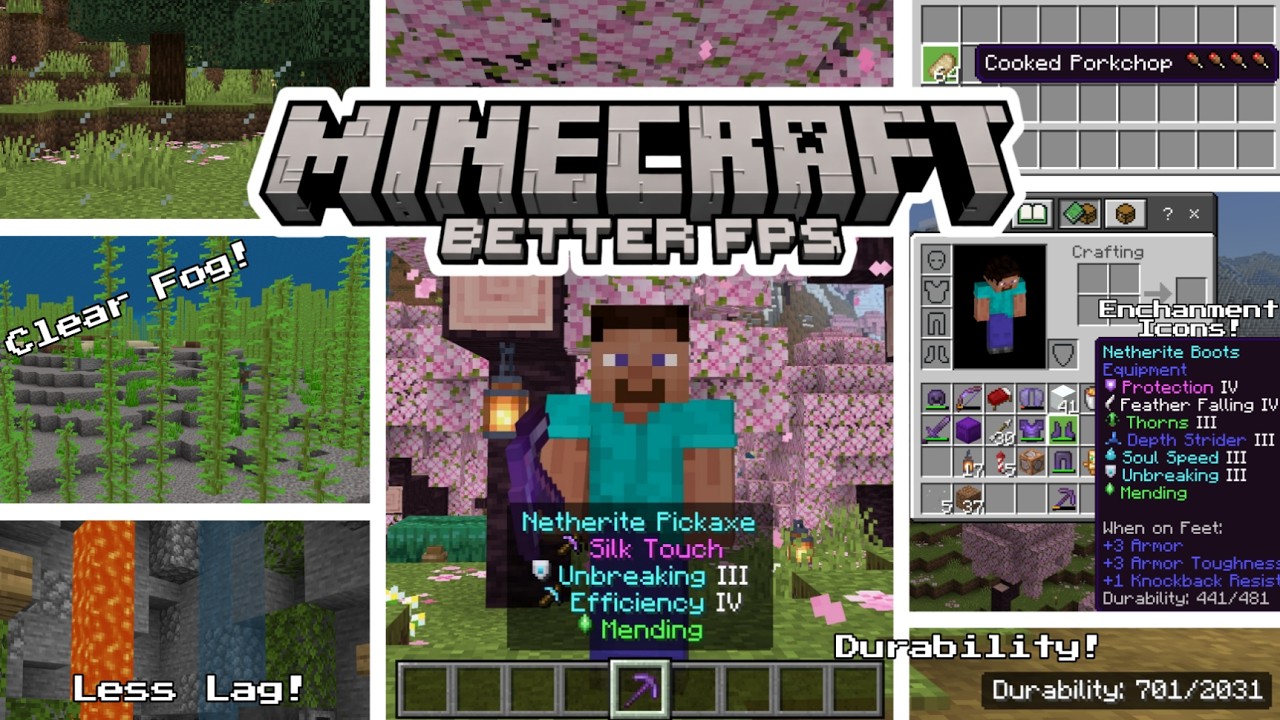
- Static Textures: Animations for water, lava, cauldrons, nether portals, campfires, kelp, seagrass, and bubble columns are replaced with single-frame static images to reduce graphical processing.
- Particle Optimization: Over 100 particle effects have been simplified to lower CPU and GPU load, enhancing frame rates.
- Clear Glass: Glass blocks and panes, including all colors and tinted variants, feature clean, borderless textures for better visibility.
- Fog Adjustments: Custom biome fog settings improve clarity and reduce rendering demand.
- Environment Texture Reduction: Sun, moon, and weather textures have been downsized for performance gains.
- Color Map Lightening: Grass and foliage colors are slightly muted to ease rendering.
- Low-Detail Shield: Simplified shield models and animations minimize resource use.
- Food Stats Display: Hunger restoration values are shown as small drumstick icons on food item names, clarifying how much hunger each restores. Harmful foods are marked with a skull icon.
- Enchantment Icons: Each enchantment has a distinct colored pixel art icon beside its name, color-coded by effect type for quick identification.
- Durability Viewer: Item durability is displayed both in tooltips and on-screen HUD for held items, with a blinking warning when durability falls below 20%.
Notes / Troubleshooting
If you encounter any issues or have feedback about the pack, consider providing comments or suggestions through the available communication channels in your platform. Ensure your game is updated to the latest version for optimal compatibility.
Better Fps (Fps Boost) v1.1.mcpack
[543.07 KB]

